The Terrifying Rise of AI Hackers: How to Protect Your Identity Today
Have you ever received an urgent email from your boss that sounded exactly like them, only to realize later it was a highly sophisticated scam? We used to spot hackers easily because of bad grammar and weird links, but artificial intelligence has completely changed the game. Today, hacking bots can clone your manager's writing style or even your daughter's voice in seconds. Let me show you exactly how these terrifying AI phishing scams work, and how you can easily build an unbreakable wall to protect your digital life.
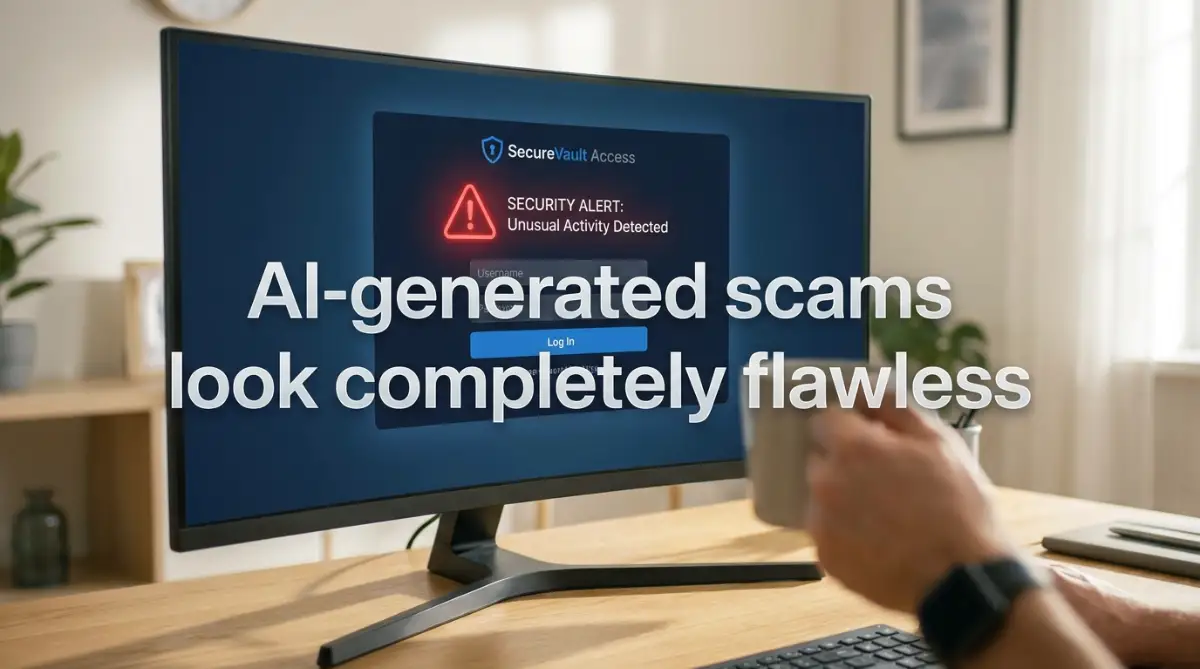
📌 Quick Summary: How to Defeat AI Hackers
- The Spelling Clue is Dead: AI writes perfectly. Stop looking for bad grammar and start verifying the sender's identity through a different channel (Out-of-Band Verification).
- Ditch SMS Codes: Text message security codes can be stolen. Switch to an Authenticator App or a Physical Security Key for real protection.
- Beware of Voice Clones: If a family member calls asking for emergency money, hang up and call them right back on their saved phone number.
- Isolate Your Smart Home: Put your smart TVs and lightbulbs on a separate "Guest" Wi-Fi network so hackers cannot use them to reach your personal laptop.
Decoding the Cyber Weapon: How AI Phishing Works
To protect your digital assets, you have to understand how artificial intelligence has completely changed the hacking game. In the past, hackers had to write their scam emails manually, which took a lot of time and resulted in many obvious mistakes.
Today, they use advanced language models to generate thousands of highly personalized emails in a fraction of a second. This technology allows bad actors to scale their attacks with terrifying efficiency.
The Hyper-Personalized Trap
Standard phishing scams are usually sent to millions of random people at the same time, hoping a few will fall for it. Hacking bots, however, specialize in "spear phishing," which is a highly targeted attack on one specific person.
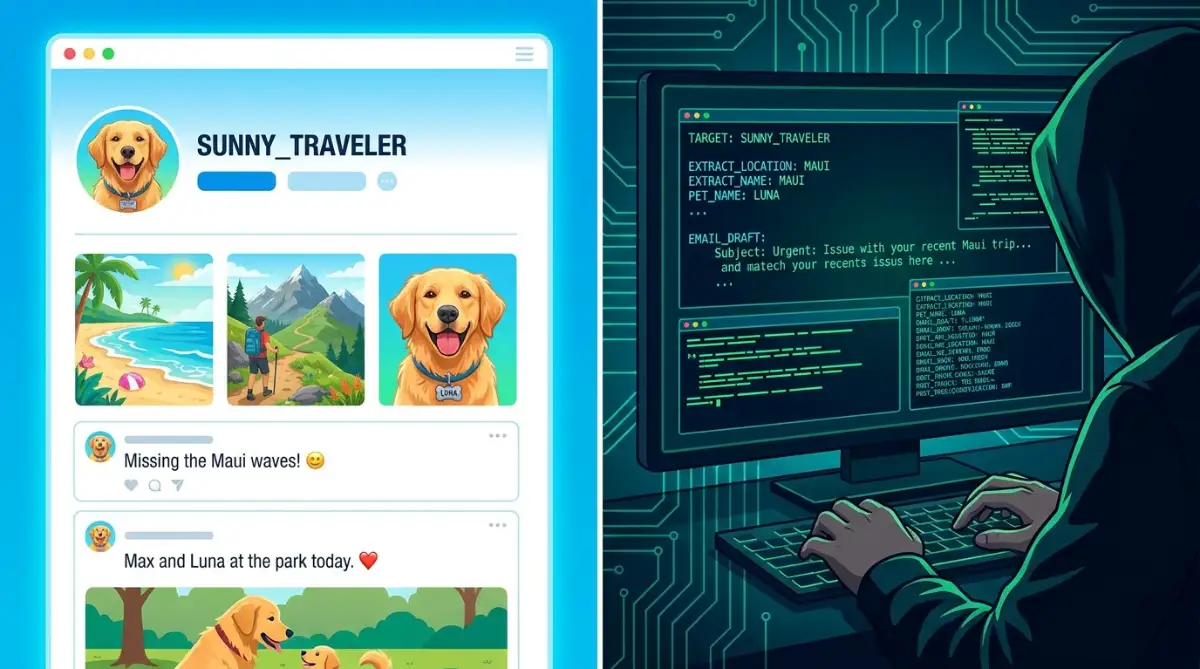
The bot automatically crawls your public Instagram, LinkedIn, or Facebook accounts to gather your personal details. It learns where you went on vacation last week, what your pet's name is, and where you currently work.
It then crafts an email that references these exact real-world events, making the message look incredibly believable. If an email mentions your exact weekend trip and asks you to look at a photo album link, your natural defense shields drop instantly.
The Death of the Spelling Error Clue
For decades, cybersecurity experts gave the exact same advice: look for spelling mistakes and awkward grammar to spot a scam. But modern AI writing tools have made this classic advice completely useless.
Hacking bots write with perfect, professional grammar and flawless punctuation. They can easily translate messages into any language with perfect local slang and cultural nuances.
Because the writing is so polished, you can no longer rely on your eyes to spot the fake. You have to look past the surface of the text and check the deep hidden details of the message.
Traditional Phishing vs. AI-Powered Phishing
The Rise of Deepfake Audio and Video
The threat is no longer limited to your written inbox. Artificial intelligence can now clone a person's voice using just a five-second audio clip from a public video.
Imagine receiving a phone call from your daughter, crying and saying she was in a car accident and desperately needs money. The voice sounds exactly like her, down to her breathing patterns and unique vocal inflections.
This is not a hypothetical scenario; these highly emotional audio scams are actively happening to families everywhere. Hackers use these fake voices to trigger an immediate panic response, forcing you to send money before you ever think to double-check the story.
If you honestly believe your online accounts are completely safe just because you added a single number to the end of your childhood pet's name, you are a sitting duck. Watch this quick breakdown from top cybersecurity experts to see the exact, terrifying methods hackers use to crack simple passwords in seconds, and learn how to actually lock down your digital life today.
Smart Defense Strategies You Can Start Today
Now that we know exactly how these advanced bots operate, we can build a highly effective defense system. You do not need to buy expensive security software or stop using the internet completely.
You just need to implement a few highly logical, daily habits that completely block the hacker's access. Let's look at the absolute best ways to keep your data secure.
Implementing the "Double-Check" Protocol
The absolute most important rule of the modern internet is to never trust the identity of a sender based on their message alone. If you receive an urgent email from your boss, your bank, or your spouse asking for money or sensitive data, you must stop immediately.
Never click the links inside that specific message. Instead, close the app and open a completely fresh, independent communication channel.
If your boss texted you, call them directly on their known phone number to ask if they actually sent the message. If your bank emailed you, type the official bank website address manually into your browser instead of clicking the link.
Expert Insight: The "Out-of-Band" Verification Rule
Cybersecurity experts call this "Out-of-Band Verification." It means verifying a request using a completely different communication method. If you get a suspicious email, verify it via a phone call. If you get a suspicious text, verify it in person. Never use the same platform to verify a potential scam!
Pro Tip: I used to think I was too smart to fall for an online scam. My biggest realization came when I almost clicked a highly realistic delivery tracking link that claimed my package was stuck at the local depot. I stopped, checked my actual online store account directly, and realized the tracking number was completely fake. Always go straight to the official source, even if it takes you an extra minute of your time.
Enforcing Strong Multi-Factor Authentication (MFA)
If a hacker does manage to trick you into giving away your password, you need a strong backup wall to stop them from entering your account. This is where Multi-Factor Authentication (MFA) becomes your absolute best friend.
MFA requires you to provide two different pieces of evidence to prove your identity before you can log in. This usually means typing your password and then entering a temporary code sent directly to your physical smartphone.
Even if an AI bot steals your password, they are still completely locked out of your account because they do not have physical possession of your mobile phone.
However, you must avoid using text messages (SMS) for your MFA codes if possible. Smart hackers can sometimes redirect your text messages to their own devices using a trick called SIM swapping. Instead, use a dedicated authenticator app like Google Authenticator or Microsoft Authenticator, which generates the codes locally on your physical device.
This simple security upgrade is just as important as knowing how to speed up your phone simple steps to clear app cache on android to protect your daily digital operations. By keeping your hardware locked down, you prevent hackers from ever accessing your private information.
Masking Your Public Digital Footprint
Because AI bots rely heavily on your public social media data to build their personalized attacks, you must limit what you share with the world. Take a close look at your privacy settings on every platform you use.
If your Instagram or Facebook profile is currently public, you are basically handing hackers a free map of your life. Change your profiles to "Private" so only your actual friends can see your photos and updates.
Be highly selective about what you post. Never share photos of your boarding passes, your work badges, or your home address online.
Ignoring these basic privacy steps is a massive risk, much like making dangerous password management mistakes that leave your digital identity exposed. If you keep your digital windows covered, the automated scanning bots will simply move on to an easier target.
Managing Your Physical Device Safety
We often forget that our physical devices are the main gateways to our cloud accounts. If you leave your smartphone unlocked on a cafe table, or if you use a weak lock screen PIN, you are taking a massive gamble.
Always use biometric security, like fingerprint scans or face recognition, to lock your phone. These physical locks are incredibly difficult for any software bot to bypass.
Additionally, make sure you know exactly how to react if your physical storage device fails. If your computer gets infected by a virus from a bad link, you must act fast. If malware infects your operating system, knowing how to respond when your hard drive crashed how to rescue your lost files before it s too late is essential. Always keep a clean, offline encrypted backup of your most important files in a safe location.
Developing a Healthy Skepticism of Tech Help
One of the most common AI scams involves fake customer support agents calling to help you fix a non-existent computer virus. They use highly realistic voice synthesis to sound like a professional tech support desk.
They will tell you that your computer is heavily infected and demand that you install a remote access software tool so they can fix it for you. Once you install the software, they have complete control over your entire operating system.
Remember this simple rule: real tech companies like Microsoft and Apple will never, ever call you out of the blue to fix your computer. If someone calls claiming to be from a tech desk, hang up the phone immediately.
This type of careful skepticism is the foundation of digital safety. Just like you need to protect your home systems, you must protect your computer. If you are already trying to save your console simple ways to spot and avoid overheating issues, apply that exact same serious focus to your daily network security.
The False Promise of the Spam Filter
Many people believe that because they have a great email provider, their spam filter will automatically block every single phishing attempt. While modern spam filters are incredibly smart, they are constantly playing a game of catch-up with AI technology.
An advanced hacking bot can easily test their emails against standard spam filters before sending them to you, ensuring the message slips right through into your main inbox. You cannot rely on software to be your only shield.
Your own brain is the ultimate line of defense. By slowing down, asking questions, and refusing to click on unexpected links, you completely break the hacker's strategy. This careful, deliberate approach is the absolute key to protecting your digital future.
Advanced Cyber Defense Tactics for Ultimate Data Security
When you want to build a truly unbreakable shield around your personal data, standard advice like "change your password" is simply not enough. You need to implement advanced, multi-layered security strategies that completely block the most sophisticated artificial intelligence hacking tools. By shifting your approach from reactive panic to proactive prevention, you can easily secure your digital files from malicious actors. Let's look closely at the pro-level techniques that cybersecurity experts use to keep their own networks perfectly safe.
Isolating Your Smart Home with Network Segmentation
Most families connect their smart TVs, security cameras, personal laptops, and smartphones to the exact same home Wi-Fi network. This creates a massive, highly dangerous vulnerability.
If an AI-powered hacking bot manages to compromise one weak smart bulb, it can easily travel across your shared home network to access your personal banking laptop. To prevent this, you must set up a separate "Guest Network" on your router specifically for your smart home devices.
Moving Beyond Passwords with Hardware Security Keys
Even the most complex twenty-character password can eventually be stolen through a highly sophisticated phishing page. To completely eliminate this risk, you should transition to using a physical hardware security key, such as a YubiKey.
Quick Look: The Authenticator Hierarchy
These tiny USB devices use advanced cryptography to verify your identity, completely replacing vulnerable text message verification codes. The U.S. Cybersecurity and Infrastructure Security Agency (CISA) explicitly recommends physical security keys as the absolute gold standard for multi-factor authentication.
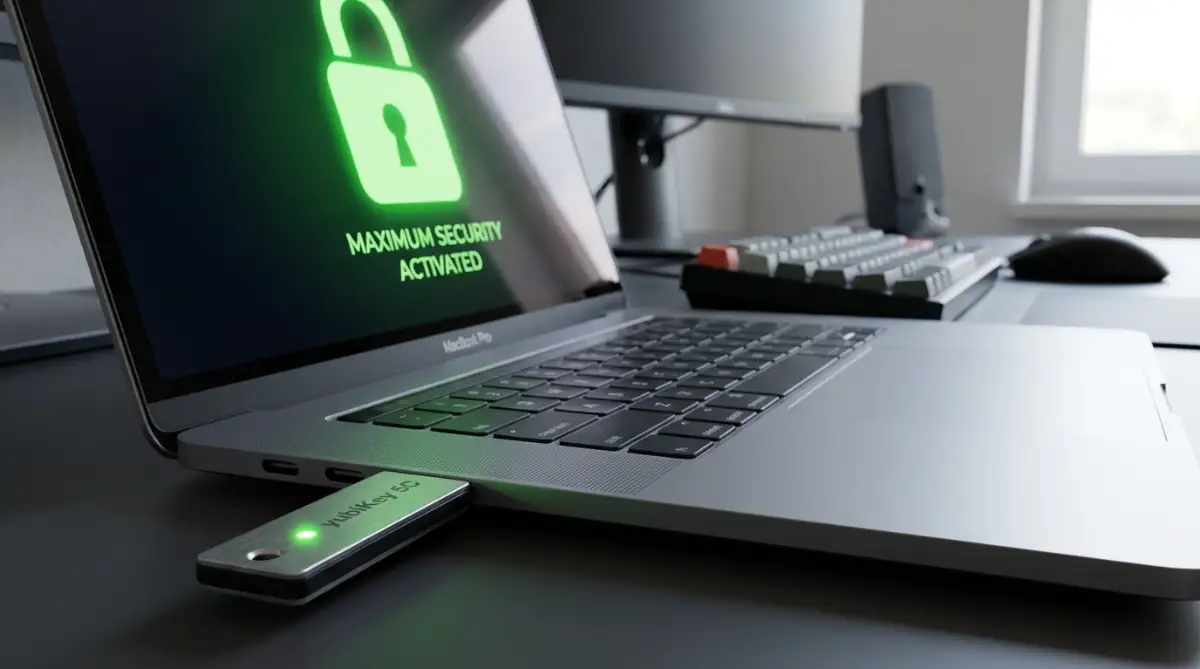
If you do not physically plug the key into your device or tap it against your phone, nobody can access your accounts, even if they have your password. Implementing a hardware key and avoiding dangerous password management mistakes that leave your digital identity exposed is the ultimate combination to protect your digital wealth from automated hacking bots.
Securing Your Daily Digital Routines
Your daily online habits dictate how vulnerable you are to automated scanning bots. If you start your morning by clicking random email links while still half-asleep, you are playing a highly risky game with your personal data.
Additionally, you must regularly clear your digital clutter to prevent tracking cookies from mapping your daily internet habits.

Silent Behavioral Traps That Hand Your Keys to Hackers
Even with the best hardware keys in the world, human behavior remains the biggest threat to digital security. We naturally want to trust people, and this emotional trust is exactly what hackers exploit to bypass your defenses.
If you do not recognize these subtle behavioral traps, you will eventually find yourself hand-delivering your personal files to a sophisticated bot. Let's look closely at the worst mistakes that cause immediate, catastrophic privacy breaches.
The Overconfidence of Relying Entirely on Antivirus
Many people believe that because they paid for a premium antivirus subscription, they are completely immune to online scams. This false sense of security actually makes them incredibly careless with their links.
Antivirus software is designed to detect known malware files, but it cannot stop you from voluntarily typing your login details into a fake website. If an AI-powered phishing page looks completely authentic, your antivirus will simply let you visit the page without any warning.
You must realize that your own brain is the ultimate line of defense against social engineering. The Electronic Frontier Foundation (EFF) constantly warns users that relying on software alone creates a dangerous security gap. You must always maintain a healthy skepticism of every unexpected login prompt, regardless of what your antivirus says.
Careless Oversights on Professional Job Boards
When you are desperately searching for work, you naturally want to make your profile as visible as possible. You upload your detailed resume to multiple public job boards, listing your personal email, phone number, and work history.
This public document is a goldmine for artificial intelligence scraping bots. They take your work history, learn exactly who your previous managers were, and use that data to write incredibly convincing, fake job offers.
If you fall for these fake offers, you will end up downloading malware disguised as an employment contract or giving away your banking details during a fake onboarding process.
Neglecting Your Smartphone's Hardware Safety
We often forget that our physical devices are the primary gateways to our entire digital lives. If you ignore basic physical maintenance, you are exposing yourself to sudden, unexpected failures that leave your data vulnerable.
According to official guidelines from the Federal Trade Commission (FTC) on identity theft recovery, keeping local, offline, encrypted backups is the only true way to guarantee your data survives a dual physical and digital disaster.
Your Personal Blueprint for Long-Term Digital Security
We have completely shattered the massive myths surrounding artificial intelligence and online safety today. You now clearly understand that keeping your data secure is not about luck; it is a systematic process of building strong physical and digital boundaries.
When you take proactive, planned actions to lock down your accounts, the terrifying power of these hacking bots completely disappears. You can finally enjoy your digital life with absolute, unshakeable confidence.
Your 30-Day Security Roadmap
Do not let this information just sit in your head. You need to take physical action today to protect your family's future.
Here is exactly what you should do over the next thirty days to secure your perimeter:
- Week 1: Change your passwords to completely unique, twenty-character strings and store them in a secure manager.
- Week 2: Enable Multi-Factor Authentication on your email, bank, and social media accounts using an authenticator app.
- Week 3: Log into your home router settings and set up an isolated guest network for all your smart home gadgets.
- Week 4: Order a physical hardware security key and register it to your absolute most critical financial accounts.
I spent nearly a month dealing with the terrifying stress of identity theft because I trusted a basic password for all my accounts. I felt completely naked, watching my personal files get sold to strangers. But the exact day I finally activated hardware keys and separated my networks, my constant digital anxiety vanished entirely. I promise you, if you take the time to follow this strict security blueprint tonight, you will never have to worry about a smart hacking bot ever again.
Frequently Asked Questions About AI-Powered Phishing
Can an AI hacking bot really clone my family member's voice?
Yes, absolutely. Using advanced voice synthesis technology, an AI algorithm can easily clone any voice using just a five-second audio clip scraped from public social media videos. They use these cloned voices to call relatives, claiming to be in an emergency and demanding immediate financial help.
Is it safe to use my web browser's built-in password manager?
While using a browser manager is significantly better than writing passwords on sticky notes, it is still highly vulnerable. If a hacker manages to infect your computer with a basic info-stealing malware file, they can easily export every single password saved inside your browser in seconds. Always use a dedicated, standalone password manager with local encryption.
How do I know if a link inside an email is actually safe to click?
You should never trust the visual text of a link inside an unexpected email. Hover your mouse pointer over the link without clicking to see the actual, raw destination URL in the bottom corner of your screen. If the domain name has a strange misspelling or does not match the official website exactly, it is a scam.
Does changing my phone number protect me from SIM swapping attacks?
No, changing your phone number does not stop SIM swapping. To protect yourself, you must call your mobile provider and request a secure verbal PIN to lock your account. This prevents hackers from calling the company and tricking them into transferring your number to a different SIM card.
Why is text message (SMS) authentication considered unsafe today?
SMS authentication is highly vulnerable to SIM swapping attacks and intercepted networks. If a hacker redirects your phone number, they will receive all your security codes directly on their own devices. Always use a dedicated authenticator app or a physical hardware security key for your multi-factor verification.
What should I do if I accidentally clicked a suspicious link but didn't type any info?
You must immediately disconnect your device from the Wi-Fi network to stop any background malware from communicating with the hacker's servers. Run a deep, manual security scan of your entire system using a reputable antivirus tool. If you downloaded any files from that link, delete them permanently from your trash bin immediately.
Disclaimer: The information provided in this blog post is strictly for educational and informational purposes only. Cybersecurity threats and artificial intelligence technologies change rapidly, and no system can ever be guaranteed to be one hundred percent secure against all forms of attack. Always perform your own thorough due diligence, consult with certified cybersecurity professionals, and regularly update your device security settings to protect your personal assets.