
The Silent Threat Inside Your Gaming System
Have you ever sat down after a long, exhausting day, ready to escape into your favorite game, only to have your system suddenly crash and freeze? You touch the plastic shell, and it feels as hot as a fresh cup of coffee. I know that crushing disappointment all too well. For years, I ignored the roaring noise of my console's fan, not realizing I was slowly suffocating my own system. Let me show you how to easily keep your machine cool, quiet, and running smoothly without expensive repair bills.
- Many players rely on terrible advice found on random internet forums.
- Some people try using cheap, external cooling fans that actually block the natural exhaust airflow of the machine.
- Others put their systems inside closed wooden TV cabinets, thinking it protects them from gathering dust.
- Some mistakenly believe that turning the volume up will make them forget about the loud, roaring fan.
- A few even try wrapping their hot systems in damp towels, which destroys the internal electronics completely.
- You start playing with constant anxiety, always waiting for the system to crash.
- The loud, roaring fan noise makes it impossible to focus on the story or hear in-game footsteps.
- You lose confidence in your expensive device, wondering if it will break forever today.
- Your friends get frustrated when you suddenly disconnect from multiplayer matches.
- The fear of a massive repair bill ruins the simple joy of sitting down to play.
The reality of a hot system is a slow, quiet disaster. It starts with minor issues that you might easily ignore at first. You might hear the internal fan spin a little faster during a graphically heavy scene in your game. Then, you notice slight drops in your frame rate, making your character's movement feel muddy and laggy.
You might tell yourself that it is just a temporary bug in the game software. However, the heat inside the plastic shell is building up to dangerous levels. The internal processor is reaching temperatures that can melt delicate solder joints on the main board.
When this happens, the damage becomes permanent, turning your expensive machine into a useless piece of plastic. We spend hundreds of dollars on these devices, expecting them to last for years of fun. Yet, a simple buildup of dust or poor placement can end that fun in an instant.
Understanding why this happens is the first step toward protecting your investment. Let us explore the clear signs your system is giving you before it is too late.
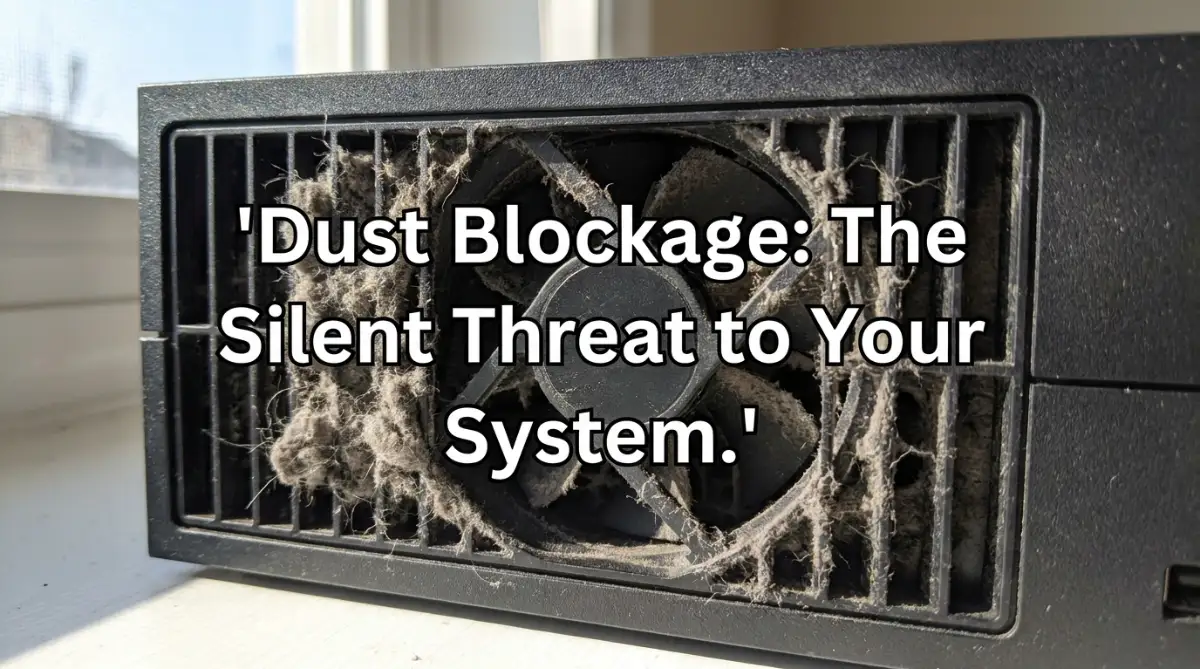
📌 Quick Summary: Keep Your Console Whispering Quiet
- The 6-Inch Rule: Always keep at least six inches of open space around your system’s vents so it does not breathe in its own hot exhaust.
- Never Use Vacuums: Standard vacuum nozzles generate huge static electricity that can instantly fry your main system board.
- Blast Wisely: Use short, quick bursts of compressed air to clear vents, and always hold the fan still with a toothpick so it does not spin and generate electricity.
- Hard Surfaces Only: Placing your system on a soft bed or thick carpet acts like a heavy thermal blanket, suffocating the intake vents.
Simple Actions to Restore Cool Air Flow. The Radiator Analogy: Listening to Your Fan
To understand how your machine breathes, think of it like a human body after a fast run. When you exercise hard, your lungs work faster to bring in fresh oxygen. Your gaming system does the exact same thing using its internal fan.
When dust blocks the vents, the fan must spin much faster to push out the hot air. If your system sounds like a jet engine taking off, this is a clear warning sign. The machine is struggling to breathe, and you need to act quickly.
Start by turning off the system and looking closely at the back vents. If you see thick blankets of gray dust, your system is slowly suffocating. You can use a simple flashlight to inspect the narrow plastic gaps.
To fix this, grab a can of compressed air. Hold the can upright and spray it in short, quick bursts into the vents. This simple action will dislodge the trapped dirt and allow the system to breathe normally again.
Understanding Thermal Throttling and Game Stutter
When a processor gets too hot, it has a built-in safety feature to protect itself from melting. This safety feature is called thermal throttling. The system intentionally slows down its speed to generate less heat.
In your games, this looks like sudden, annoying stuttering or lag. You might notice that your game runs perfectly for the first fifteen minutes. Then, as the heat builds up, the action starts to freeze and drop frames.
This is not a problem with your internet connection. It is your system screaming for cool air. If you ignore this sign, the system will eventually shut itself down completely to avoid permanent hardware damage.
To prevent this, make sure you never place your system on a soft surface. Placing a hot console on a thick carpet or a soft bed blocks the bottom intake vents. Always use a hard, flat wooden or glass surface to keep the air flowing freely.
The Outer Shell Test and Proper Placement
The plastic casing of your system is designed to dissipate some of the internal heat. It is completely normal for the shell to feel warm after an hour of heavy gaming. However, if the plastic feels burning hot, or if you smell a faint scent of warm plastic, you must shut it down.
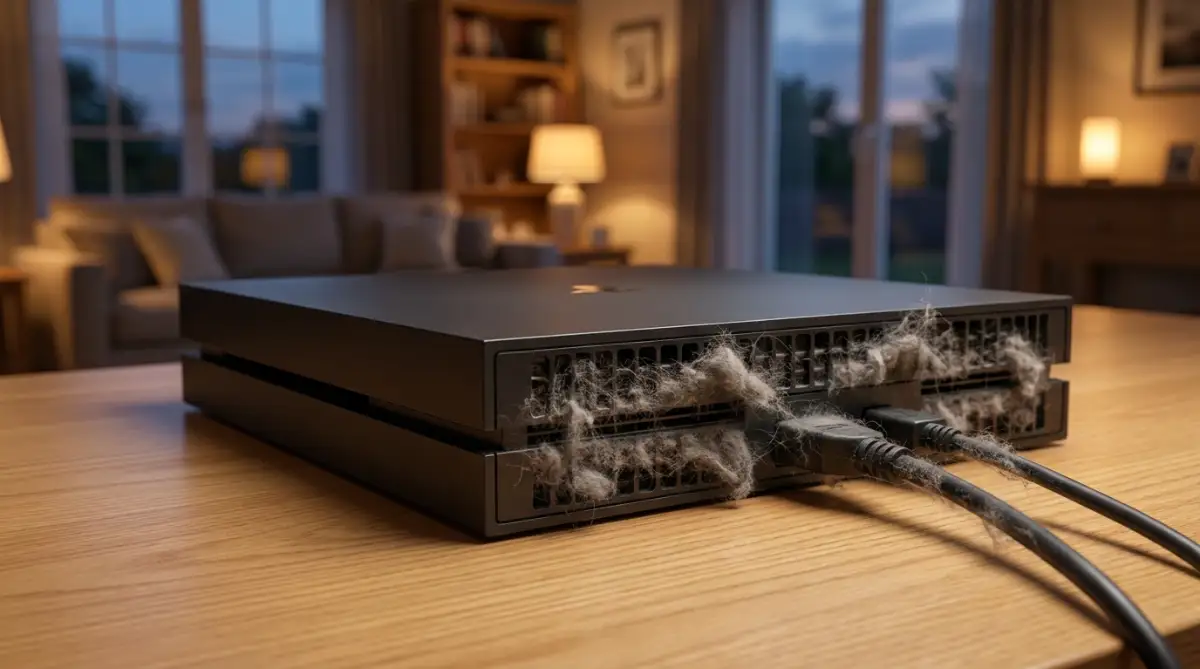
This heat buildup usually happens because the system is trapped in a tight space. Many players put their systems inside closed entertainment centers. This creates a hot box where the machine simply breathes in its own hot exhaust air.
We recommend following the simple six-inch rule. Ensure there is at least six inches of open space on all sides of your console. This allows the hot air to escape far away from the intake vents.
If you keep your system in a cabinet, leave the cabinet door wide open during your play sessions. This small change can lower the internal temperature by several degrees. It is an easy way to protect your system without spending a single penny.
My absolute biggest mistake early on was hiding my console inside a beautiful, closed wooden TV cabinet because I wanted my gaming room to look neat and clean. I quickly realized the hard way that this created a hot oven that trapped all the exhaust air, making the fan spin twice as fast just to survive. Once I finally moved it to an open shelf with plenty of breathing room, the loud fan noise stopped almost instantly, and my games never lagged again!
Deep Cleaning and Professional Airflow Secrets
Taking care of your system is not just about wiping the outside with a cloth. If you want your machine to perform well for a long time, you must look at the deeper issues. We need to explore advanced methods that professional repair shops use to keep hardware cool.
First, let us look at how manufacturers recommend handling basic maintenance. You can find official cleaning guidelines directly on the Sony PlayStation Support site or the official Xbox Support portal. These resources offer excellent safety tips for handling your specific hardware.
If you are comfortable with technical tasks, you can also consult community guides on iFixit for detailed teardown instructions.
The Magic of Replacing Dried Thermal Paste
Inside your system, there is a special substance called thermal paste. This paste sits directly between the main processor and the heavy metal heatsink. Its only job is to transfer heat away from the chip as fast as possible.
Over a few years of heavy use, this paste dries out and turns into a dusty powder. When this happens, heat cannot escape the processor, and your fan will spin at maximum speed. Replacing dry thermal paste is one of the most effective ways to lower system temperatures.
Did You Know? The Baked Potato Effect
When your thermal paste dries out, it acts like a dry piece of cardboard instead of a heat conductor. Instead of transferring heat to the metal fins to be blown away, your processor becomes wrapped like a baked potato in foil, trapping the intense heat directly inside the silicon chip!
To do this, you will need to open the outer shell and locate the main processor. Gently clean away the old, dry paste using a cotton swab dipped in rubbing alcohol. After the surface is clean and dry, apply a small, pea-sized drop of fresh thermal paste in the center of the chip.
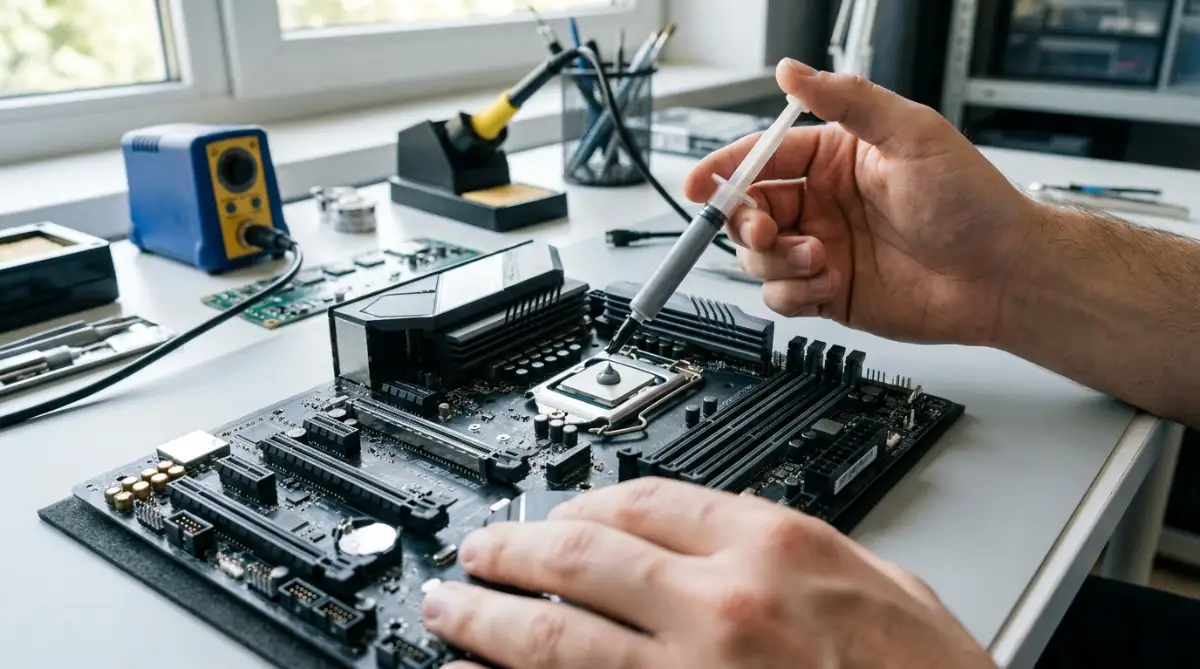
When you reassemble the heatsink, it will squash the paste flat, creating a perfect thermal seal. This simple maintenance step can make your system run as quietly as the day you first opened the box.
The DIY Thermal Paste Lifespan Scale
- Fresh (0-2 Years): Wet, gray, and perfectly gooey. Heat transfers instantly to your cooling unit.
- Aged (3-4 Years): Slightly chalky around the edges. Your fan might spin a bit faster during heavy gameplay.
- Dead (5+ Years): Turned completely to powder. Your system will thermally throttle and shut down to protect itself.
The Safe Way to Open and Deep Clean the Interior
Before you grab your tools to open up your machine, watch this incredibly helpful video that shows you the exact safe way to clean out hidden dust. It visually breaks down the entire process so you do not accidentally break any delicate wire connectors, so check it out and then read the steps below to finish the job!
Dust does not just stay on the outer plastic vents of your machine. It travels deep inside, wrapping itself around the internal fan blades and the metal heatsink fins. Over time, this dust forms a thick, carpet-like barrier that traps heat.
To clear this out, you must safely remove the outer plastic plates of your system. Most modern systems have removable side plates that do not require any complex tools to slide off. Once the plates are off, you will have a clear view of the main internal fan.
Do not try to pull the fan out forcefully, as you might break the delicate wire connectors. Instead, use a soft wooden toothpick to hold the fan blades completely still. Holding the fan still is important because spinning it with compressed air can generate electricity and damage the system board.
Once the blades are locked in place, use a soft-bristled brush to gently sweep away the dirt. Use short bursts of compressed air to push the dust out of the metal heatsink fins. You will be amazed at how much hidden dirt flies out of the machine.
Long-Term Habits for Permanent Thermal Protection
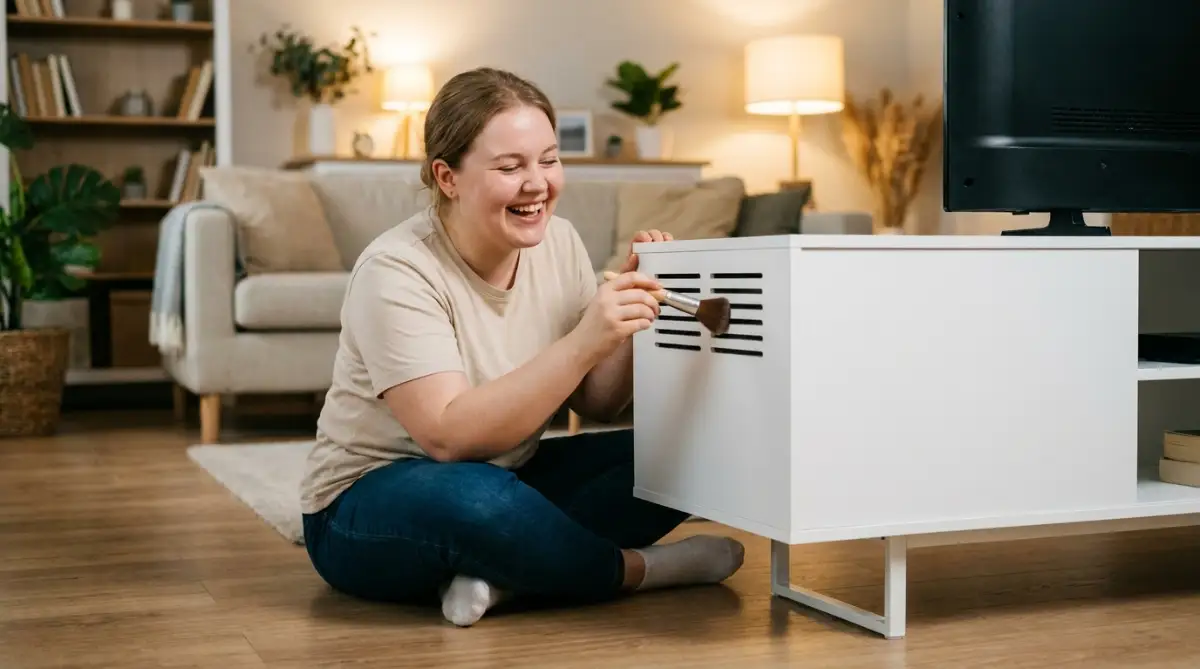
Keeping your system cool is a continuous journey that requires building simple habits. You should try to establish a quick cleaning schedule once every three months. A fast, five-minute wipe of the outer vents can prevent major dust buildups later.
We also recommend raising your machine slightly off the flat surface it sits on. You can use small wooden blocks or rubber feet under the corners of your system. This simple trick creates an extra path for cool air to flow underneath the warm plastic shell.
Also, keep your gaming room as clean and dust-free as possible. Vacuuming the room regularly and keeping pets away from the system will extend its lifespan significantly. These simple steps ensure your device remains quiet and responsive for years to come.
Critical Mistakes That Can Destroy Your System
When players notice their systems getting hot, they often panic and make bad decisions. In their hurry to fix the issue, they use fast, unverified methods that cause more harm than good. Let us examine the major pitfalls you must avoid to keep your device safe.
- Using a household vacuum cleaner directly on the open vents is a massive mistake. Vacuums generate huge amounts of static electricity on their plastic nozzles. This static can discharge directly into your system board, frying the delicate microchips instantly.
- Spraying liquid cleaners or water onto the hot plastic shell is incredibly dangerous. The liquid can easily seep inside the vents, causing an immediate short circuit when you turn the power back on. It can also cause the hot plastic to crack due to sudden temperature changes.
- Placing the system directly on a carpet or soft rug is a recipe for disaster. Carpets act like giant thermal blankets, trapping heat around the system. They also block the lower intake vents and allow the fan to suck up loose fabric fibers.
- Using cheap third-party vertical stands with built-in cooling fans often restricts airflow. Many of these poorly designed stands blow air in the wrong direction, fighting against the console's internal fan. This causes the heat to build up inside the system rather than escaping.
If you make these mistakes, you risk destroying your hardware permanently. A fried motherboard or a melted processor cannot be easily repaired. In addition, opening your system incorrectly can void your manufacturer warranty, leaving you with no support.
In some cases, the heat in your room might get so high that it dries out the surrounding air. This dry environment can cause physical discomfort, forcing you to look for natural home remedies to fix extremely dry and flaky skin.
Worse, having to replace a dead system can strain your budget, leaving you wondering how to get unsecured loans with bad credit and actually get approved. It is much better to spend ten minutes on safe, preventative cleaning than hundreds of dollars on a brand-new machine.
Reclaiming Your Smooth Gaming Sessions
Protecting your gaming system from heat is completely within your control. We have explored how a simple buildup of dust can restrict airflow and cause your games to freeze. We have also seen how proper placement and clean air vents can restore your system's original speed.
You do not need to be a professional technician to keep your system happy. By simply listening to your fan, keeping the vents clear, and using hard surfaces, you can prevent major issues. These simple, budget-friendly actions will keep your games running smoothly and quietly.
Take a look at your gaming setup right now. Is your system trapped inside a tight cabinet, or is it sitting on a dusty carpet? Spend five minutes today to move it to an open, clean space. Your system will thank you with whisper-quiet performance and years of fun.
Looking back, almost losing my favorite gaming machine forced me to finally take basic hardware maintenance seriously. You absolutely do not need to be a computer expert to keep your device safe, cool, and quiet, so please do not feel intimidated by the cleaning process. Grab a can of compressed air, move your system out of that tight corner today, and get ready to enjoy your favorite games without any annoying lag!
Common Questions About Keeping Your Gaming System Cool
Why does my gaming system fan suddenly sound like a loud jet engine?
Your fan spins at maximum speed to push out hot air when dust blocks the internal vents and traps heat. This loud noise is your system screaming for help, meaning it is struggling to breathe and needs a quick cleaning.
Can I safely use a household vacuum cleaner to clean out the dust from my console?
No, you should never use a household vacuum because it generates heavy static electricity on its plastic nozzle. This static can discharge directly onto your system board and fry the delicate microchips instantly.
Why does my game start lagging and stuttering after playing for an hour?
This happens because of a safety feature called thermal throttling, where the system slows down its processor speed to prevent melting itself. When heat builds up inside a poorly ventilated space, the hardware drops frames to keep the temperature under control.
Is it safe to place my gaming system inside a closed TV cabinet?
Placing your system inside a closed cabinet creates a hot box where the machine simply breathes in its own hot exhaust air. You should always leave the cabinet door wide open or move the console to an open shelf with at least six inches of clearance on all sides.
How often should I clean the dust out of my gaming console?
You should ideally perform a quick maintenance check and clean the outer vents once every three months. Establishing this simple routine prevents thick dust barriers from forming deep inside, keeping your machine running quietly for years.
Disclaimer: The information provided in this article is for educational and general informational purposes only and does not constitute professional technical support or official repair advice. Opening, deep cleaning, or modifying electronic devices and gaming consoles can void the manufacturer's warranty and carries a risk of permanent hardware damage or electric shock. Any maintenance steps or thermal paste replacements are performed strictly at your own risk. Always consult the official manufacturer's safety guidelines or seek assistance from a certified repair technician if you are uncomfortable handling internal components.