The Silent Mistake That Compromises Your Digital Life
I almost had a panic attack when I realized what I had just done. I was using a popular free AI tool to help organize my messy family budget, and without thinking, I pasted a spreadsheet that had my home address and credit card balances right into the chat box. I spent the rest of the night terrified that my private life was permanently stuck on a public server. If you use AI tools at work or home, let me show you how to safely get the benefits without accidentally leaking your sensitive data to the world.
My 60-Second AI Privacy Survival Guide (TL;DR)
- Never paste your social security number, home address, or bank details into a free AI tool.
- The "Delete Chat" button does not erase your data from the company's main servers.
- Go into your AI app settings today and explicitly turn off the "Use my data to train models" feature.
- Always sanitize your text. Replace real client names and company locations with generic placeholders before hitting enter.
Decoding How Machine Learning Actually Consumes Information
To protect yourself, you first need to understand how these free tools actually operate behind the scenes. Open-source artificial intelligence models are incredibly powerful, but they require massive amounts of text to learn and improve. They act like giant digital vacuum cleaners, sucking up billions of words to understand human language patterns.
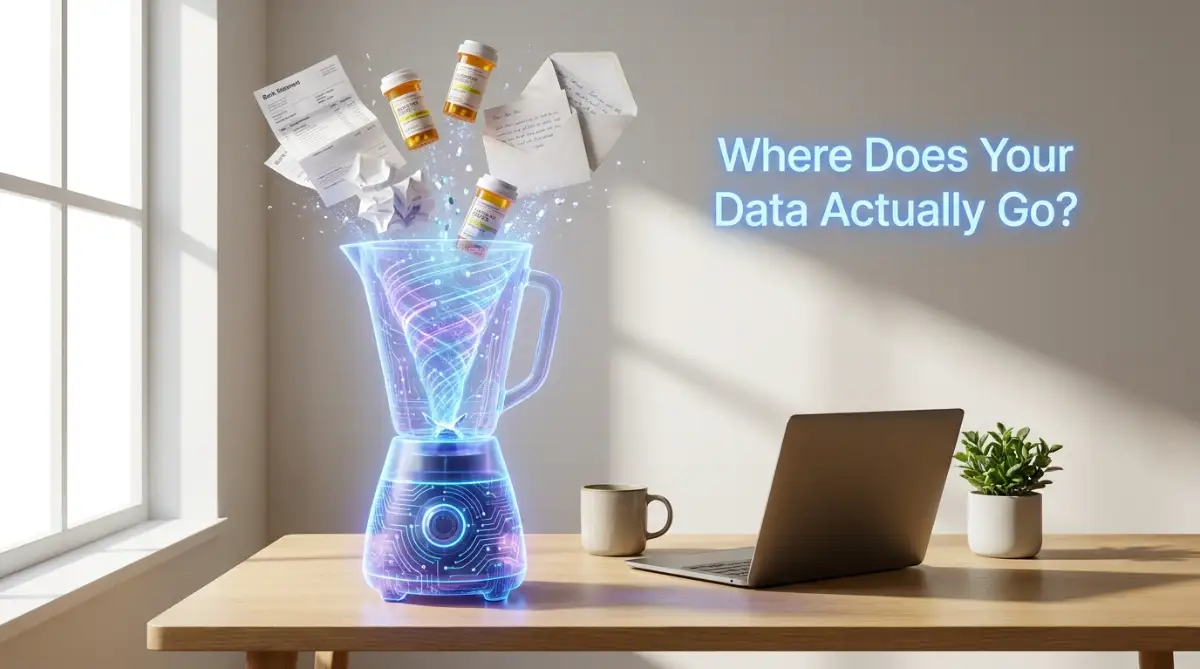
When you type a prompt or paste a document into a free web interface, that text does not just disappear when you close your browser. In many cases, the company hosting that open-source model actively records your entire conversation. They use your specific questions, stories, and data to train the next version of their software.
Imagine standing in a crowded public square and shouting your bank account password through a megaphone. Even if you walk away a minute later, someone in that crowd has already memorized your numbers. When you feed private information into an open-source generator, you are essentially doing the exact same thing in a digital space.
The machine does not know the difference between a funny joke and your private medical records. It treats all text as basic learning material. If it absorbs your private details today, it might accidentally repeat those same details to a completely different user tomorrow.
The Illusion Of The Delete Button
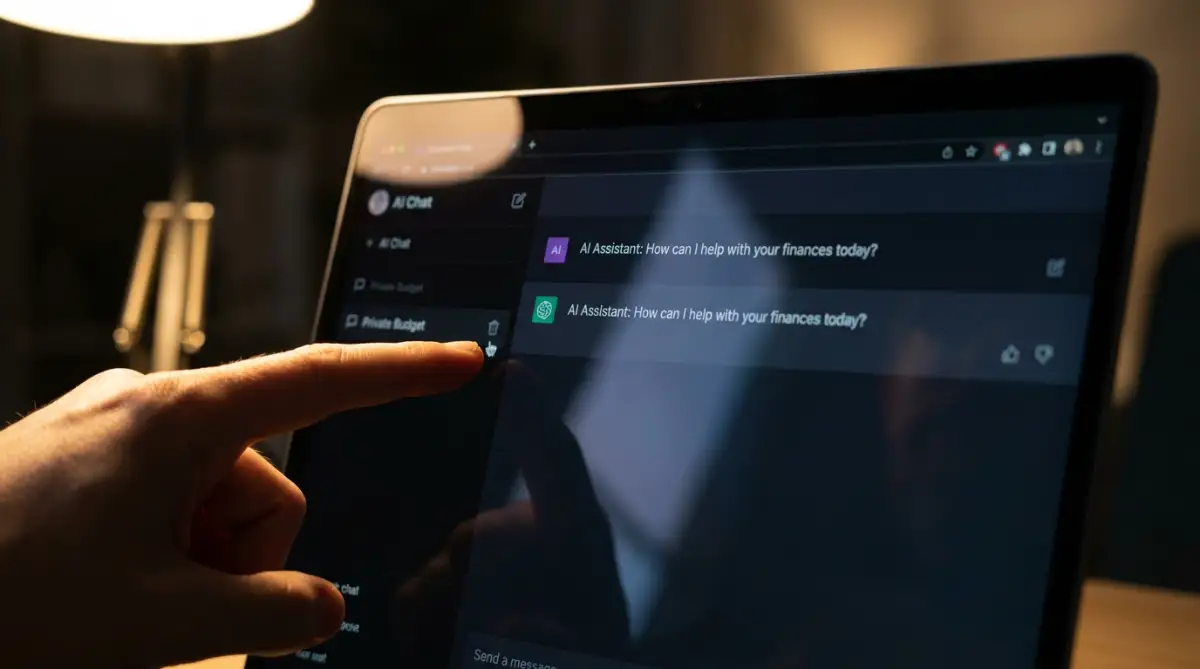
Most people feel safe because they assume they can simply hit the delete button when they are finished working. You click the little trash can icon next to your chat history, and the text disappears from your screen. This creates a highly dangerous false sense of security.
Erasing the chat history from your personal screen does not erase it from the company's master database. Once your information travels through your internet connection and hits their server, it is completely out of your control. The system has already logged your input and archived it for future analysis.
Think about sending a physical postcard through the mail to a stranger. You cannot un-send that postcard once it leaves your hands and drops into the mailbox. Even if you delete the original draft on your computer, the stranger still holds the physical copy.
The Truth About Data Retention Uncovered
If you want to fully grasp how these companies legally store your private prompts, watch this eye-opening visual breakdown right now.
Everyday Scenarios That Put You In Direct Danger
You might be thinking that you never share anything highly sensitive online. However, we often leak our most private details without even realizing we are doing it. Let us look at a few extremely common scenarios where innocent people accidentally expose themselves to massive risks.
One of the biggest mistakes happens when job seekers use these tools to write cover letters. People regularly copy and paste their entire resume into a prompt to ask for formatting advice. That single paste includes your full legal name, home address, phone number, personal email, and entire employment history.
Another massive danger zone involves small business owners trying to save money on legal fees. An entrepreneur might paste a confidential client contract into the generator to check for grammar errors. Suddenly, the private business secrets of another company are sitting on an unsecured public training server.
My Personal Pro Tip: I recently caught myself right before I pasted an email from my doctor into an open-source tool to summarize my test results. I quickly realized I was about to hand over my private health status to a random tech company. Now, I have a strict personal rule: I never let anything related to my body, my bank, or my family touch a free digital chat box.
We also see students pasting private emails from their professors or parents pasting arguments they had with their spouses. We use these tools as therapists, editors, and financial advisors. Every single time we do this, we are building a highly detailed, deeply personal profile of ourselves on a stranger's computer.
Understanding The Real Threat Of Model Memorization
You might wonder why it actually matters if a machine reads your resume. The danger comes from a technical flaw known as model memorization. Sometimes, these massive learning systems memorize exact strings of text instead of just learning the general concept.
Researchers have proven that if you prompt certain open-source systems in a very specific way, they will spit out exact data they memorized during training. This means a random person on the other side of the world could accidentally trigger the machine to output your personal information.
If you pasted a private business strategy into the tool, your biggest competitor could theoretically ask the right question and receive your exact strategy as an answer. The software does not have a moral compass to understand that it is sharing a secret. It just mathematically predicts the next word based on what it learned from you.
This is exactly why major corporations heavily ban their employees from using free AI tools for any internal work. They know that a single pasted document could leak their upcoming product designs to the entire internet. If massive corporations are this terrified of the technology, everyday users need to be equally cautious.
Myth vs. Reality: The "Delete" Button
- The Myth: If I click the trash can icon and delete the chat, my data is completely gone.
- The Reality: Clicking delete only removes the chat from your screen. The text has already been saved to the company's server backend. Unless you specifically turn off "Model Training" in your settings before you type, your words belong to them.
A Clear Look At How Your Data Is Handled
To make this concept crystal clear, let us look at the distinct differences between how safe platforms and risky platforms treat your words. Understanding this difference is your strongest defense against digital exposure.
The Art Of Aggressive Anonymization
Now that you understand the massive risks, you do not have to completely stop using these amazing tools. You just need to change your daily habits before you hit the enter key. The most powerful skill you can develop is the art of aggressive anonymization.
Anonymization means manually stripping out every single identifiable detail from your text before you paste it. If you want the tool to rewrite a difficult email to a client, you never include the client's actual name. You change "John Smith at Apple" to simply "[Client Name] at [Company Name]."
You must treat the chat box like a public bulletin board in the middle of a busy city street. Read through your text twice to ensure there are no specific dollar amounts, exact street addresses, or unique project names. Replace everything specific with generic placeholder words.
If you take thirty seconds to scrub your text clean, you get all the benefits of the technology with absolutely zero risk. The machine can easily fix the grammar of your sentence without needing to know your actual zip code. You stay completely anonymous, and your digital footprint remains safely hidden.
My 15-Second Scrubbing Routine:
Before pasting any work email into an AI tool, I do a quick manual scrub:
- Change real names to [Person A] and [Person B].
- Change the company name to [Software Company].
- Change exact dollar amounts ($52,450) to generic ranges (over $50k).
- The AI still understands the context perfectly, but my privacy stays completely intact.
Adjusting Your Hidden Privacy Settings
Many people do not realize that some popular platforms actually give you a tiny bit of control over your data. However, they intentionally hide these options deep inside complex setting menus. They want to make it slightly annoying for you to protect yourself so that you just give up.
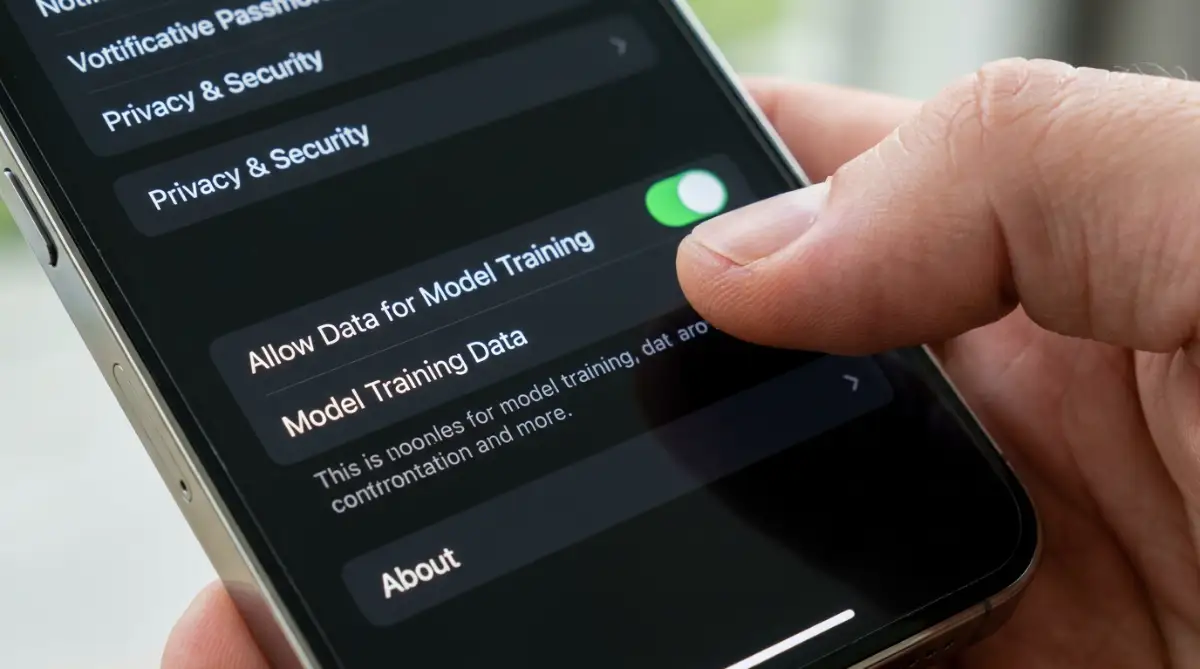
Take a few minutes today to open the settings panel of your favorite generative tool. Look for a section labeled "Data Controls" or "Privacy." Many interfaces have a small toggle switch that allows you to opt out of having your chat history used for model training.
Flipping this single switch provides a massive layer of immediate protection. It officially tells the company that your personal conversations are off-limits for their future updates. While it does not guarantee absolute perfect security against hackers, it stops the company from legally consuming your words.
If the platform you are using does not offer an opt-out switch, you should seriously consider deleting your account. There are plenty of competing tools on the market today. You should only give your time and attention to companies that respect your basic right to digital privacy.
Exploring Local Offline Alternatives
If you want absolute, unbreakable security, you need to completely cut the internet cord. One of the most exciting developments in modern software is the ability to run open-source models locally on your own machine. This means the artificial intelligence lives entirely on your personal hard drive.
When you run a local model, you do not need an internet connection to process your text. You can paste your most sensitive tax documents or legal contracts into the chat box with total peace of mind. The information never leaves your physical computer, making it mathematically impossible for a tech company to spy on you.
Setting up a local model requires a slightly newer computer with a decent graphics card, but the software itself is usually completely free. There are incredibly simple programs available now that let you download a powerful model with just one click.
Taking the time to set up an offline workspace is the ultimate power move for a smart user. You get the incredible speed and creativity of modern technology without sacrificing a single drop of your personal privacy. You become the absolute master of your own digital domain.
Next-Level Privacy Strategies For Everyday AI Users
Now that we fully understand the severe risks involved, it is time to arm yourself with professional defense tactics. You do not have to completely abandon artificial intelligence to stay safe online. You simply need to adopt the exact same security habits that cybersecurity experts use every single day.
One of the most powerful tricks is learning how to effectively sanitize your data before you ever open a browser window. Data sanitization simply means manually stripping away anything that could point back to your real identity. You must train your brain to spot Personally Identifiable Information, which experts call PII.
If you are asking the machine to help you write a polite complaint letter to your landlord, never include your actual apartment number. Swap out your real street address for a generic placeholder like "123 Main Street." The artificial intelligence does not need your real zip code to fix your grammar and make your letter sound professional.
To help you build this new habit, let us look at a direct comparison of how normal people type versus how privacy experts type.
Another brilliant strategy is using dedicated privacy browser extensions that act as a digital shield. There are incredibly smart developers creating free plugins that automatically detect and block sensitive numbers before they reach the chat box. If you accidentally paste a social security number, the extension will physically stop you from hitting the send button.
If you are testing out new, unknown open-source generators, you must be extremely careful about the login process. Many of these flashy new websites will ask you to create a free account using your primary email address. This is where people make dangerous password management mistakes that leave your digital identity exposed to unknown server admins.
Always use a completely separate, dummy email account when signing up for experimental software tools. Never reuse the password you use for your online banking or your primary social media accounts. If that startup company suffers a massive data breach next month, your real identity and primary passwords will remain perfectly safe.
Expert Insight: I highly recommend setting up a "clean room" text document on your computer desktop. Whenever I need to use an open-source generator, I paste my text into this blank document first. I spend exactly one minute scrubbing out names, numbers, and locations before I finally copy and paste it into the web browser.
For those who want to understand the highest level of corporate security, you can actually look at how the government handles this technology. You can easily read the official guidelines on managing artificial intelligence risks published by the National Institute of Standards and Technology. Understanding how massive organizations protect their data will give you incredible ideas for your own home office setup.

Everyday Traps That Secretly Leak Your Private Details
Even when we try our absolute best to be careful, human error will always be our biggest weakness. We are all incredibly busy, and when we are rushing to finish a project, our security standards drop dramatically. I have seen incredibly smart professionals fall into some highly dangerous digital traps.
The most terrifying mistake people make involves using artificial intelligence to summarize long email threads. You might highlight a massive wall of text from your inbox and paste it into the generator to get a quick bullet-point summary. What you completely forgot was that the very bottom of that email chain contained your client's private phone number and home address.
Because you were rushing, you accidentally handed over someone else's confidential data without their permission. This is a massive violation of trust that can completely destroy your professional career.
Another extremely common pitfall is uploading screenshots and images directly into the chat box. Many modern generators allow you to upload a picture so the machine can analyze it. People often take a quick screenshot of their computer desktop without realizing their bank account tab is clearly visible in the background.
These machines use advanced optical character recognition to read every single word inside an image. Even if the text is blurry to your human eyes, the software can easily extract your private account numbers. Never upload a screenshot without heavily blurring or cropping out the edges of your screen.
We also have to talk about the danger of mobile keyboard applications. Many smartphone keyboards now come with built-in artificial intelligence to help you type faster. If you allow these apps full access to your phone, they are secretly reading every single thing you type, including your banking passwords.
Just like the overlooked habits that quietly destroy your smartphone battery lifespan, leaving these AI features running in the background quietly destroys your digital security. You should immediately go into your phone settings and disable any third-party keyboard tools that require internet access to function.
Quick Checklist: Security Do's and Don'ts
- Do: Always read the privacy policy before creating a new account.
- Don't: Never use your primary work computer to test out random AI generators.
- Do: Regularly clear your browser cookies and chat history cache.
- Don't: Never paste computer code that contains your private API keys or database passwords.
People also falsely believe that because an open-source tool is totally free, it comes with no strings attached. You must remember that if a product is completely free to use, your personal data is actually the product being sold. The Federal Trade Commission has actively warned consumers about companies secretly using private user data to train their commercial algorithms without proper consent.
If you blindly trust a friendly user interface, you are basically handing the keys to your house to a complete stranger. You have to maintain a healthy level of skepticism every single time you interact with a digital machine. Slow down, take a deep breath, and always assume that someone else is reading exactly what you are typing.
Your Personal Action Plan For Secure Prompting
We have covered a massive amount of technical information today, and I know it can feel slightly overwhelming. However, you are now lightyears ahead of the average internet user when it comes to digital safety. You no longer have to operate in fear, because you actually know how the machinery works behind the curtain.
Your absolute first step for tomorrow morning is to perform a deep audit of your current digital accounts. Log into every single generator you have used over the past six months. Dig into the settings menu, opt out of data training, and manually delete your entire chat history from their servers.
If your phone or computer is running too slowly to handle these web pages, you can speed up your phone simple steps to clear app cache on android to make this auditing process much smoother. Getting your old, unsecure data off the internet is the greatest feeling of relief you will ever experience.
Once your old history is wiped clean, you can start building your new, highly secure habits. Print out a small sticky note and put it directly on your computer monitor. Write the words "Sanitize Before Sending" in big, bold letters to remind yourself to strip away your personal data.
If you are planning to run local, offline models on your own computer, make sure your home internet connection is actually locked down.
For additional peace of mind, you can review the official best practices for securing your home network provided by the Cybersecurity and Infrastructure Security Agency. Taking these small, proactive steps turns you from an easy target into a digital fortress.
A Quick Final Thought: I used to feel incredibly anxious every time I pasted a document into a smart chat box, wondering who was secretly watching me. Once I learned how to aggressively anonymize my text, that heavy fear completely vanished. You have the exact same power to take control of your privacy today, so start scrubbing your data and enjoy this amazing technology without any of the stress!
Common Questions About AI Data Privacy
Can the software engineers actually read my private chat logs?
Yes, in many cases, they absolutely can. Engineers and human data reviewers frequently read random chat logs to make sure the machine is giving helpful and safe answers. If you pasted your home address into the chat, a human employee sitting in an office could easily read it on their computer screen.
Is it safer to pay for a premium subscription instead of using the free tier?
Generally, yes. Many major companies have strict rules stating that if you pay for an enterprise or premium subscription, they will not use your data for training. However, you still must manually check your privacy settings, as this protection is not always turned on automatically when you upgrade.
How do I permanently delete my personal information from their servers?
You must log into your specific account, navigate to the privacy settings, and explicitly request an account deletion. Under data protection laws like the GDPR or CCPA, the company is legally required to wipe your personal information from their servers within a set number of days.
Will using a private VPN keep my data safe from AI scraping?
A VPN is fantastic for hiding your physical location and encrypting your connection, but it does not protect the actual words you type. Once your text reaches the company's servers, they can still read and store the information. A VPN protects the delivery truck, but it does not protect the package inside.
Can the machine accidentally leak my data to another user?
While companies try very hard to prevent this, the mathematical nature of these models makes it a real possibility. If the system was heavily trained on a specific private document, a carefully crafted prompt from a stranger could trick the machine into repeating your private information word for word.
Disclaimer: The information provided in this article is for general educational and informational purposes only and does not constitute professional legal, cybersecurity, or technical IT advice. Artificial intelligence technologies and corporate privacy policies change rapidly. Always consult directly with a certified cybersecurity professional or your company's IT department before sharing sensitive data or using open-source software tools for business purposes.