The Day My Screen Went Black
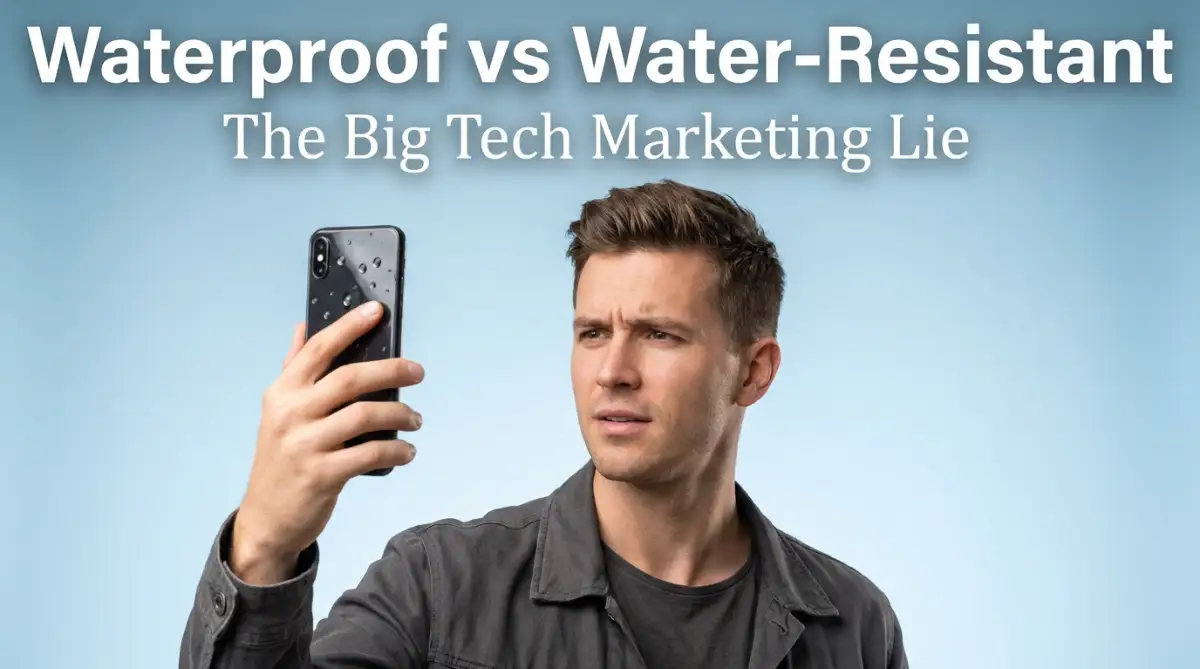
I actually believed the commercial where the guy drops his phone in a river, washes it off, and smiles. So, I confidently took my brand-new "water-resistant" phone into a pool for just five seconds to snap a picture. It died almost instantly, and the repair guy just laughed at me when I asked about the warranty. Let me explain the ugly truth about phone waterproofing so you don't throw away a thousand dollars like I did.
My 60-Second Water Damage Survival Guide
- "Water-resistant" does not mean waterproof. The seals break down naturally as your phone ages and gets hot.
- Never use a bowl of rice. The fine dust will jam your charging port and speakers.
- If your device gets wet, turn it off instantly and place it in front of a cool desk fan.
- Saltwater, pool chlorine, and bathroom soap destroy the protective glue ten times faster than regular tap water.
The Invisible Stress of Tech Ownership
This kind of sudden loss creates a horrible wave of anxiety that ruins your entire week. You lose all your unsaved photos, your important text messages, and your only way to connect with the outside world.
Every single day, thousands of normal people destroy their expensive devices because they trust the bold words printed on the packaging. We bring our phones into the bathroom while we shower, thinking the steam will not hurt them. We run in the heavy rain with our smartwatches exposed, completely believing they are invincible.
Then, when the device inevitably stops working, we are left feeling completely betrayed by the brands we trusted. The financial hit is painful enough, but the mental stress of losing your digital life is much worse.
It feels incredibly unfair that companies can use words like "waterproof" without taking responsibility when the water actually gets inside. We are basically gambling with our hard-earned money every time we take our gadgets near a sink or a bathtub.
Decoding The Big Tech Marketing Illusion
To stop destroying our devices, we need to completely change how we read tech advertisements. There is a massive difference between a product that can handle a few raindrops and a product that can survive a deep underwater dive.
The most important thing to understand is that the word "waterproof" technically does not exist in the consumer electronics world. Nothing is truly waterproof forever.
If you take a solid block of steel and throw it to the bottom of the ocean, the intense pressure will eventually force water inside any tiny microscopic gap. If water can slowly break down heavy mountains, it can easily break down the thin glue holding your phone screen together.
Instead, companies use the term "water-resistant." This simply means the device is built to resist water for a specific amount of time, under very specific, controlled conditions.
Think of it like a winter jacket. A good jacket will keep you warm in normal cold weather. But if you stand in a freezer for three days, you will still freeze. Water resistance works the exact same way. It is a temporary shield, not a permanent magical force field.
Unlocking the Mystery of IP Ratings
When you look at the specifications of a new device, you will usually see a combination of letters and numbers, like IP67 or IP68. This is the Ingress Protection rating system.
It is a scientific standard used to measure exactly how well a device can keep dust and water away from its sensitive inner computer chips. The first number stands for dust protection, and the second number stands for liquid protection.
If you see an "X" instead of a number, it means the device was never tested for that specific element. For example, an IPX4 rating means the brand only tested it for water, not for dust.
Let's break down what the water numbers actually mean in the real world:
- Level 4 (IPX4): This device can handle a few light splashes from any direction. If you spill a little bit of drinking water on it, it will survive. But you cannot submerge it.
- Level 7 (IPX7): This device can technically survive being submerged in one meter of water for exactly 30 minutes.
- Level 8 (IPX8): This device can survive deeper water, usually up to one and a half meters, for 30 minutes.
Marketing vs. Reality:
- What the commercial shows: Swimming in the ocean, taking underwater selfies, washing the phone with soap.
- What the lab actually tested: Gently placing the phone in perfectly still, chemical-free tap water for a few minutes.
- The takeaway: Moving water (like a flowing river or a showerhead) creates physical pressure that instantly breaks the seals.
Most premium smartphones today proudly display an IP68 rating. This rating makes people feel incredibly confident. But this is exactly where the trap is hidden.
Have you ever wondered why a supposedly "waterproof" phone dies the moment you drop it in a real-world puddle? Watch this eye-opening breakdown below to see what really happens:
The Laboratory Illusion vs Real Life
When a company tests a phone to get that impressive IP68 rating, they do not take it to a public swimming pool. They do not take it to the beach.
They test the phone inside a highly controlled, perfect laboratory environment. They slowly lower the device into a tank of pure, highly filtered, perfectly still freshwater. The water does not move, there are no aggressive waves, and there are no chemicals.
This is not how real life works. Real life is messy, dynamic, and full of different pressures.
If you jump into a pool with your phone in your pocket, the sudden impact of hitting the water creates a massive spike in pressure. This pressure pushes the water against the phone much harder than the gentle laboratory test. That sudden force can easily push water past the internal seals.
My biggest mistake was bringing my phone into the shower every morning to listen to music. I thought the IP68 rating would protect it, but the combination of hot steam and high-pressure water from the showerhead slowly melted the protective glue over time.
The Chemical Attack: Salt, Chlorine, and Soap
Freshwater is relatively harmless compared to the liquids we actually interact with daily. The real enemies of your electronic gadgets are chemicals and minerals.
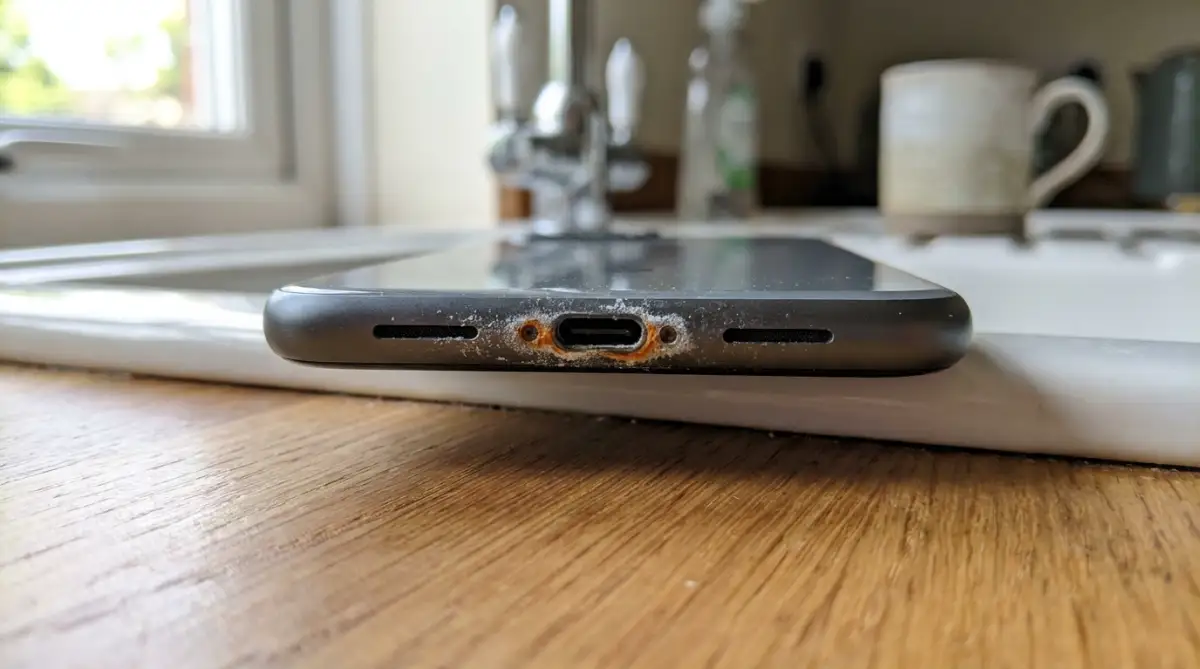
If you drop your phone into the ocean, the saltwater acts as a highly aggressive corrosive agent. Salt literally eats away at the thin rubber gaskets and the exposed metal charging ports. Even if you pull the phone out immediately and it still turns on, the salt crystals will dry inside the port. Over the next few weeks, those crystals will rust the internal connections until the phone suddenly dies.
The same rule applies to swimming pools. Chlorine is a harsh chemical designed to kill bacteria. It also does a great job of breaking down the water-resistant adhesives used in modern electronics.
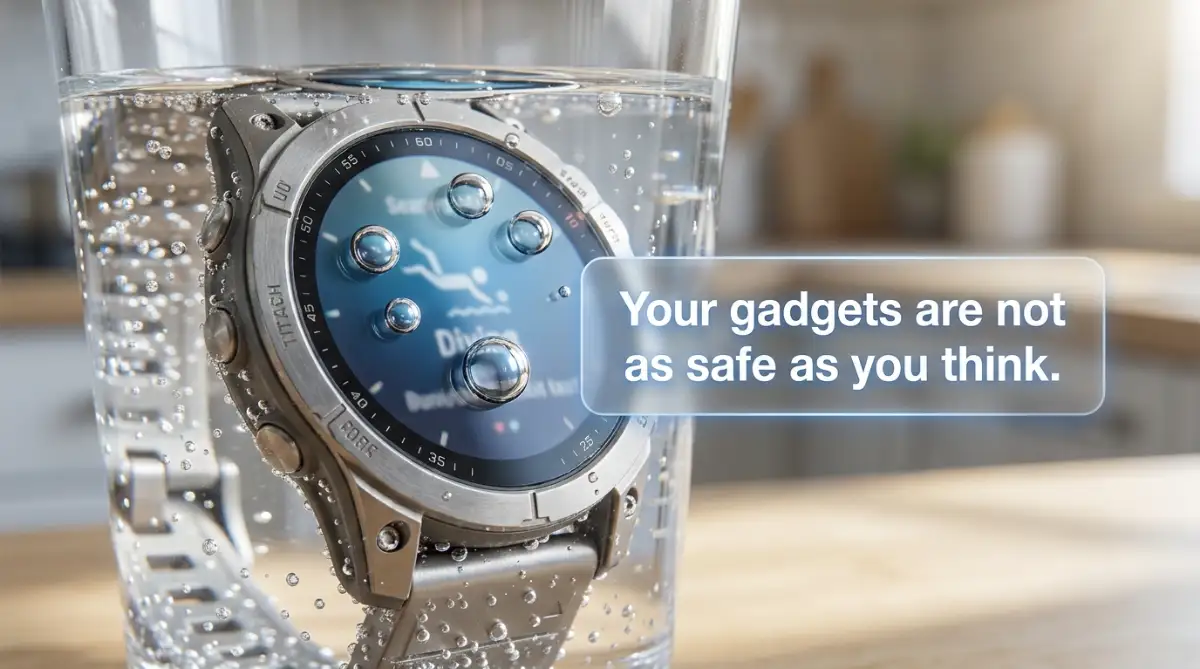
Soap and shampoo are even worse. Soap is scientifically designed to break surface tension so it can remove dirt. Because it breaks surface tension, soapy water can easily slip through microscopic gaps in your phone that regular water could never enter. If you drop your smartwatch in the kitchen sink while washing dishes, it is in much more danger than if you dropped it in a clean glass of drinking water.
The Aging Process of Water Resistance
Here is a hard truth that tech brands rarely advertise. Water resistance is not a permanent feature.
When you first unbox a brand new phone, the rubber seals and adhesives are fresh, tight, and incredibly strong. At that exact moment, the IP rating is perfectly accurate.
But as you use your phone over the next few months, those seals start to age and degrade. Every time your phone heats up while playing a heavy game or charging, the internal glue gets slightly soft. When it cools down, it hardens again.
This constant cycle of heating and cooling creates tiny micro-cracks in the water-resistant barrier. Furthermore, if you accidentally drop your phone on a hard floor, the metal frame can bend just a fraction of a millimeter. You might not see any visible damage on the screen, but that tiny bend completely destroys the waterproof seal.
By the time you have owned your phone for a year, you should just assume that the IP rating no longer exists. An old phone is a highly vulnerable phone.
Debunking The Great Rice Myth
Let's address the most famous piece of tech advice on the entire internet. If your phone gets wet, someone will immediately tell you to put it in a bowl of uncooked dry rice.
This is actually a terrible idea, and it can cause far more damage to your device.
While rice does absorb some moisture, it works incredibly slowly. Leaving your wet phone in a bowl of rice just gives the water more time to rust the internal metal components.
To make matters worse, dry rice is covered in a fine, powdery dust. When you stick your wet phone into the bowl, that sticky rice dust gets jammed inside the charging port, the microphone hole, and the speakers. Now, you do not just have a water problem; you have a thick mud problem inside your electronics.
The Right Way to Handle a Wet Device
If you want to actually save your wet gadgets, you need to follow a very specific, logical procedure. The actions you take in the first five minutes will determine if your device lives or dies.
Step 1: Kill the Power Immediately
Water itself does not kill electronics. The real killer is the short circuit that happens when water touches a live electrical current. If your device gets wet, do not try to open apps to see if they work. Turn the device completely off as fast as humanly possible. Do not press any unnecessary buttons, as this can force water deeper into the frame.
Step 2: Dry the Surface Carefully
Take a clean, dry microfiber cloth and wipe down the entire exterior of the device. Pay special attention to the edges and the camera lenses. Do not use a paper towel, as rough paper can scratch the wet screen.
Step 3: Clear the Ports Safely
Hold your phone with the charging port facing down towards the floor. Give it a few gentle taps against the palm of your hand to knock out any trapped water droplets. Never use a high-powered air compressor or a hot hair dryer. A hair dryer will melt the internal glue, and compressed air will literally shoot the water deeper into the motherboard.
Step 4: The Air Circulation Strategy
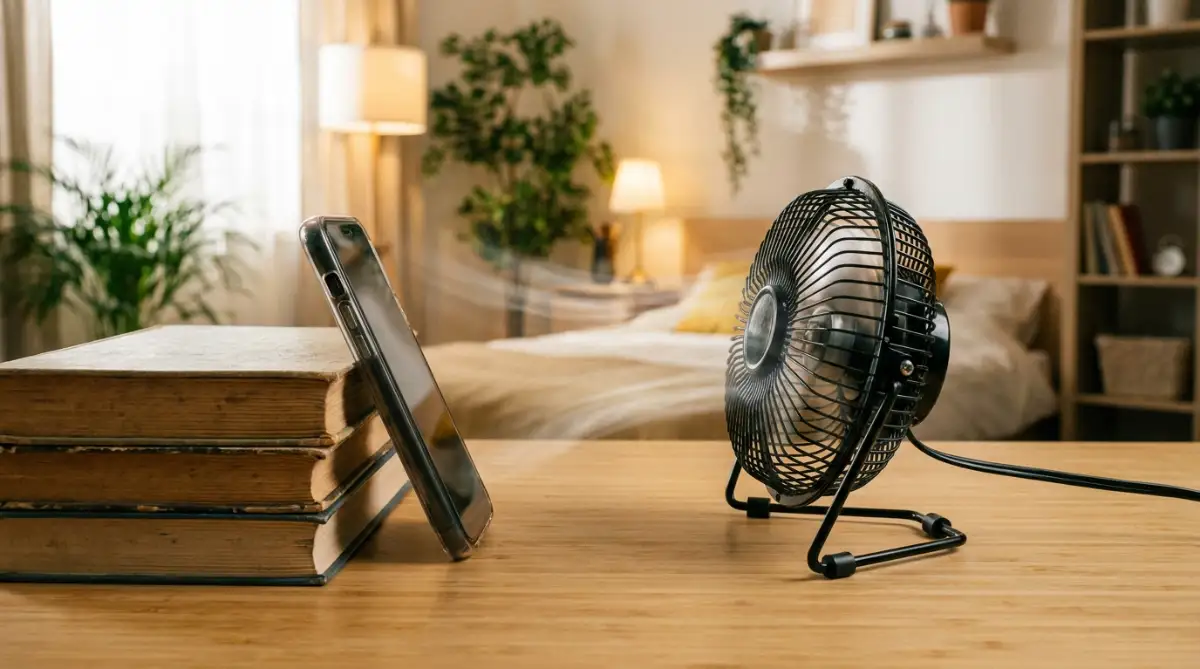
Instead of using rice, place the device in a dry area with excellent air circulation. Putting it in front of a low-speed desktop fan is the absolute best method. The steady flow of room-temperature air will naturally evaporate the moisture out of the charging port.
If you happen to have those little white packets of silica gel that come inside new shoe boxes, use them. Silica gel is actually designed to pull moisture out of the air rapidly and cleanly without leaving any dust behind.
My Wet Phone Rescue Cheat Sheet:
Why You Must Wait Before Charging
The most common way people accidentally destroy their recovering phones is by plugging them into a charger too early.
Even if the outside of the phone looks completely dry, there might be a tiny, invisible drop of moisture resting deep inside the USB port. If you push a charging cable into that port, the electrical current will instantly fry the main power chip.
You need to practice extreme patience. Let the device sit undisturbed in front of a fan for at least twenty-four to forty-eight hours. It is much better to go without your phone for two days than to permanently destroy it by being impatient.
Most modern smartphones actually have a built-in moisture detection sensor inside the port. If you try to plug it in while it is still damp, a warning message will pop up on the screen, and the phone will refuse to take a charge. Always listen to this warning.
Changing Our Mindset About Tech Durability
We need to stop treating our expensive gadgets like action cameras. A heavy-duty GoPro is built entirely differently from a sleek, thin smartphone.
Your smartphone is a delicate, highly complex computer filled with microscopic parts. The water resistance is just a safety net designed for accidents. It is there to save you if you spill a cup of coffee on your desk, or if you get caught in a sudden rainstorm while walking to your car.
It is absolutely not an invitation to take underwater photography or to browse social media in a hot tub.
When you finally understand the serious limitations of these IP ratings, you stop taking unnecessary risks. You start treating your technology with the respect it actually requires. You will save yourself a massive amount of stress, anxiety, and money just by keeping your devices far away from the pool edge.
Advanced Strategies to Truly Protect Your Gear
Now that we know the harsh reality behind those shiny IP68 marketing labels, it is time to take control of your device's safety. You do not have to live in constant fear of water. You just need to outsmart the system with some advanced, everyday habits.
If you want your expensive electronics to last for years without sudden water deaths, you need to understand how the internal hardware actually ages. Let's break down some expert-level secrets that repair technicians use to keep their own gadgets perfectly safe.
The Secret of the Hidden LDI Sticker
Most smartphone owners have absolutely no idea that their device is secretly spying on their water habits. Every modern phone, tablet, and smartwatch has something called a Liquid Damage Indicator, or LDI, built directly into it.
This is a tiny, hidden sticker usually placed deep inside the SIM card tray slot or near the charging port. When the device leaves the factory, this sticker is bright white or silver. However, the moment it makes contact with any form of liquid, it instantly turns solid pink or red.
Why does this matter to you? Because this is the exact sticker repair shops check the moment you walk through their doors. If you try to claim a free warranty repair for a glitchy screen, and they see a red LDI sticker, they will immediately deny your claim.
You can actually check this yourself. Take a flashlight, remove your SIM card tray, and peek inside the little hole. If you see a tiny red dot, your device has already been exposed to dangerous moisture levels, even if it is currently working fine.
Beware of Thermal Expansion
Here is a fascinating piece of science that completely destroys water-resistant seals. It is a process called thermal expansion, and it happens every single time your phone gets warm.
When you play heavy video games or leave your phone in a hot car, the metal and glass frame slightly expands. The rubber gaskets inside also heat up and stretch. Just like we look for save your console simple ways to spot and avoid overheating issues in gaming setups, managing your phone's temperature is equally important.
When the phone eventually cools down, the materials shrink back to their original size. If this heating and cooling cycle happens thousands of times over a year, that rubber seal becomes brittle and cracks. This exact same heat stress is heavily related to overlooked habits that quietly destroy your smartphone battery lifespan. A hot phone is a phone that is slowly losing its ability to fight off water.
Investing in True Hardware Protection
If you are planning a beach vacation or a boat trip, you must ignore the IP rating completely. You need physical, third-party protection.
Do not trust those cheap, clear plastic bags you buy at tourist shops. They puncture easily and often leak at the plastic seams. Instead, you need a dedicated diving case that uses a mechanical O-ring seal.
These hard-shell cases actually lock shut with heavy plastic clasps. They create a physical vacuum barrier that water genuinely cannot penetrate. According to detailed hardware analysis from iFixit's teardown analysis of water-damaged motherboards, physical O-ring seals are the only guaranteed way to block heavy water pressure in the real world.
Yes, these cases make your sleek phone look bulky and ugly for a few days. But that temporary ugliness is entirely worth saving yourself a thousand-dollar replacement fee.

Silent Device Killers You Probably Do Every Day
Even highly careful people make terrifying mistakes when it comes to liquid exposure. We often act completely on instinct when accidents happen.
Unfortunately, human instinct is usually the exact opposite of what a sensitive computer motherboard actually needs. Let's look closely at the most dangerous, everyday pitfalls that quietly push our devices toward a sudden death.
If you do not correct these specific habits, you are basically playing a high-stakes game of roulette with your digital life.
The Bathroom Steam Room Trap
This is arguably the most common mistake made by millions of people every morning. You take your phone into the bathroom, set it on the sink, and take a long, hot shower while listening to a podcast.
You think it is perfectly safe because no actual water droplets are touching the screen. But steam is actually far more dangerous than liquid water.
Steam is water in a gaseous state, which means the moisture particles are microscopically small. These tiny steam clouds easily float right past the rubber gaskets that are designed to block thick, heavy liquid water. The gas enters your phone, cools down, and turns back into liquid water directly onto the internal computer chips.
Stop treating your bathroom like an entertainment center. If you want music in the shower, buy a cheap, dedicated waterproof Bluetooth speaker and leave your expensive phone safely in your bedroom.
The "Shake and Pray" Method
Imagine you accidentally drop your smartwatch in the sink while doing dishes. You quickly snatch it out. What is your very first instinct?
Almost everyone aggressively shakes the device, hoping to throw the water out of the speaker grills. This is a massive, highly destructive mistake.
When you shake a wet electronic device, the heavy G-force actually pushes the water droplets deeper into the tightest corners of the machine. You are literally forcing the liquid past the protective barriers and straight into the delicate wiring. Instead of shaking it, you should simply hold it still, keep it completely flat, and let gravity pull the water out naturally.
The Hair Dryer Disaster
Another absolute nightmare scenario happens when people try to rush the drying process. They panic, run to the bathroom, and grab a hot hair dryer.
They blast their soaking wet phone with extreme heat, hoping to evaporate the water instantly. Here is what actually happens inside the device when you do this.
First, the intense heat completely melts the remaining waterproof glue, ruining whatever protection you had left. Second, as the water turns into hot steam inside the enclosed phone, the steam pressure builds up with nowhere to escape. It permanently damages the camera sensors and warps the delicate screen layers.
Always stick to a gentle, room-temperature desk fan. Patience is the only safe tool you have when dealing with wet electronics.
The Wireless Charging Illusion
Many people know they should not plug a wet cable into a wet charging port. So, they think they are being incredibly smart by placing their wet phone on a wireless magnetic charging pad instead.
This sounds like a brilliant workaround, but it is actually a hidden trap. Wireless chargers generate a significant amount of electrical heat to transfer power through the glass back of your phone.
If there is moisture trapped inside the device, this sudden burst of heat acts just like the hair dryer mistake. It boils the trapped water into steam from the inside out. Always ensure the device is completely, one-hundred-percent bone dry before you attempt to charge it through any method.
Ignoring The Ultimate Safety Net
Perhaps the biggest mistake of all is completely ignoring your digital backups until it is entirely too late. People assume their phone will live forever.
When water damage finally strikes, the hardware can sometimes be replaced, but the data is gone forever. Motherboard corrosion destroys memory chips rapidly.
You must set up automated, nightly cloud backups for your photos and messages. If your phone falls into a lake tomorrow, the physical loss will sting, but keeping your precious family photos safe will bring you massive emotional relief.
Your Ultimate Gadget Survival Action Plan
We have covered a lot of intense, technical ground today. The goal here is not to make you paranoid about every single drop of rain.
The goal is to empower you with the truth. When you know how the marketing game is played, you can make smarter, safer decisions with your hard-earned money.
Taking care of your tech does not require a degree in engineering. It just requires a simple shift in your daily mindset.
A New Everyday Routine
Start by respecting the physical limits of your gadgets. Keep them away from high-humidity areas in your house.
Always keep a dry microfiber cloth in your bag or car. If you do get caught in a sudden rainstorm, you can quickly wipe off the exterior before the moisture has a chance to settle into the speaker grills.
Maintaining Software and Hardware Harmony
Taking care of the outside of your phone should match how you care for the inside. Keep your device running smoothly so it does not overheat and melt the internal seals.
You can easily speed up your phone simple steps to clear app cache on android to reduce the heavy workload on the processor. A cool, efficient processor means a cooler frame, which means stronger, longer-lasting water resistance.
If you are buying a brand new device soon, consider checking the Consumer Reports guide on extended warranties to see if accidental liquid damage is covered. Sometimes, spending a little extra upfront saves you from a massive financial headache later.
I learned my lesson the absolute hardest way possible by destroying a beautiful phone at a pool party. I completely fell for the marketing hype. But ever since I changed my habits and started treating my devices with the respect they need, I have never lost another gadget to water damage. I want you to feel that exact same peace of mind starting today.
Burning Questions About Water Damage Answered
Can a severely water-damaged phone ever be fully fixed?
It depends entirely on how quickly you powered it off and removed the moisture. If the internal motherboard has heavily corroded or short-circuited, the repair cost is usually higher than buying a brand new phone. However, if you acted fast and dried it properly, a skilled technician might just need to replace the battery or the screen assembly.
Why does my phone keep saying "liquid detected in the connector" when it looks completely dry?
Modern smartphones have highly sensitive microscopic moisture sensors built directly into the charging port. Even if you cannot see the water, a tiny invisible layer of condensation might still be touching the metal charging pins. You must leave the phone in front of a fan for another full day until that warning disappears entirely.
Does the IP rating also protect my phone from dust and sand at the beach?
Yes, the first number in the IP68 rating means it is highly protected against solid particles like dust and sand. However, fine beach sand is incredibly sharp and abrasive. If sand gets inside the charging port, it can physically scrape away the gold contacts, causing permanent charging issues even without water involved.
Is it safe to wash my water-resistant phone under the sink if it gets dirty?
No, it is highly recommended that you never intentionally wash your phone under a running faucet. The water pressure coming from a kitchen sink is often much stronger than the gentle laboratory conditions used during official IP testing. Instead, use a slightly damp microfiber cloth or a dedicated electronic screen wipe to clean the surface safely.
How do I know if the internal water seals on my phone are broken?
Unfortunately, there is no easy visual way to tell if your rubber seals have degraded over time. If your phone has a cracked screen, a severely dented metal frame, or if it has ever been opened by a third-party repair shop, you should assume the water resistance is completely gone. Always treat older devices as if they have zero protection.
Disclaimer: The information provided in this blog post is for educational and informational purposes only. It should not be considered professional technical advice or a guarantee of device survival. IP ratings and water resistance capabilities vary heavily between different manufacturers and device models. Always refer to your specific device manufacturer’s official guidelines and warranty terms regarding liquid exposure. If your device suffers severe water damage, immediately consult a certified, professional electronic repair technician.