
I spent an entire hour in an airport terminal holding my phone at a weird 45-degree angle just to keep the charging icon lit. Every time I breathed, the cable slipped out, and my battery stayed at three percent. I was furious, assuming I bought another cheap, broken cable. It turns out, my cable was fine—I had completely ruined the charging port on my own phone without even realizing it. Let me show you how to stop destroying your device's most fragile part before you end up with a dead phone and a massive repair bill.
My 60-Second Port Protection Checklist
- Never rest your phone on your chest or stomach while the cable is plugged into the bottom.
- Stop pulling the cable from the middle of the wire; pinch the hard plastic tip and pull perfectly straight out.
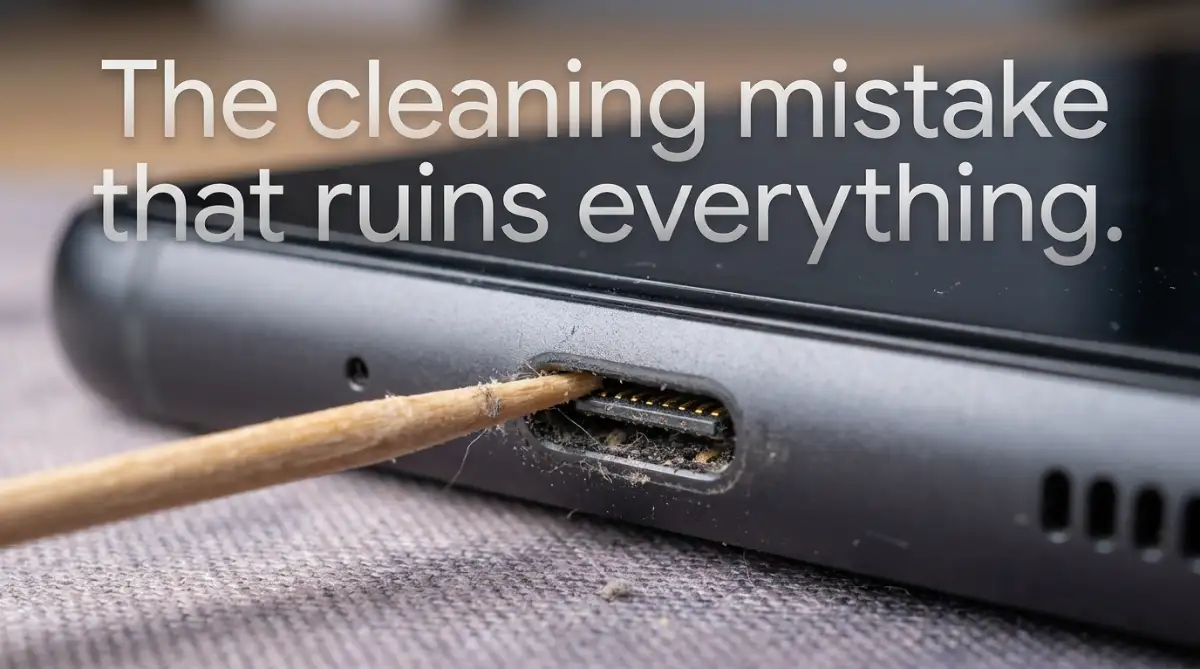
- Never use a wooden toothpick or sewing needle to clean out pocket lint; you will snap the gold pins.
- Avoid buying cheap gas station cables—they lack safety chips and can instantly fry your motherboard.
The Hidden Violence Against Delicate Electronics
We treat our smartphones like heavy-duty tools because they feel like solid blocks of glass and metal. We throw them onto our beds, toss them into our gym bags, and slide them across our desks.
But if you actually look inside that tiny hole at the bottom of your phone, you will see a completely different story. Whether you have a USB-C port or an Apple Lightning port, the internal architecture is incredibly delicate. There are microscopic gold pins sitting on a tiny, thin plastic tongue that is barely thicker than a piece of paper.
Every single time you plug a cable in, you are creating intense physical friction against those tiny gold pins. If you do not change how you handle this connection, you will eventually grind those pins down into absolute dust.
The Crime Of The Aggressive "Yank"
Think about how you typically unplug your phone when you are in a rush. If it is sitting on your nightstand, do you carefully pinch the hard plastic tip of the cable and pull it straight out?
Most people just grab the middle of the flexible wire and violently yank it upward while rolling out of bed. This angled yank is an absolute nightmare for the internal hardware.
When you pull the cable out at a sharp angle, you are applying massive physical leverage against the tiny internal pins. It bends the delicate metal connectors slightly to one side. If you repeat this aggressive upward yank every single morning for a year, those pins will permanently bend completely out of shape. Once the pins bend, they can no longer firmly grab onto the cable, which causes that terrifying loose connection.
The "Phone On The Chest" Resting Danger
This is a habit almost every human being is completely guilty of doing right before they go to sleep. You lie flat on your back in bed, plug your phone in, and rest the heavy bottom of the phone directly on your chest while scrolling through social media.
This puts unbelievable stress on the charging port. The heavy weight of the phone is literally pushing down entirely onto the stiff neck of the charging cable. This constant, heavy pressure acts like a crowbar inside the port.
It violently widens the metal shell surrounding the port, permanently stretching it out. This is exactly why your cable constantly falls out when you are walking. The port hole itself has literally been stretched too wide to hold the cable securely.
Pro Tip: I used to destroy a charging port every single year because I loved resting my phone on my stomach while watching videos in bed. My biggest realization came when I bought a cheap cable with a strict ninety-degree, L-shaped connector. The cable went completely sideways instead of sticking straight down, instantly removing all the heavy pressure from the port itself.
Myth vs. Fact: Cable Bending
- The Myth: If the cable still charges when bent, everything is fine.
- The Fact: The charging pins inside are literally scraping against the plastic walls. You are slowly widening the port, which is why cables keep falling out when you walk.
The Lint Monster Living In Your Pocket
Sometimes, the physical damage is not caused by the cable at all. It is caused by the environment where you carry your phone for eight hours every single day.
If you keep your phone inside your jeans pocket, you are subjecting the charging port to a massive, invisible enemy: pocket lint. Every time you slide the phone into your pocket, tiny microscopic fibers of cotton and dirt get shoved directly into the open hole.
Over a few months, this lint starts to build up quietly at the very back of the port. You will not even notice it is there until the problem becomes severe.
The Compression Trap
Here is how the lint trap actually destroys your connection. When a tiny ball of lint is sitting at the back of your port, your charging cable cannot click all the way in.
Because you want your phone to charge, what do you naturally do? You push the cable in much harder. Every time you forcefully jam the cable into a dirty port, you are packing that soft lint tighter and tighter.
Eventually, that soft pocket lint becomes compressed into a hard, solid brick of dirt that sits permanently against the back wall. The gold connectors on your cable can no longer touch the gold pins inside the phone because a physical wall of compressed dirt is blocking them completely.
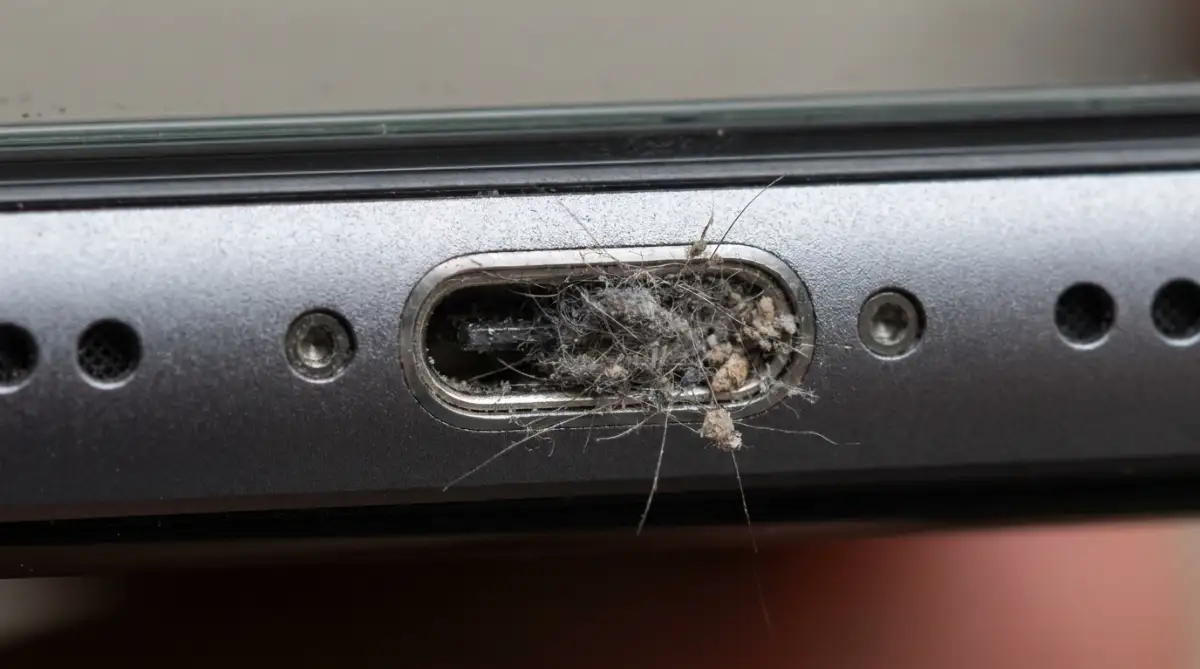
Have you ever wondered exactly what your phone looks like on the inside when the port is completely blocked? Watch this highly satisfying visual breakdown of how microscopic dirt ruins a connection:
The Deadly Toothpick Mistake
When people finally realize their port is filled with compressed lint, they usually panic and make an incredibly dangerous decision. They run to the kitchen, grab a wooden toothpick, or worse, a metal sewing needle, and start aggressively scraping the inside of the port.
This is the exact moment most charging ports officially die forever. The microscopic gold pins sitting inside that port are highly sensitive to physical scratching.
If you scrape a hard wooden toothpick or a sharp metal needle against those pins, you will easily snap them clean off the motherboard. Even if you do not snap them off, the sharp point can easily scrape away the highly conductive gold plating. Once the gold plating is scratched off, the raw metal underneath will instantly begin to oxidize and rust from the natural humidity in the air.
If your port rusts, the electrical connection will fail permanently. You must never insert a hard or sharp object into a modern charging port. The only safe way to clean out compressed lint is by using a specialized, ultra-soft silicone brush or a gentle blast of dry, compressed air held at a safe distance.
My $5 Port Cleaning Kit:
If you want to clean your port safely, do not use metal or wood. Buy a cheap pack of "interdental brushes" (the tiny soft brushes used for braces) from any pharmacy. Gently sweep the inside of the port with it, and you will be amazed at the massive chunk of grey lint that falls out!
The Silent Killer Of Liquid Exposure
We all know that dropping a phone into a swimming pool is a massive disaster. But modern phones are usually advertised as highly water-resistant, so we get incredibly careless with them.
We take our phones into the bathroom while we take a hot shower, or we set them on the kitchen counter right next to the boiling pasta water. We think they are perfectly safe because they did not actually fall into a glass of liquid.
However, heavy steam and high humidity are the silent killers of exposed metal charging pins. Steam easily floats right into the open charging port and coats the delicate metal connections with a microscopic layer of water.
If you take your phone out of a steamy bathroom and immediately plug a high-power fast charger into it, you are actively sending a massive electrical current directly into a puddle of water. This creates an instant, tiny electrical short circuit.
You will not see smoke or fire, but that tiny electrical shock instantly creates a layer of black carbon burn directly on the gold pins. This burn mark physically blocks the electricity from flowing the next time you plug it in. You will slowly notice your phone takes three times longer to reach a full charge, purely because the connection is fighting through a thick layer of burnt carbon.
Advanced Tactics To Shield Your Charging Port Forever
Now that we know exactly how our daily habits are destroying the delicate hardware inside our phones, we need to talk about real prevention. You do not need to wrap your phone in bubble wrap or stop using it completely.
You just need to implement a few highly strategic, incredibly simple changes to your digital lifestyle. Let's explore the professional techniques that hardware technicians use to keep their own expensive devices running flawlessly for years.
The Magic Of Magnetic Charging Cables
If you are a person who constantly yanks the cable out of your phone or trips over wires in the dark, you need to buy a magnetic charging cable immediately. These cables are absolute lifesavers for clumsy people.
Instead of plugging the cable directly into your phone, you insert a tiny, permanent magnetic plug into the charging port. This tiny plug stays inside the port forever, completely sealing the hole and preventing any pocket lint or moisture from ever getting inside.
The charging cable simply snaps onto the magnetic tip magnetically. If you trip over the wire or pull it at a harsh angle, the magnet safely detaches instantly without bending a single piece of internal hardware. According to technical breakdown reports from iFixit on charging port wear and tear, minimizing physical friction is the absolute best way to extend the lifespan of any USB-C or Lightning port.
Embracing The Wireless Charging Revolution
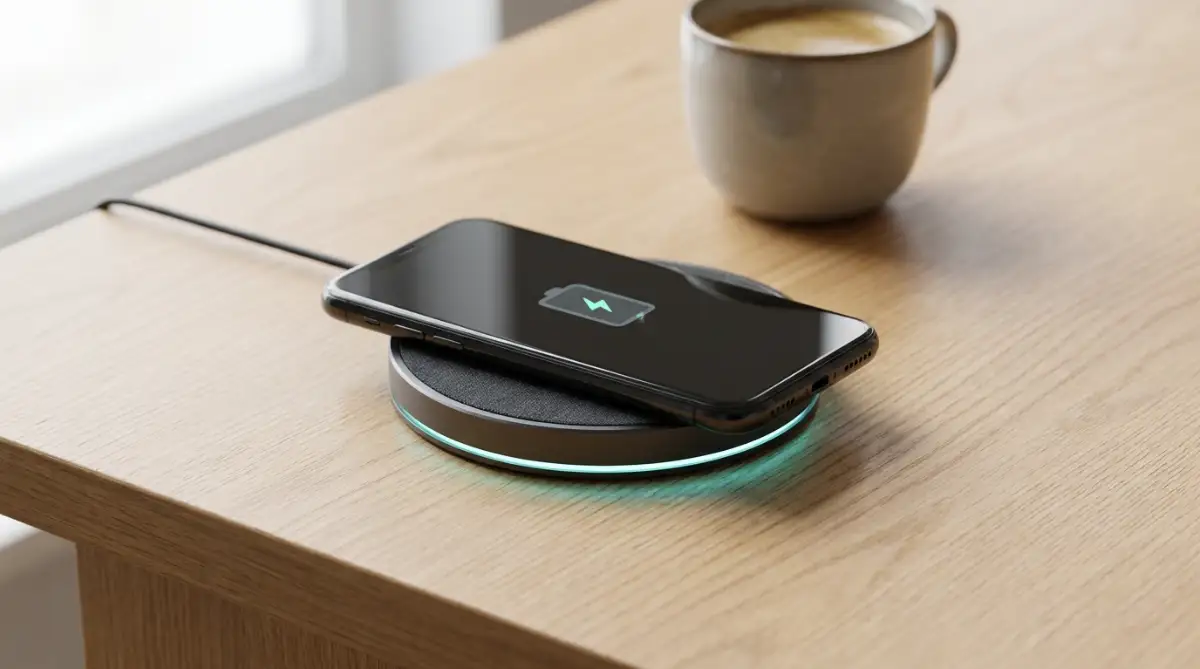
The absolute safest way to use a charging port is to simply never use it at all. Wireless charging technology has improved massively over the past few years, becoming incredibly fast and completely safe for your battery chemistry.
When you sit at your desk, just place your phone flat on a charging pad. The electricity transfers smoothly through the glass back of the phone using magnetic induction, completely bypassing the physical charging port entirely.
This simple habit change reduces the physical stress on your port by almost ninety percent.
The Proper "Squeeze And Pull" Unplugging Technique
If you must use a standard wired cable, you have to completely retrain your muscle memory. Do not grab the flexible wire and pull.
You must physically look at the cable, grab the hard plastic or metal casing right at the tip, and pull it perfectly straight out of the phone. Think of it exactly like pulling a fragile sword straight out of a scabbard.
If you pull perfectly straight, there is zero lateral pressure on the tiny gold pins inside. It takes exactly one extra second of your time, but that single second will completely save you a two-hundred-dollar repair bill.

The Devastating Mistakes That Void Your Phone Warranty
Even when people realize their charging port is acting strange, they usually make terrible, panicked decisions trying to fix it themselves. We are so heavily addicted to our screens that a dying battery makes us completely irrational.
If you do not recognize these highly destructive pitfalls, you will end up completely voiding your factory warranty and ruining the phone entirely. Let's break down the absolute worst things you can possibly do when your phone refuses to charge.
The "Wet Cable" Short Circuit Disaster
This mistake usually happens right after an intense gym session or a run in the rain. Your hands are sweaty, your pockets are slightly damp, and you immediately plug your phone into your car charger.
Even if the phone itself is water-resistant, the actual metal tip of the charging cable is completely exposed. If a single drop of sweat or rain touches the metal prongs while electricity is flowing, it creates a massive short circuit.
This short circuit literally melts the plastic housing inside the charging port and leaves a terrible smell of burning ozone. If you take this melted phone to an official repair store, they will instantly see the burn marks and completely deny your warranty claim. Never, ever plug a cable into your phone if your hands or the surrounding environment are heavily damp.
Using Cheap Gas Station Chargers In Desperation
When you are traveling and forget your original charger, buying a five-dollar replacement cable at a local gas station feels like a great quick fix. It is actually playing a terrifying game of Russian roulette with your phone's motherboard.
Premium, official charging cables have tiny microchips built directly into the metal head. These chips communicate with your phone to safely regulate the flow of electricity, preventing sudden power spikes.
Cheap, unbranded cables from generic convenience stores completely skip these expensive safety chips to save money. If the electrical current from the wall suddenly spikes, the cheap cable sends a massive wave of raw power directly into your fragile charging port. This will instantly fry the power management chip on the motherboard, turning your expensive phone into a completely useless brick.
Ignoring The Wiggle Warning Sign
Most people do not wake up to a broken charging port overnight. The phone always gives you a highly specific physical warning sign weeks before it completely dies.
If you plug your cable in and notice it wiggles loosely from left to right, you are in the danger zone. A healthy connection should feel tight, firm, and physically lock into place with a satisfying click.
If you ignore the wiggle and keep forcing the cable to work, you are bending the internal pins deeper and deeper into the plastic housing. If you catch the wiggle early, a professional technician can often fix it by simply removing compressed lint. If you wait until the cable falls out completely, you will have to pay to solder a brand new port directly onto the motherboard.
A Final Blueprint For Long-Lasting Tech Health
We have covered a massive amount of physical hardware truths today. The main goal here is not to make you paranoid every time you touch your smartphone. The real goal is to make you highly conscious of the tiny, repetitive actions you take every single day.
You do not need to be a certified electronics engineer to keep your phone running flawlessly for four years. You just need to stop fighting against the delicate physical limits of the hardware.
Your Hardware Protection Checklist
Take two minutes right now to audit exactly how you treat your devices. Start by throwing away any charging cable in your house that has a frayed, broken, or heavily bent wire.
Next, buy a phone case that actually features a small physical dust plug covering the bottom port hole. This tiny rubber flap costs almost nothing, but it acts like a massive shield against the deadly pocket lint we discussed earlier.
Just like you need to actively troubleshooting home wi-fi dead zones without buying an expensive router by simply moving your equipment, protecting your phone is mostly about smart physical placement and gentle handling.
I ruined three highly expensive phones in a row before I finally accepted that my aggressive habit of pulling the cable from the middle of the wire was the exact root of the problem. Once I simply switched to a magnetic charging plug and started pulling perfectly straight, I never experienced another loose connection again. I promise you, if you make these tiny, deliberate adjustments to your daily routine today, your current phone will easily survive for years without a single charging failure.
Common Questions About Charging Port Issues
Can I use rubbing alcohol to clean the inside of my dirty charging port?
No, you should never pour or spray any liquid directly into an electronic port. While high-percentage isopropyl alcohol evaporates quickly, it can still dissolve the delicate glues and water-resistant seals hidden deep inside the phone. The absolute safest cleaning method is always using dry, compressed air or a soft, dry silicone brush.
Why does my phone say "Moisture Detected" when it hasn't been near water?
Modern smartphones have incredibly sensitive digital moisture sensors built directly into the charging port area. Sometimes, simply walking from an icy cold air-conditioned room into a humid summer afternoon can cause invisible condensation to form inside the port. You must leave the phone completely unplugged and sitting in a dry room for several hours until the warning disappears naturally.
Does wireless charging degrade my phone battery faster than a normal cable?
This is a very common myth. Wireless charging is perfectly safe for modern lithium-ion batteries. However, wireless chargers do generate slightly more ambient heat than standard cables. Since extreme heat is bad for battery chemistry, you should always remove thick, heavy plastic cases before placing the phone on the pad to let the heat escape easily.
If my charging port is completely broken, is my phone completely ruined?
Absolutely not. The charging port is a separate, modular piece of hardware on most modern smartphones. A certified repair technician can usually open the phone, remove the broken port, and solder a brand new one into place. It is a highly common repair that is significantly cheaper than buying a brand new phone.
Is it bad to leave my phone plugged into the charger overnight while I sleep?
Modern smartphones are incredibly smart and cannot be overcharged. Once the battery hits one hundred percent, the internal software physically stops accepting electricity. However, the real danger of overnight charging is the physical stress we mentioned earlier. If you roll over in your sleep and pin the cable under your heavy body, you will easily crush the charging port while you dream.
Disclaimer: The information provided in this blog post is strictly for educational and informational purposes only. Modern smartphones contain highly delicate internal circuitry and powerful lithium-ion batteries. Attempting to aggressively clean, scrape, or physically repair a broken charging port yourself can result in permanent device damage, voided warranties, or severe electrical injury. Always consult a certified, professional electronics technician for proper diagnosis and hardware repair.