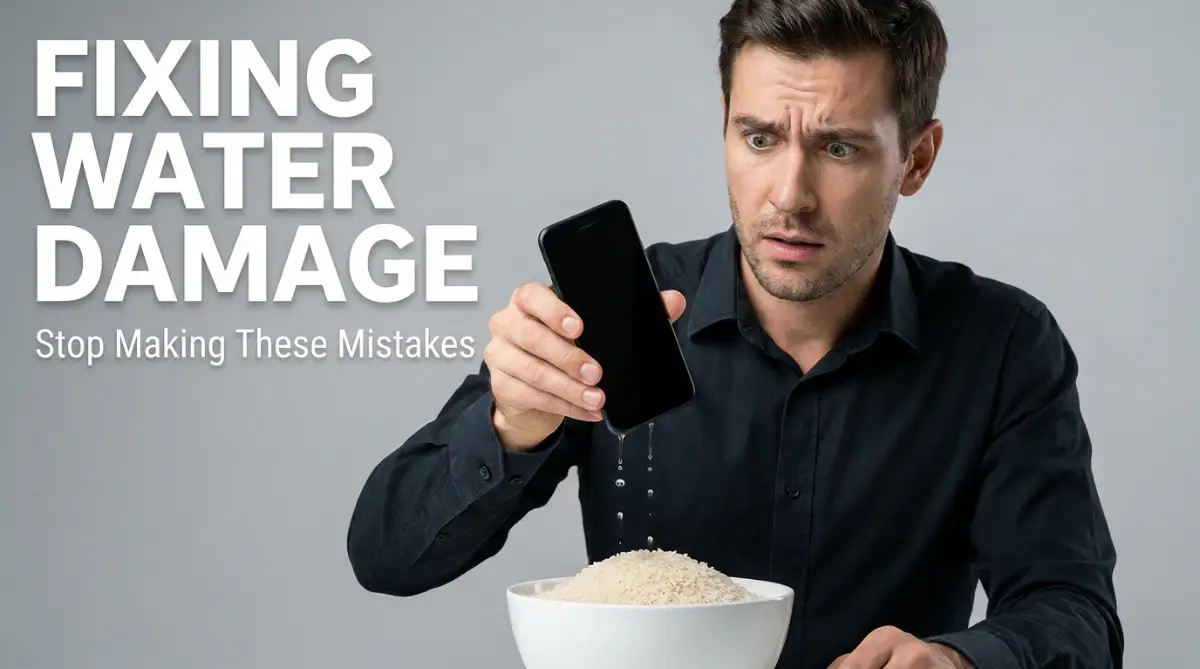
Have you ever watched in absolute horror as your expensive smartphone took a direct dive into a sink full of soapy water? The panic sets in instantly as the screen flickers and goes completely black. Most people immediately grab a bag of dry rice, hoping for a quick miracle. But the truth is, throwing your wet phone into rice is a terrible mistake that can permanently destroy your motherboard. Let me show you what you should actually do the second your device gets wet to save your hardware and your data.
That single mistake cost me nearly eight hundred dollars and completely wiped out months of unsaved family photos. When an expensive piece of technology gets wet, our brains automatically go into survival mode. We desperately grab whatever household items we can find, hoping for a quick miracle.
This sudden electronic emergency creates a terrible knot of anxiety in your stomach. You lose access to your important text messages, your daily alarm clock, and your only connection to the outside world. It feels like your entire daily routine is suddenly put on pause.
The most frustrating part is the confusing advice floating all around the internet. Your friends tell you to use a hair dryer, while online forums swear by the old rice bag method. You end up blindly guessing, completely unaware that your rescue attempts are actually causing severe chemical reactions inside the device.
Regular people face this massive financial stress every single day just because of a simple dropped glass of water or a sudden rainstorm. We rely so heavily on these expensive tools for our jobs, our security, and our entertainment. Watching your hard-earned money slowly short-circuit on the kitchen counter is a deeply painful experience.
The heavy dread of losing your digital life is completely exhausting. You lie awake at night wondering if you will ever get your personal memories back. Let us break down the absolute worst things you can do to a wet device so you never have to feel this helpless panic again.
📌 Quick Summary: How to Save a Wet Phone
- Kill the Power Immediately: Turn the device off instantly. Never press buttons, shake it, or plug it into a charger.
- Ditch the Rice: Uncooked rice absorbs moisture too slowly and leaves sticky starch dust inside your charging ports.
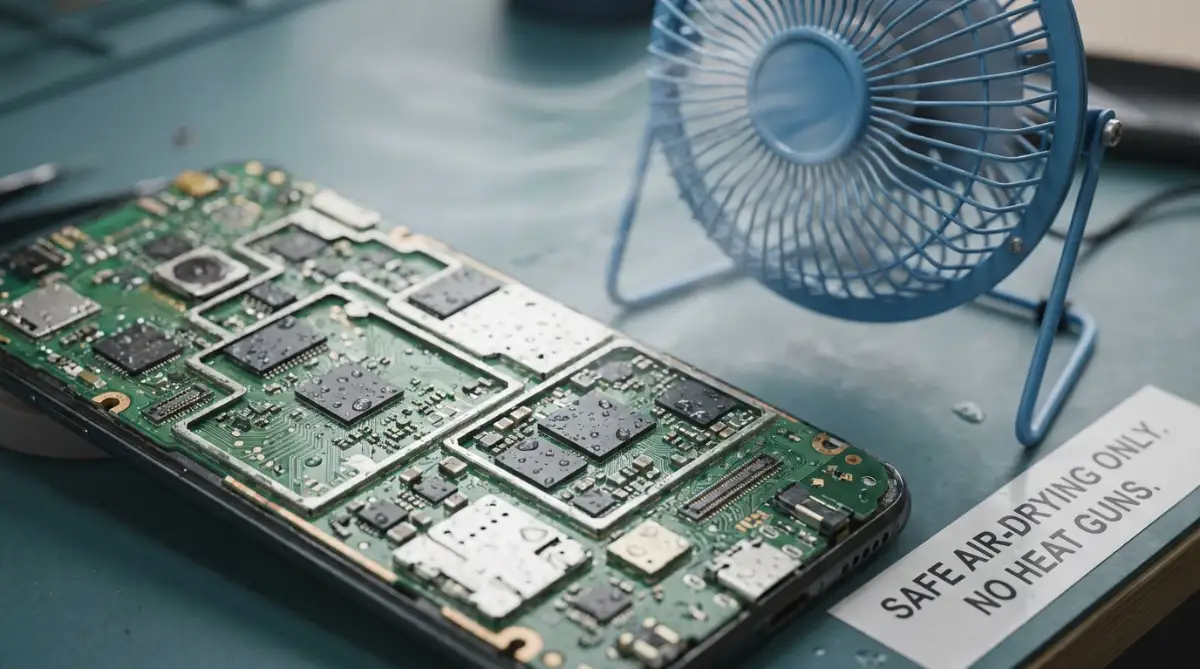
- Use Cool Air: Place the gadget on a towel in front of a standard desk fan on low speed for at least 48 hours.
- Silica Packets Win: Use actual silica gel packets or crystal cat litter if you need an aggressive, clean moisture absorber.
Breaking Down the Anatomy of Liquid Damage
To stop making bad decisions, we first need to understand what actually happens when liquids meet internal circuitry. Your smartphone or laptop is not just a solid block of glass and metal. It is a highly sensitive ecosystem packed with microscopic electrical pathways.
When water enters the tiny speaker grills or the charging port, it instantly looks for a place to settle. The real enemy here is not just the wetness itself. The real danger comes from the microscopic minerals and salts hiding inside the liquid.
The Dirty Sponge Analogy:
Think of your phone's internal circuit board exactly like a dry kitchen sponge. If you spill clean, purified water on a sponge, it gets wet but stays relatively clean. But if you drop that sponge into a muddy puddle, it absorbs dirt, grime, and sharp little rocks.
Tap water, pool water, and ocean water are exactly like that muddy puddle. They are packed with heavy minerals like calcium, magnesium, and sodium. When the actual water evaporates away, those sharp, corrosive minerals are left permanently glued to your delicate electrical pins.
Why Electricity and Moisture Do Not Mix
The moment water bridges the gap between two electrical components, it creates a highly dangerous shortcut. Electricity is incredibly lazy; it always takes the fastest possible path from point A to point B.
When a wet puddle forms across a microchip, the power leaves its intended path and travels through the water instead. This instantly fries the tiny fuses and causes a massive short circuit. This is why immediate action dictates the entire survival of your gadget.
Did You Know? The Mineral Crust Problem
Water itself does not kill electronics instantly; the dissolved minerals and salts left behind after evaporation do! When the liquid dries, it leaves behind a sharp, conductive crust that eats away at microscopic copper pins on your circuit board.
If you understand how these invisible minerals slowly eat away at metal, you can stop the damage before it spreads. Let us explore the absolute worst habits people use when trying to dry their expensive technology.
The Legendary Rice Myth Explained
We have to address the most famous piece of tech advice on the entire internet right now. If you drop a device in a toilet or a puddle, someone will immediately yell, "Put it in a bowl of rice!"
This advice has been repeated for so many years that we treat it like an absolute scientific fact. But relying on dry rice is actually an incredibly dangerous trap.
The Starchy Dust Disaster
While raw rice does absorb a small amount of moisture from the air, it works incredibly slowly. Leaving your soaking wet phone in a bowl of food gives the internal water more time to rust the metal chips.
To make the situation much worse, uncooked rice is covered in a fine, powdery layer of starch and dust. When you bury your wet phone inside a bowl, that sticky starch dust gets shoved directly into the charging port and the tiny microphone holes.
An Expert Breakdown of the Rice Problem:
Are you curious why professional repair technicians laugh when you bring them a bag of rice? Watch this highly educational breakdown of what rice actually does to the inside of a wet phone.
Now, you do not just have a simple liquid problem on your hands. You have a thick, sticky mud problem packed deep inside the hardest places to clean. The rice absorbs the water inside the charging port and swells up, physically breaking the tiny gold connecting pins.
My biggest mistake was shoving my wet phone so deep into the rice bag that grains actually got permanently wedged inside the headphone jack. I spent an hour trying to dig a swollen piece of rice out with a sewing needle, which ended up scratching the internal connectors entirely. I quickly realized that introducing food to wet electronics just creates a much more expensive cleanup job for the repair guy.
The Hair Dryer Heat Wave
When people realize that a towel cannot reach the water trapped behind the glass screen, they naturally look for a faster drying method. The first thing most people grab is a hot hair dryer from the bathroom. They think blasting the device with extreme heat will magically evaporate the puddle inside.
This is a catastrophic choice that ruins the physical hardware instantly. Modern electronic devices are held together by highly specific, heat-sensitive industrial adhesives.
Melting Your Only Defense
When you point a hot hair dryer directly at your screen, you are essentially baking the device in an oven. The intense heat melts the waterproof glue holding your screen to the metal frame.
Once that glue melts, the protective seal is permanently broken. Any remaining water on the surface is now free to slip directly into the exposed gaps.
Furthermore, the high-pressure wind from the hair dryer does not just evaporate the water. It acts like a powerful hurricane, aggressively pushing the liquid droplets deeper into the dark corners of the motherboard. You are literally blowing the danger straight into the most sensitive parts of the machine.
The Panic Shake Routine
Imagine you accidentally drop your smart watch in the kitchen sink while washing plates. You quickly snatch it out of the water. What is your very first instinct?
Almost every single person will aggressively shake their wrist, hoping to throw the water out of the speaker grills. We naturally shake things to dry them off, just like a dog shakes off after a bath.
But doing this to a delicate computer is a massive mistake. When you shake a wet device, the heavy G-force pushes the water droplets violently in all directions.
Spreading the Invisible Threat
Before you started shaking it, the water might have been safely isolated near the bottom speaker hole. By violently moving your arm, you have now splashed that water all the way up to the front camera lens and the main processor.
You are actively helping the liquid bypass the internal rubber gaskets. Instead of shaking the device wildly, you should hold it completely flat and steady. Let basic gravity pull the water slowly out the same exact way it came in.
The "Let Me Check If It Works" Trap
This is the most heartbreaking error a user can make, and it happens purely out of human curiosity. You pull your laptop out of a spilled cup of coffee, wipe it down, and it looks perfectly dry on the outside.
Because you are terribly anxious about your expensive machine, you immediately press the power button just to see if the screen turns on. You want that instant relief of seeing the familiar brand logo pop up.
The Final Short Circuit
As we discussed earlier, water acts as an unapproved bridge for electricity. When you press that power button, you are sending a massive, fresh surge of battery power directly through the entire motherboard.
If there is even a single microscopic drop of water touching two active metal pins, that power surge will create a massive short circuit. You will instantly fry the main processing chip.
Even if the screen flickers on for a brief second, the unseen damage is happening rapidly in the background. You must practice extreme patience. Never press the power button, plug in a charging cable, or touch any volume buttons while the machine is compromised.
Safe and Proven Rescue Strategies
Now that we know exactly what not to do, we can focus on the actual science of saving your expensive equipment. You do not need to rely on old myths or panicked reactions.
By following a calm, logical set of rules, you drastically increase the survival rate of your favorite gadgets. Let us walk through the exact triage steps professional technicians use when dealing with severe liquid exposure.
Step 1: Kill the Power Source Instantly
Your absolute first priority is removing the electrical current. Water itself does not break the metal; the active electricity flowing through the water causes the damage.
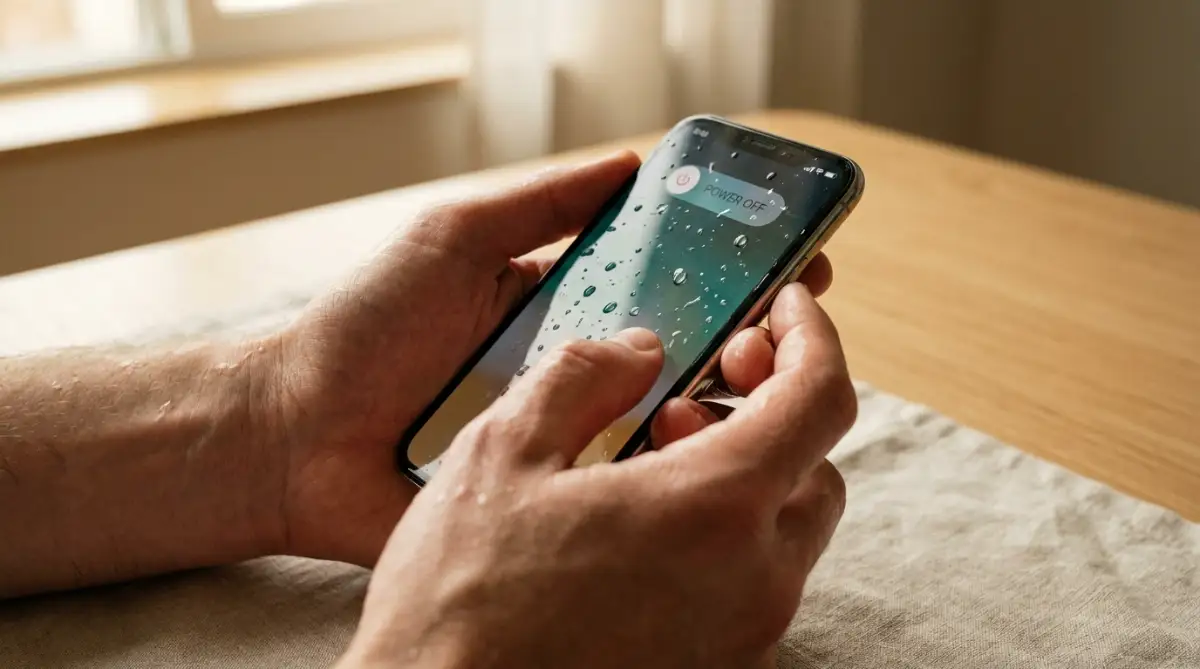
If the device is a laptop with a removable battery, pull the battery out of the bottom immediately. If it is a modern smartphone, hold down the power button and slide it to the completely off position as fast as humanly possible.
Do not spend time saving your open documents or closing your background apps. Every single second the screen is glowing, the risk of a fatal short circuit multiplies. Shut it down and do not turn it back on for at least forty-eight hours.
Step 2: The Gentle Exterior Triage
Once the power is totally dead, you need to remove the excess moisture carefully. Take a clean, dry microfiber cloth and gently dab the entire surface of the device.
Microfiber is highly absorbent and will pull the liquid away without scratching your expensive glass screen. Do not use standard paper towels, as the rough wood fibers can leave permanent micro-scratches on the display.
Remove any plastic or silicone cases you have on the phone immediately. Water loves to hide in the tight spaces between your phone case and the metal frame, quietly seeping into the side buttons over time. If your device has a removable SIM card tray, pop it out and leave the hole completely open to allow air to flow inside.
Step 3: The Safe Air-Drying Method
Instead of using intense heat or starchy rice, you need to rely on the power of steady, cool air circulation. Find a safe, dry spot in your house, preferably in a room with low humidity.
Place the wet gadget flat on top of a dry towel. Set up a small, standard desk fan about two feet away from the device and turn it on the lowest speed setting.
Quick Look: Emergency Drying Methods
The steady, gentle breeze will flow constantly over the open ports and speaker grills. This constant air movement naturally encourages the internal moisture to evaporate safely without overheating the delicate glue seals.
Comparing Drying Environments:
Step 4: The Power of Silica Gel Packets
If you really want to absorb moisture effectively, you should use the exact tool designed by scientists for this specific job. Remember those tiny, white packets that say "Do Not Eat" inside new shoe boxes or medicine bottles?
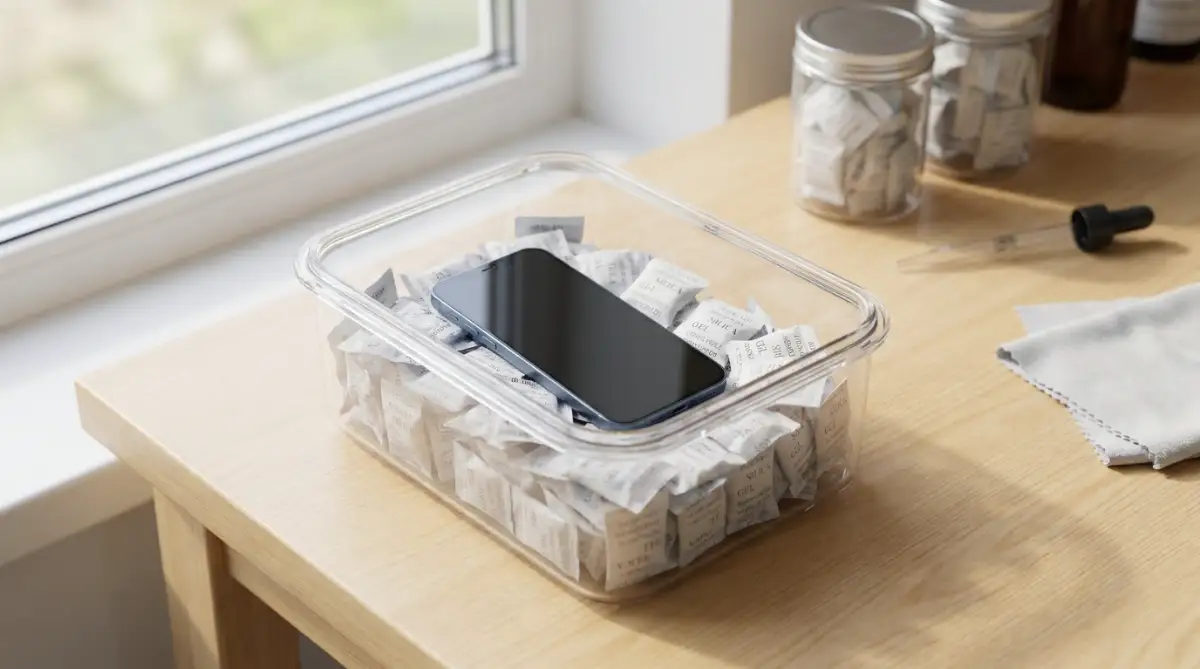
Those packets are filled with silica gel beads. Silica gel is an incredibly powerful desiccant, meaning it aggressively pulls moisture directly out of the surrounding air without leaving any sticky dust behind.
If you have a collection of these packets, place your wet phone inside a small, airtight plastic container and completely bury it in the silica gel. Leave the container sealed tightly for two full days. The silica will safely draw the invisible water vapor out of the charging port much faster and cleaner than dry food ever could.
Managing the Aftermath
Waiting forty-eight hours to check your device feels like an absolute eternity. In our highly connected society, going two days without checking emails or social media is a genuine struggle.
But practicing this strict patience is the only way to protect your financial investment. If you plug a charging cable into a port that is still slightly damp inside, you will fry the power management chip instantly.
Most modern smart devices actually have an invisible liquid damage indicator sticker hidden inside the SIM card tray. When this tiny white sticker touches water, it turns permanently pink or red. Repair shops look for this red sticker immediately to void your official warranty.
By handling the accident calmly and avoiding the terrible habits we discussed, you might just save your device from an early grave. Take a deep breath, use a gentle desk fan, and let the natural evaporation process do the heavy lifting for you.
Pro-Level Tactics to Save Your Waterlogged Tech
We just covered the absolute worst mistakes people make when panic sets in. Now, we need to focus on taking your rescue mission to the next level. If you genuinely want to increase the chances of your expensive gadgets surviving a nasty spill, you need to start thinking like a certified repair technician.
These advanced methods are incredibly simple, but they completely change how moisture behaves inside your device. Let us look at the smart, proactive habits you can use to protect your digital investments today.
The Magic of Isopropyl Alcohol
If you spill something sticky on your device, like a sugary soda or a milky cup of coffee, simple air drying is not going to save you. The water will evaporate, but the sticky sugar will stay permanently glued to the internal circuit boards. Over time, that sugar will rot the delicate metal pins and cause a massive short circuit.
In these specific sticky situations, professional repair shops rely heavily on high-percentage isopropyl alcohol. You need to buy alcohol that is rated at 90% purity or higher.
Why Alcohol Actually Works:
Standard rubbing alcohol is mostly water, which is terrible for electronics. But highly pure isopropyl alcohol is incredibly unique because it naturally displaces water and completely dissolves sticky sugar. Most importantly, it evaporates incredibly fast at room temperature without leaving any trace behind.
If you drop a TV remote or a keyboard in a sugary drink, you can often save it by gently brushing the sticky areas with a soft toothbrush dipped in 90% isopropyl alcohol. It cleans the sticky mess safely and dries almost instantly. This same careful cleaning approach is highly recommended when dealing with overlooked habits that quietly destroy your smartphone battery lifespan, as keeping your charging port totally clean prevents permanent power issues.
The Vacuum Chamber Trick
If you do not have silica gel packets lying around, you can actually create a powerful drying environment using simple household items. You want to create a space that actively pulls moisture out of the air.
You can do this by placing your wet phone inside a heavy-duty, airtight plastic container. Instead of rice, use a massive pile of cheap, unscented crystal cat litter. According to consumer hardware studies published by the Electronic Fix Foundation, crystal cat litter is literally made of pure silica gel, making it an incredibly powerful, low-cost moisture absorber.
Place your phone on top of a dry paper towel inside the container, pour the crystal litter around it, and seal the lid tightly. The airtight seal prevents the litter from absorbing normal humidity from your house, forcing it to aggressively pull the invisible water vapor directly out of your phone's charging port. Leave it completely sealed for at least two days for the best possible results.
Knowing When to Call the Professionals
There is a very clear line between a lucky save and a total loss. If you dropped your laptop in the ocean or spilled a massive glass of wine directly onto the keyboard, the home remedies we discussed simply will not be enough.
Saltwater and acidic liquids are highly aggressive and will begin to corrode the metal motherboard within hours. In these extreme cases, you must get the device to a professional data recovery center immediately. Do not waste time trying to dry it yourself.
Professional technicians have access to specialized ultrasonic cleaning machines. These machines use high-frequency sound waves to gently scrub the microscopic corrosion off the motherboard before it becomes permanent. If your life is on that hard drive, spending the money on a professional cleaning is far better than having a hard drive crashed how to rescue your lost files before it s too late emergency.

Silent Mistakes That Guarantee a Dead Device
Even when people try to do the right thing, they often accidentally sabotage their own rescue efforts. The internet is filled with terrible advice that sounds perfectly logical but is actually highly destructive in reality.
If you fall for these specific traps, you are essentially guaranteeing that your device will never turn on again. Let us break down the absolute worst decisions you can make during a liquid emergency.
The "Oven Baking" Disaster
I have actually seen people suggest putting a wet smartphone inside a warm kitchen oven or a microwave to dry it out quickly. This is perhaps the most dangerous and expensive mistake a human being can possibly make.
Your smartphone contains a highly volatile lithium-ion battery. These batteries are incredibly sensitive to extreme heat. If you place a lithium battery inside a warm oven, it will rapidly swell, leak toxic gas, and eventually explode violently.
You are not just ruining your phone; you are risking a massive house fire. The safety guidelines shared by the National Fire Protection Association (NFPA) explicitly warn consumers never to expose modern consumer electronics to direct, extreme external heat sources under any circumstances.
Relying on the Wall Charger
We talked about this earlier, but it is so important that it deserves its own warning. The most common way a wet phone officially dies is when the owner gets impatient and plugs it directly into a wall charger.
You might think the phone is completely dry after sitting on your desk all afternoon. But the internal charging port is dark and deep, holding onto tiny, invisible beads of moisture for days.
When you plug a high-voltage fast charger into a damp port, the electricity instantly arcs across the water droplets. This sends a massive, unregulated surge of raw power directly into the main processor chip. You will literally hear a tiny pop, smell burning ozone, and the phone will be permanently dead.
This kind of careless mistake is incredibly costly. Replacing a fried motherboard can easily cost six hundred dollars.
The "Freezer Method" Fallacy
Another completely bizarre internet myth claims that wrapping your wet phone in a towel and putting it in the freezer will somehow save it. The logic is that freezing temperatures dry out the air.
This is incredibly dangerous logic. When you put a wet phone in the freezer, the water trapped inside the tiny microchips instantly freezes into solid ice.
As water freezes, it physically expands. That expanding ice acts like a microscopic crowbar, physically snapping the delicate internal connections right off the circuit board. Furthermore, when you eventually take the phone out of the freezer, the warm room air will cause massive internal condensation, making the water problem ten times worse.
Your Personal Blueprint for Tech Survival
We have covered a massive amount of technical and scientific ground today. The goal here is not to make you paranoid every time you take a sip of water near your laptop.
The goal is to empower you with the actual truth. When you know exactly how liquid damages your electronics, you stop making panicked, emotional decisions. You start acting like a calm, logical professional.
A Quick Action Plan for Tomorrow
You do not need to wait for a disaster to happen to be prepared. Take ten minutes this weekend to build a simple, cheap electronic rescue kit for your house.
Buy a few extra large, airtight plastic storage containers. Grab a bag of unscented crystal cat litter or save the silica gel packets you get from new shoes and online packages. Toss them all into the container and put it in your closet.
If an accident ever happens, you will not have to waste precious time searching the internet for bad advice. You will already have the perfect, scientifically proven drying environment sitting completely ready to go.
It is also highly recommended that you take a few minutes tonight to review your digital security habits. If you constantly make dangerous password management mistakes that leave your digital identity exposed, losing a wet phone means a hacker could easily access your accounts while you wait for a replacement. Always keep your backups active and your passwords highly secure.
I actually threw my first water-damaged phone directly in the trash out of pure frustration, thinking it was completely hopeless. But after I finally learned how to be incredibly patient and use a simple desk fan, I managed to save my next laptop from a massive coffee spill without losing a single file. I promise you, if you ignore the weird internet myths, respect the power of steady airflow, and practice absolute patience, you can absolutely bring your favorite devices back to life!
Pressing Questions About Wet Electronics
Does putting a wet phone in rice actually do anything?
No, using a bowl of uncooked rice is a terrible idea that causes more harm than good. The rice absorbs moisture incredibly slowly, and the starchy dust covering the grains gets permanently jammed into your charging ports and speaker grills, creating a sticky mud that ruins internal components.
How long should I wait before trying to turn my wet device back on?
You must practice extreme patience and wait a minimum of forty-eight hours before pressing the power button. Even if the device looks completely dry on the outside, tiny invisible drops of water hidden deep inside the motherboard can cause a fatal short circuit the second electricity flows through them.
Can a hair dryer safely speed up the drying process?
You should never use a hot hair dryer on any electronic device, as the extreme heat easily melts the waterproof glue holding the screen together. Furthermore, the high-pressure air acts like a hurricane, violently pushing the trapped water droplets even deeper into the most sensitive parts of the machine.
Is it safe to charge my phone wirelessly if the charging port is wet?
Using a magnetic wireless charger while your phone has internal moisture is a highly dangerous trap. Wireless charging generates a significant amount of heat to transfer power, which can literally boil the trapped water into steam from the inside out, permanently damaging the battery cells.
Will a professional repair shop know if I dropped my phone in water?
Yes, every modern smartphone and laptop has tiny Liquid Damage Indicator (LDI) stickers hidden inside the frame. These white stickers instantly turn bright pink or solid red the moment they touch moisture, allowing repair technicians to quickly void your official warranty.
Disclaimer: The information provided in this article is for educational and general informational purposes only and does not constitute professional technical repair or data recovery advice. Electronic devices contain highly dangerous lithium-ion batteries that pose severe fire and explosion risks if handled improperly. Always unplug any wet device from a wall outlet immediately to avoid electrical shock. For severe liquid exposure, especially involving saltwater or sticky chemicals, always consult with a certified, professional electronic repair technician immediately.