The Frustration Of Reading Cold, Soulless Text
I spent an hour trying to get an AI tool to write a simple, friendly email for my clients. The machine kept spitting out stuffy corporate blocks that made me look like a walking billboard. I realized that if you talk to these generators like a search engine, they will always talk back to you like a robot. Let me show you how to write prompts that actually sound like a warm, living human being.

How to Make AI Sound Human (TL;DR)
- Stop writing short fragments; talk to the AI like a smart coworker sitting next to you on a couch.
- Assign a specific persona and describe your target audience before you ask the machine to write anything.
- Banned list: Put words like "delve," "crucial," "vital," and "furthermore" on a strict ban list inside your prompts.
- Keep it imperfect: Give the machine permission to use slang and vary sentence lengths to mimic natural human speech.
Unlearning The "Search Engine" Mindset
To fix this incredibly annoying problem, we have to completely change the way we actually talk to the machine. Most of us are making a massive, fundamental mistake without even realizing it. We are talking to these smart generators exactly like we talk to standard search engines.
Think about how you use the internet when you need a quick fact. You usually type in broken, robotic fragments like "best pizza near me" or "fix leaking sink." You have been heavily trained for the last twenty years to use as few words as possible to get a fast result.
When you carry that exact same broken, robotic habit over to a modern language model, you get a terrible result. If you type, "Write a blog about dogs," the machine has absolutely no context. It does not know if you want a funny story for kids or a serious medical article for veterinarians.
Because it lacks specific context, the machine defaults to the safest, most boring, and most generic average of all the text it has ever read. If your input sounds like a robot, your output is mathematically guaranteed to sound like a robot.
You have to completely unlearn the habit of typing in short fragments. You must start treating the chat box like a highly intelligent, but totally blind, human assistant sitting right next to you on a couch. If you would not speak a sentence out loud to a real person, you should never type it into your prompt.
The Prompting Translation Guide:
The Power Of Giving The Machine A Persona
The absolute fastest way to instantly inject life into dead text is by assigning a very specific role to the machine. Instead of just asking it to write something, you must first tell it exactly who it is supposed to be. In the software industry, this is known as defining the persona.
Think of it like hiring a professional actor for a movie. You do not just push them onto a stage and yell, "Act!" You give them a detailed character profile so they know exactly how to behave.
If you want an article about fixing cars, do not just say, "Write about car engines." Instead, start your prompt by typing: "Act as a grumpy, highly experienced, sixty-year-old mechanic who has been fixing cars in a small town for thirty years."
Just by adding that single sentence, you completely change the mathematical weights inside the software. It stops pulling generic Wikipedia definitions and starts using slightly rugged, hands-on vocabulary. It will naturally use shorter sentences and a much more direct, conversational tone.
You can assign absolutely any persona you can imagine. You can tell it to act like a highly enthusiastic kindergarten teacher, a tired corporate lawyer, or a sarcastic teenager. Defining the actor before they step on stage is the ultimate secret to generating natural, highly engaging text.
My 3-Step Humanization Hack:
- Step 1: Write it Out Loud: Always read your drafted prompt as if you were talking to a close coworker over coffee. If it sounds too formal, rewrite it.
- Step 2: Use Slang and Conjunctions: Tell the AI to use casual transitions like "And," "But," or "By the way." This instantly breaks the stiff corporate structure.
- Step 3: Define the Mood: Don't just ask for an email; ask for an email written with "slight excitement" or "warm relief."
Defining Your Target Audience Immediately
Once you have told the machine exactly who it is playing, you immediately have to tell it who is sitting in the audience. The tone of a conversation completely changes depending on who is listening to it. You speak very differently to your grandmother than you do to your best friend at a loud party.
If you do not specify the audience, the machine will assume it is writing for a generic, highly educated college professor. This is exactly why so many AI outputs sound like stuffy, boring academic textbooks. It is trying too hard to sound smart because it does not know who it is talking to.
You have to be incredibly specific about the reader. Do not just say, "Write this for beginners." Say, "Write this for a busy, stressed-out single mother who only has five minutes to read this while drinking her morning coffee."
My Personal Pro Tip: I used to get so angry when the machine would use massive, ten-dollar words that nobody actually uses in real life. I finally learned to add this exact phrase to the end of every prompt: "Write this at an eighth-grade reading level, using simple vocabulary that a tired person can easily skim." That one tiny instruction instantly killed the robotic, academic tone forever.
When the software knows the audience is tired, busy, or stressed, it naturally shortens the paragraphs. It automatically starts using smaller, punchier words. It creates a deep sense of empathy in the text because it is mathematically trying to match the emotional state of the reader you described.
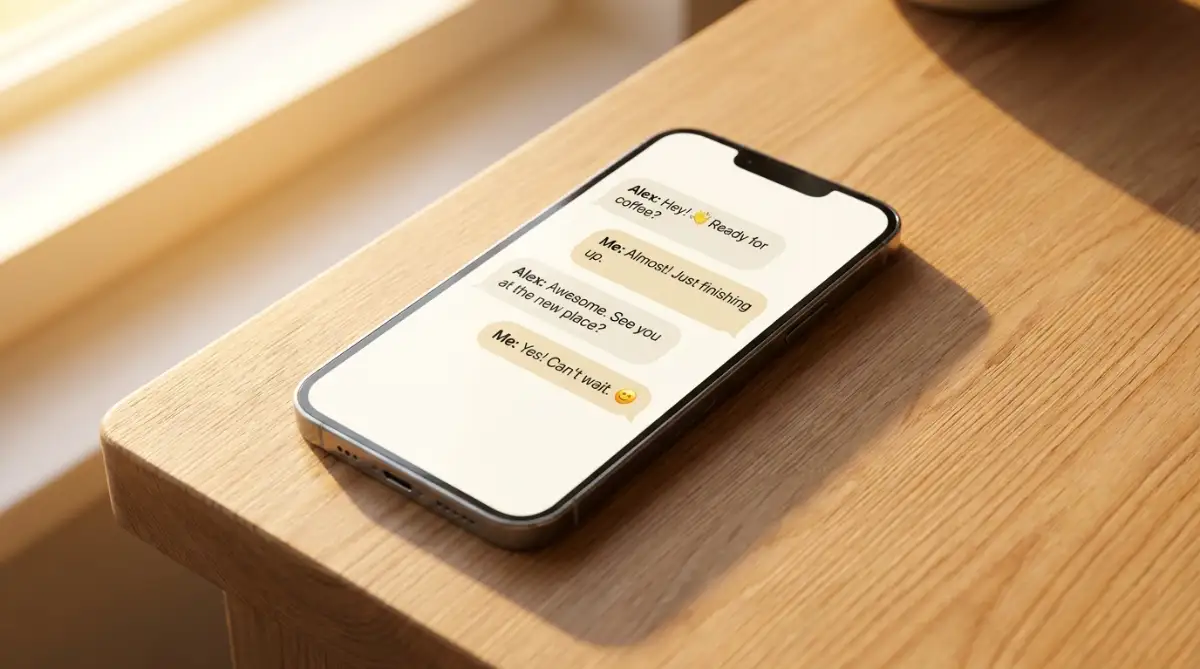
Watch A Live Demonstration Of Persona Prompting
If you want to see exactly how dramatically a paragraph changes just by altering the persona and audience, watch this incredible live demonstration.
Banning The "Invisible Robot Words"
Even if you set up the perfect persona and audience, these machines still have a few terrible, deeply ingrained habits. Because they were trained on massive amounts of corporate and academic writing, they love to use certain highly unnatural words. I call these the "invisible robot words."
Have you ever noticed how often a generator uses words like crucial, vital, tapestry, delve, or furthermore? Real humans almost never use these words when talking to each other over a cup of coffee. When you read those words on a screen, your brain instantly recognizes that a computer wrote them.
You have to proactively build a fence around your prompt to keep these annoying words out. It is incredibly easy to do. At the very bottom of your instruction box, simply create a strict negative constraint.
Type out: "Do not use words like delve, crucial, vital, or furthermore under any circumstances. Keep the language completely conversational and highly casual."
When you explicitly ban the machine from using its favorite crutch words, it is forced to find more natural, human ways to connect the sentences. It strips away the fake corporate polish and reveals a much more authentic, gritty style of writing that actually resonates with real people.
The Magic Of Injecting Personal Flaws
One of the biggest reasons artificial text feels so creepy is because it is absolutely flawless. It never makes a mistake, it never uses slang, and its grammar is always one hundred percent perfect. Human beings are deeply flawed creatures, and our writing naturally reflects those beautiful imperfections.
If you want the machine to sound truly human, you have to intentionally ask it to be slightly imperfect. You have to give it permission to break the strict grammatical rules it was programmed to follow.
You can literally add instructions like: "Use occasional slang, start a few sentences with conjunctions like 'And' or 'But', and write in a very loose, slightly messy conversational style."
You can even tell it to inject a specific human emotion into the text. Tell it to sound slightly frustrated about a specific topic, or incredibly relieved that a problem was solved. Emotion is the ultimate footprint of a human being. When a paragraph shows genuine excitement or slight annoyance, the reader completely forgets that a machine actually typed it.
You do not want it to make spelling errors, but you do want it to mimic the natural rhythm of human thought. Sometimes humans ramble a little bit, and sometimes we use very short, punchy sentences for dramatic effect. Asking the machine to vary the sentence length drastically is a fantastic way to mimic the natural breathing patterns of human speech.
Expert Formatting Secrets For Maximum Readability
Now that you have fixed the tone and persona, you have to address how the text physically looks on the screen. One of the biggest giveaways of machine-generated text is massive, unbroken blocks of words. Real people simply do not write like that anymore, especially when communicating online.
When a human being types an email or a blog post, they naturally use formatting to emphasize their main points. We use bulleted lists, bold text, and lots of white space to make our writing easy to scan. If you want your AI output to look natural, you must explicitly demand these formatting rules in your prompt.
You can add a simple command like: "Break this answer down into three short sections with descriptive headers, and use bold text for the most important sentence in each paragraph." This instantly forces the machine to structure the information exactly how a human copywriter would.
It is very similar to how you would organize a messy room. If you just throw everything into a pile, it looks terrible. But if you sort the items into neat, clearly labeled boxes, it suddenly looks highly professional and inviting.
You also need to instruct the machine to limit its paragraph size. You can literally type, "Do not write any paragraph longer than three sentences." This small trick prevents the software from rambling and keeps the reader highly engaged from start to finish.
If you are trying to write a compelling email to a new client, you can even ask the machine to use formatting to guide their eyes. Asking it to include a clear, bolded call-to-action at the very end ensures the email actually drives results.
For a deeper dive into how visual text structure affects human psychology, you can review the official guidelines on writing for the web published by Usability.gov. When you train your machine to follow these exact human usability rules, your writing instantly jumps to a professional level.

Silent Traps That Destroy Your Writing Quality
Even if you use all these advanced prompting tricks, it is still incredibly easy to fall back into lazy habits. I have watched incredibly smart professionals ruin their own reputations because they completely trusted the machine without checking its work. We need to expose these dangerous traps so you never get caught in them.
The absolute worst mistake you can make is copy-pasting the output directly into an email or a public website without reading it out loud first. Your eyes will naturally gloss over robotic phrasing when you are reading silently on a screen. But the exact moment you speak the words out loud in an empty room, the awkward, fake-sounding sentences will instantly jump out at you.
When you skip this important editing step, you are basically playing Russian roulette with your personal brand. If you send a highly robotic, emotionless apology email to a frustrated customer, you will completely destroy that relationship forever.
Another massive trap is asking the machine to write about highly personal, deeply emotional experiences. An artificial intelligence has never felt heartbreak, it has never lost a job, and it has never felt the warmth of the sun on its face. If you ask it to write a deeply personal story about overcoming a struggle, it will always sound completely fake and hollow.
You must write the core emotional story yourself. You type out your raw, messy feelings, and then you ask the machine to simply clean up the grammar or improve the transition sentences. You must always provide the human soul, and let the software handle the technical polish.
People also make the terrible mistake of keeping all their prompts in one massive, endlessly scrolling chat window. If you ask the machine to write a funny marketing email, and then in the exact same window ask it to write a serious legal contract, it will get completely confused. The tones will bleed together, creating a weird, sarcastic legal document that makes absolutely no sense.
You must treat each specific writing task like a totally separate conversation. Open a brand-new, clean chat window every single time you want to switch topics or change the persona. This prevents the machine's memory from getting overloaded, much like knowing the simple ways to spot and avoid overheating issues in your favorite electronics.
Finally, do not completely rely on the machine for pure factual accuracy. These tools are designed to predict language, not to act as a perfect encyclopedia. They will confidently invent fake statistics, fake quotes, and fake historical events just to finish a sentence smoothly.
To understand why this happens, you can read the research on large language model hallucinations from IBM. Knowing exactly how and why the machine lies helps you spot those fake facts before you accidentally publish them to the world.
Your Blueprint For Mastering Natural AI Generation
We have completely torn down the old, robotic way of talking to your computer today. You no longer have to settle for cold, boring, and highly suspicious text. You are now fully equipped to act like a true director, guiding the machine to produce incredibly warm and highly engaging content.
Your immediate action plan for today is to open your favorite generative tool and test the persona method. I want you to ask it to explain a complex topic, like how gravity works, but tell it to act like a highly enthusiastic pirate. Compare that output to what happens when you just ask the plain question.
If your web browser is struggling to load the chat interface quickly, you can easily speed up your phone by clearing out your temporary system cache. Keeping your device running smoothly allows you to focus entirely on your creative prompting.
Always remember to build your negative constraint list. Keep a small digital notepad on your computer with your banned words like "furthermore" and "delve." Paste that strict ban at the bottom of every single prompt you write from now on.
As you get better at this, you will realize that the true power of this technology does not come from the software itself. The real magic happens when your unique human perspective blends perfectly with the speed of the machine. You are not replacing yourself; you are simply giving yourself a massive upgrade.
My Personal Action Plan: I used to spend hours fighting with these tools, desperately trying to make them sound like me. The day I finally started using strict negative constraints and defining my audience, my writing speed tripled, and my stress completely disappeared. Try assigning a crazy persona to your next prompt today, and watch how quickly the robotic stiffness melts away into beautiful, natural language!
Common Questions About Humanizing AI Text
Why does my AI generator always use such complicated, fancy words?
Generators are heavily trained on millions of academic papers, legal documents, and corporate reports. Unless you specifically tell the machine to use simple, everyday language, it will automatically default to that highly formal, academic style because it thinks that sounds the most professional.
Can I actually train the machine to copy my own personal writing style?
Yes, you can absolutely do this. You can paste three or four of your previously written emails or blog posts into the prompt first. Tell the machine: "Analyze my writing style, tone, and sentence length in this text, and then write a new response matching my exact style."
Is there a specific tool that checks if my text sounds like a robot?
There are several free online tools designed to detect machine-generated writing, often called AI detectors. While they are not one hundred percent perfect, running your final text through one of these detectors is a great way to see if you successfully removed the robotic tone before you publish it.
How do I stop the AI from writing a massive conclusion paragraph every time?
By default, these models love to summarize everything they just said in a neat little bow at the end. To stop this annoying habit, simply add the phrase "Do not write a conclusion paragraph" or "End the text abruptly without a summary" to the very end of your instruction prompt.
Does spelling and grammar matter when I am writing my instructions?
Surprisingly, no. The machine is incredibly smart at figuring out what you mean, even if your prompt is full of typos or bad grammar. However, the clearer and more specific you are with your actual instructions and context, the much better your final result will be.
Disclaimer: The information provided in this article is for general educational and informational purposes only. The capabilities, behaviors, and privacy policies of artificial intelligence tools change rapidly. Always review the specific terms of service for the software you are using, and manually verify any factual claims or data generated by AI before publishing them for business, academic, or professional use.