
If you have ever asked an AI to write a friendly email and received something that sounded like a corporate lawyer speaking through a megaphone, you know the frustration. You do not need a computer science degree or thousands of lines of Python code to fix this. With just ten high-quality writing samples and a simple drag-and-drop tool, you can teach any model to sound just like you. Here is the exact roadmap I used to stop rewriting robotic drafts and finally automate my workflow.

Fast Rules for Building Your Custom Voice (At a Glance)
-
Quality Trumps Volume: You do not need thousands of pages; 10 to 15 flawless, hand-picked examples teach the model faster than a messy folder.
-
Scrub Your Private Details: Always replace real client names, phone numbers, and revenue numbers with placeholders before hitting upload.
-
Lock Your Sweet Spot: Keep your creativity dial (temperature) around 0.7 for the most natural, human-sounding daily drafts.
-
Iterate on Mistakes: When an answer sounds too formal, type the correction back into the chat instead of rewriting the entire paragraph yourself.
Decoding the Brain of a Language Machine
Before we start clicking buttons and uploading files, we really need to understand how these digital brains actually process information. Most beginners think of artificial intelligence as a magical box that instantly knows exactly what you want. In reality, a language model is simply a highly advanced prediction engine that guesses the next best word to use.
If you ask a standard model to write a story, it relies on the billions of random internet articles it read during its initial creation. Because it has read so many different voices, its default setting is to sound like an incredibly safe, average, and somewhat boring encyclopedia. It does not know your personal humor, your favorite phrases, or the specific way you talk to your loyal customers.
To fix this, you have to treat the software exactly like a brand new intern joining your office on their very first day. You would never expect a new human employee to perfectly write your weekly newsletter without reading your past work first. The exact same logic applies directly to customizing your digital assistant without writing any complex code.
The Intern Analogy: Why Context is Everything
Imagine you run a small bakery, and you hire a very smart but completely inexperienced assistant to answer your customer emails. If a customer asks about a custom cake, the new assistant might reply with a highly formal, stiff corporate message. They are not trying to be rude; they simply do not know that your bakery uses a very warm, casual, and friendly tone.
If you want the assistant to improve, you would naturally hand them a folder containing twenty previous emails you wrote yourself. You would tell them, "Read these old emails carefully and try to copy my exact style when you reply to the next person." The assistant reads your examples, absorbs your specific tone, and suddenly their next reply sounds exactly like you.
This simple process of providing clear, real-world examples is the absolute foundation of training a custom text generator. You do not need to rewrite the underlying computer software to get amazing results. You simply need to provide the right context and the right examples to point the machine in the exact direction you want.
Myth vs Reality in Customization
Let us look at a quick breakdown of what beginners believe versus how this process actually works in the real world.
The Magic of Drag-and-Drop Platforms
Just a few years ago, tweaking a massive text model required expensive servers and a deep understanding of complex mathematics. Today, brilliant software developers have built incredibly simple web platforms that completely hide all the confusing numbers. These user-friendly platforms work exactly like your favorite social media websites or email programs.
You simply create a free account, click a button that says "Create New Project," and follow the plain English instructions on the screen. The heavy lifting happens completely in the background on massive cloud computers that you never have to manage or worry about.
This beautiful shift in technology means that anyone who knows how to upload a file can now build a highly specialized tool. You can create a digital version of yourself that instantly writes blog posts, social media captions, or sales emails in your exact voice.
Preparing Your Golden Folder of Examples
The absolute secret to a highly successful custom project has nothing to do with the platform you choose to use. The true magic lies entirely in the specific text documents you collect before you even open the software. We call this collection your "training data," but you can just think of it as your golden folder of perfect examples.
You need to gather pieces of text that represent your absolute best work. If you want the tool to write engaging Facebook posts, you must collect your top twenty best-performing Facebook posts from the past year. Do not include random emails, long essays, or things written by other people, because that will only confuse the system.
Pro Tip: I used to think I needed thousands of documents to teach an AI my writing style, which only caused me massive confusion. My biggest realization came when I uploaded just ten perfectly written articles instead of a giant folder of messy notes. It turns out that a small amount of high-quality examples works much better than giving the machine too much random information.
The Danger of Messy Information
When you are collecting your examples, you must become incredibly strict about quality control. Artificial intelligence is an excellent student, which means it will copy your bad habits just as easily as your good ones. If you upload documents filled with spelling mistakes and bad grammar, your expensive custom tool will proudly generate misspelled words.
Take a whole afternoon to read through every single example you plan to upload to the system. Delete any outdated information, fix the awkward sentences, and ensure the tone is completely consistent from top to bottom.

Think of this step like purifying water before you drink it. The cleaner your initial information is, the more healthy and accurate your final generated responses will become.
Looking to go beyond writing and actually clone your real spoken voice too? Here is a quick tutorial on training an AI voice model online without needing an expensive setup:
The Power of the Question and Answer Format
Once you have your clean text, you need to organize it in a way the computer easily understands. Most no-code platforms prefer you to upload your information using a simple prompt and response format. This simply means you provide the exact question you would ask, followed immediately by the perfect answer you want to receive.
For example, your prompt might be: "Write a short, friendly reminder email for a missed dental appointment." The response you provide would be the actual text of the perfect email you usually send to your patients.
By pairing the instruction directly with the correct result, you are giving the software a very clear map to follow. The system studies the relationship between your request and your provided answer, learning how to connect the two concepts smoothly.
Real-World Training Pair: How to Train Your Brand Voice
-
User Prompt: "Write a quick update telling subscribers my podcast episode is delayed by two days."
-
❌ Default AI Output (Cold): "Please be advised that scheduled broadcast operations have encountered technical latency. We regret the inconvenience."
-
My Custom Trained Output (Natural): "Hey friends, quick heads-up: I'm battling a stubborn audio glitch today, so this week's episode will drop Friday morning instead. Thanks a ton for your patience!"
Expanding Your Variations
To make your new tool truly smart, you need to show it a few different ways to handle similar situations. Do not just upload twenty examples of the exact same welcome email with different names. You need to show it how you handle angry customer complaints, joyful product announcements, and casual weekly updates.
When you provide a wide variety of emotional tones, the machine learns the deeper boundaries of your personal brand voice. It begins to understand that you are highly professional when handling money matters, but very casual when talking about weekend plans.
This deep level of variety prevents your tool from sounding like a broken record that only knows one single trick. It makes the final output incredibly dynamic, natural, and completely indistinguishable from your own real-life typing.
The Difference Between Prompting and Fine-Tuning
Many beginners get deeply confused by the different methods available for customizing their text generators. The easiest and most common method is simply writing a very long, highly detailed instruction box before you start chatting. This is known as giving the machine a set of custom instructions or a system prompt.
Writing a system prompt is like handing a sticky note to a worker right before they start a specific task. You might write, "Always act like an expert fitness coach, keep your answers under three paragraphs, and use lots of emojis." The machine will read this sticky note and adjust its behavior perfectly for that specific conversation.
However, the machine naturally forgets these sticky note rules if the conversation goes on for too long. It eventually gets tired, drops the persona, and goes right back to sounding like a boring, standard encyclopedia.
Why True Fine-Tuning Wins
This is where actual model fine-tuning completely changes the game for heavy daily users. When you use a no-code platform to upload your golden folder of examples, you are permanently changing the software's basic brain structure. It is no longer relying on a temporary sticky note to remember who it is supposed to be.
Fine-tuning is like sending that worker to a specialized three-week training bootcamp focused entirely on your business. When they come back, they do not need to be reminded to act like a fitness coach; it is now their natural instinct.
Because the knowledge is baked deeply into the system, your daily prompts can become incredibly short and lazy. You can simply type "write a post about running," and the tuned system instantly knows the exact length, tone, and emoji style to use without you having to explain it again.
Knowing When to Choose Which Method
You do not always need to jump straight into heavy fine-tuning for every single project you manage. If you are just trying out a new marketing idea for a few days, a detailed system prompt is incredibly fast and completely free. It allows you to experiment with different voices before making a big commitment.
You should only invest time in uploading documents and fine-tuning when you find yourself repeating the exact same instructions every single day. If you are copying and pasting your brand guidelines into the chat box every morning, that is a massive red flag.
That repetitive frustration is the perfect signal that you are finally ready to build a permanent, personalized tool. Moving your workflow over to a dedicated, custom-trained system will easily save you dozens of hours every single month.
Taking Your Custom Digital Assistant to the Next Level
Once you have successfully uploaded your golden folder of examples, your new digital assistant is officially born. However, the first few responses it generates might still need a tiny bit of gentle correction. Think of this phase exactly like teaching a teenager how to drive a car for the very first time.
You do not just hand them the keys and fall asleep in the passenger seat. You watch them closely, give them gentle feedback, and help them correct their steering when they drift out of the lane. Managing your new digital tool requires this exact same level of patient observation and quick adjustments.
The most successful creators treat their personalized text generators like living, breathing projects that grow smarter every single week. Let us explore exactly how the professionals maintain their tools and keep their digital writing sounding incredibly human over the long term.
Mastering the Creativity Dial
Almost every single platform that lets you build customized tools has a hidden setting called "Temperature." This single slider completely changes how your digital assistant behaves, and understanding it is an absolute game-changer. The temperature setting simply controls how strictly the machine follows the rules versus how creative it is allowed to be.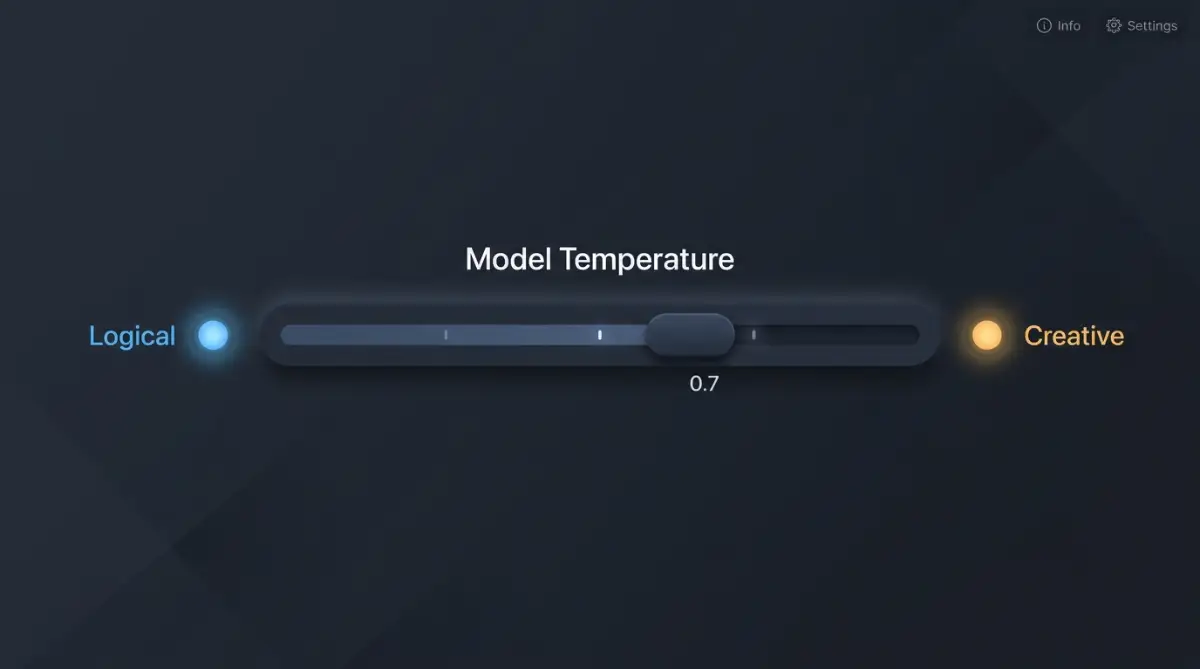 If you set the temperature very low, the machine becomes highly logical, boring, and strictly factual. A low setting is perfect when you need it to write technical manuals, legal disclaimers, or data summaries where facts matter more th