The Frustrating Reality of Typing Bootcamps
Have you ever bought one of those magic typing courses that promised to make you a keyboard ninja in a week? Yeah, I fell for that trap too. Instead of typing faster, my fingers felt totally frozen and my wrists ached like crazy. I quickly realized the marketing hype completely ignores how our brains actually learn a physical skill. Let me share what really happens when you try to change your typing habits, so you can stop beating yourself up and finally start making real progress without the migraines.

Your Fast Track to Touch Typing (Without the Headaches):
- Expect your speed to drop massively during the first week—your brain is building completely new physical pathways from scratch.
- Always prioritize 98% accuracy over raw speed; trying to type fast with mistakes just trains your brain to be sloppy.
- Keep your practice sessions super short (10 to 15 minutes maximum) to completely avoid mental burnout.
- Never look down at your hands while practicing! Throw a light towel over your keyboard if you have to.
Breaking Down The Real Typing Learning Curve
When you sign up for an accelerated typing program, you usually watch a highly polished video showing someone typing like a machine. The website makes you believe that you just need to follow their simple games for a few days. They completely hide the messy, uncomfortable biological process of building real muscle memory.
We need to talk about what actually happens inside your brain when you try to change how you type. It is not just about moving your fingers faster across plastic keys. You are literally building brand new neural pathways in your brain from scratch.
Think about how you learned to ride a bicycle when you were a child. You did not just read a manual and suddenly ride perfectly down the street on your first try. You wobbled, you fell down, and you felt incredibly awkward for a long time.
Typing works the exact same way, but we somehow expect our hands to skip the wobbly phase entirely. This completely unrealistic expectation is why so many people give up on these programs during the very first week. Let's look closely at the actual stages of learning you will experience.
The Uncomfortable "Speed Dip" Phase
The biggest shock you will face is that your typing speed will actually drop dramatically. This happens the moment you start using the proper home row technique. If you currently type forty words per minute using your own messy style, expect that number to drop to fifteen.
This massive drop in speed is highly discouraging, but it is entirely normal. Your brain is suddenly being forced to follow strict rules instead of doing whatever feels easy. You have to actively think about which specific finger controls which specific key.
When you have to think about a physical movement, the movement naturally becomes slow and robotic. You are essentially breaking down a process that used to be automatic, which causes intense mental friction. Do not let this temporary drop in performance trick you into quitting the program early.
Your Realistic Typing Progress Timeline 📅
- Days 1-3: You will feel painfully slow. Your speed might easily drop below 15 WPM. This is totally normal!
- Week 2: The "finger confusion" kicks in. You will accidentally hit the wrong keys all the time as your brain rewires itself.
- Week 4: The magic "click" happens. Your hands start moving automatically without you actively thinking about them.
- Month 2+: You finally surpass your old messy typing speed and start flying across the board effortlessly.
Unlearning Is Actually Harder Than Learning
Most typing programs assume you are a completely blank slate. But the truth is, you already have years of deeply ingrained typing habits. You probably have a very specific, weird way of hitting the spacebar or reaching for the shift key.
Before you can build the new, correct muscle memory, your brain has to actively suppress the old muscle memory. This double workload is incredibly exhausting for your nervous system. Your hands will naturally want to revert to their old, comfortable positions the second you stop paying close attention.
Pro Tip: I spent years hitting the 'C' key with my index finger instead of my middle finger, and fixing this tiny habit drove me crazy. I finally realized that closing my eyes and visualizing the correct finger placement before touching the board made unlearning much easier.
The Science of Cognitive Overload
When you start an accelerated program, your brain experiences massive cognitive overload. You are trying to read words on the screen, remember finger placements, and process error sounds all at the exact same time. This is a massive amount of data for your brain to handle.
Because your brain is working so hard, you will feel physically tired after just twenty minutes of practice. Many people mistake this mental fatigue for physical finger weakness. It is actually just your brain using up a massive amount of glucose to process the new physical coordination.
To handle this overload, you must keep your daily practice sessions surprisingly short. Practicing for fifteen minutes twice a day is much better than practicing for two hours straight. Short, frequent sessions give your brain enough time to rest and absorb the new pathways while you sleep.

Are you wondering why your brain feels completely frozen when you try to type without looking? Watch this highly revealing breakdown of how muscle memory actually forms:
The Myth of Pure Repetition
A massive lie pushed by cheap typing programs is that sheer repetition is the only key to success. They tell you to type the same boring sentences five hundred times until your hands bleed. But mindless repetition actually creates very dangerous problems.
If you practice with bad posture or tense shoulders, you are simply memorizing bad physical habits. You will eventually hit a speed wall because your physical tension will physically limit how fast your fingers can move. Quality of movement is always far more important than the quantity of keystrokes.
Instead of typing as fast as possible, you should type as smoothly as possible. Pay deep attention to how relaxed your wrists feel while you practice the lessons. If you feel tightness traveling up your forearm, you need to stop and shake your hands out immediately.
Why Accuracy Must Always Come First
Our modern work life makes us obsessed with speed and quick results. When using a training program, it is incredibly tempting to rush through the exercises just to see a high score on the screen. However, prioritizing speed over accuracy is a guaranteed way to ruin your progress.
Every single time you press the wrong key, your brain records that mistake as a valid physical movement. If you consistently make errors while trying to type fast, you are actively training your brain to be sloppy.
- The Golden Rule: Never try to type faster than your ability to maintain ninety-eight percent accuracy.
- If your accuracy drops below this number, you must force yourself to slow down immediately.
- Speed is not something you can force; speed is just a natural byproduct of perfect accuracy.
When you type slowly but perfectly, your brain locks in the exact location of every single key. Over time, that perfect execution simply naturally speeds up without you even noticing.
Expectation vs Reality Comparison
To help you stay completely grounded, let's look at a realistic breakdown of what you will actually experience. Keeping these truths in mind will stop you from feeling like a failure.
Dealing With Finger Confusion
Around the second week of a good training program, you will experience something called finger confusion. This is a highly annoying phase where your fingers literally forget where they are. You will reach for the 'T' key and somehow press 'Y' three times in a row.
This confusion happens because the old, bad habits are finally breaking down, but the new habits are not fully solid yet. Your brain is caught entirely in the middle of a major software update. You will feel incredibly clumsy, and you might even drop things easily during the day.
The best way to handle finger confusion is to completely look away from the keyboard. The moment you look down at your hands, you reset the learning process. Keep your eyes glued to the screen, even if you have to guess where the key is five times in a row.
The Magic of the "Click" Moment
If you push through the frustrating dip and the finger confusion, something amazing finally happens. Usually, around week three or four of consistent practice, you will experience the magical "click" moment.
You will be writing a simple email, and suddenly, a full sentence will appear on the screen without you actively thinking about your fingers. Your hands will just automatically know exactly what to do. It feels like an absolute superpower has been unlocked in your brain.
This moment of automation is the entire goal of an accelerated typing program. Once the skill becomes subconscious, it no longer drains your mental energy. You can finally focus entirely on the brilliant ideas in your head, rather than the plastic keys under your hands.
Protecting Your Hands During The Journey
We cannot talk about an intense typing bootcamp without addressing physical health. Pushing your hands to learn a new complex skill puts a lot of stress on your delicate tendons. Accelerated programs rarely warn you about the risk of repetitive strain injuries.
You must set up your desk environment to heavily support your wrists and forearms. Your keyboard should be flat or tilted slightly away from you, never tilted upward toward your face. An upward tilt forces your wrists into an unnatural bend, which can easily cause severe pain over time.
Listen to your body very closely during these training sessions. Muscle soreness is normal, but sharp, shooting pain in your wrists or fingers is a massive red flag. If you feel any sharp pain, you need to step away from the program for a few days to let your tendons completely heal.
Quick Ergonomic Posture Check ✅
Before your next practice session, make sure you run through this quick checklist to completely avoid annoying wrist pain:
- Are your feet resting totally flat on the floor?
- Are your elbows resting gently at a 90-degree angle?
- Is your keyboard sitting totally flat on the desk (not tilted upward)?
- Are your wrists floating straight, rather than bending heavily against the hard edge of the desk?
Mastering The Keyboard: Pro Secrets For Long-Term Success
Now that we have completely destroyed the myth of overnight typing success, it is time to build a real strategy. You do not need to buy expensive software or magical ergonomic gadgets to master the keyboard.
What you actually need is a very specific daily routine that respects your biological limits. Let's explore the hidden techniques that professional transcriptionists use to type over one hundred words per minute without looking at their hands.
The "Blindfold" Practice Technique
The absolute fastest way to build solid muscle memory is to completely remove your eyes from the equation. When you look down at the keyboard, even for a split second, your brain stops trusting your fingers. It relies on visual confirmation instead of physical feeling.
To break this habit, you need to physically block your vision during practice sessions. You can throw a light towel over your hands and the keyboard while you use your typing program.
At first, this will feel incredibly strange and frustrating. You will probably hit the backspace key twenty times in a single minute. But according to cognitive science research on motor skill acquisition and muscle memory retention, removing visual feedback forces your nervous system to map the physical distance between keys much faster.
After just a few days of practicing blindly, you will suddenly realize your fingers just "know" where to stretch without needing your eyes.
Optimizing Your Hardware For Better Feedback
You cannot build excellent typing habits on a terrible, mushy laptop keyboard. If you press a key and it does not give you a clear, physical bounce back, your brain gets confused. It hesitates, wondering if the keystroke actually registered on the screen.
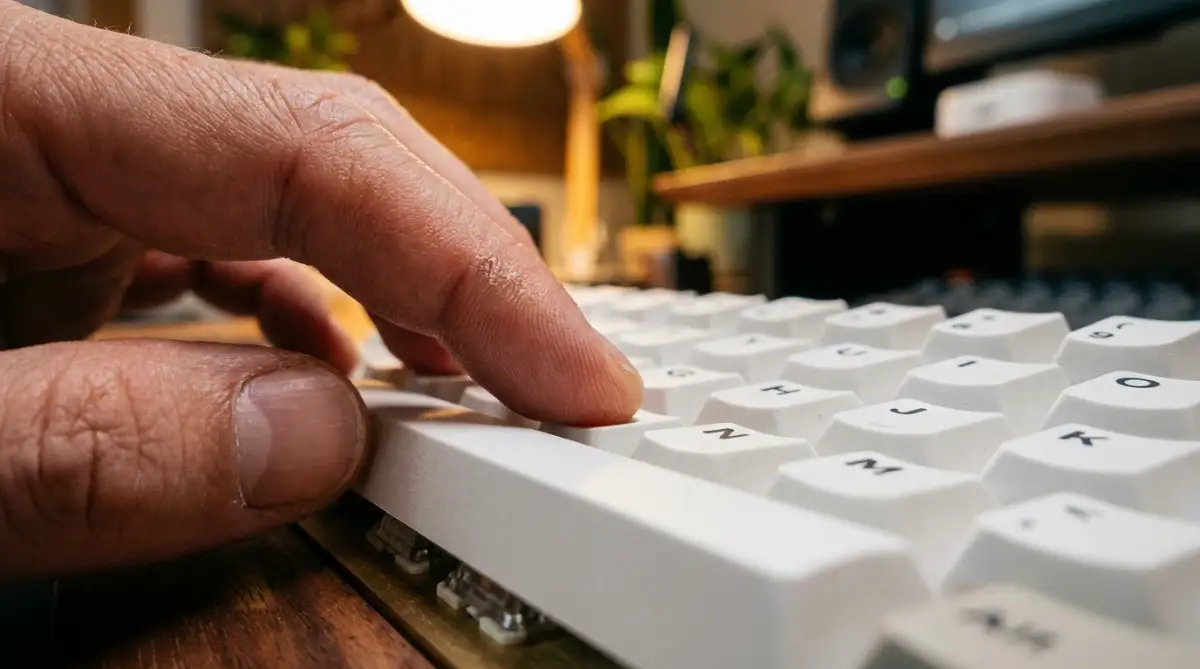
If you are serious about learning touch typing, you need to invest in a mechanical keyboard with tactile switches. These switches provide a tiny, satisfying physical "bump" every time a key is pressed.
This bump sends an immediate signal up your arm directly to your brain, confirming the action. This instant physical feedback reduces typing errors significantly.
Think about how annoying it is when your digital device lags. Just like you might look for ways to speed up your phone simple steps to clear app cache on android to get an instant response, your brain needs that exact same instant physical bounce-back from a mechanical keyboard to type efficiently.
The Strategic Use of "Real World" Practice
Typing random letters in a training game is fine for the first two weeks. However, typing isolated words like "cat" and "dog" over and over again does not prepare you for your actual daily job.
Once you memorize the home row, you must transition to typing real sentences that matter to you. If you are a freelancer, use your practice time to draft real emails. You can even retype articles about topics you enjoy.
For instance, if you are reading about silent freelance profile mistakes that keep you from getting your first client, try typing out the entire first paragraph without looking down. By typing words you actually use in real life, your brain connects the physical movement with genuine communication, making the skill permanent.

The Hidden Traps That Destroy Typing Progress
Even with the best intentions, people constantly sabotage their own typing journeys. They fall back into comfortable bad habits because learning something new feels too mentally painful.
If you do not watch out for these specific mental and physical traps, you will stay stuck at a slow speed forever. Let's break down the most dangerous mistakes that cause people to quit entirely.
The "Hunt and Peck" Relapse
This is the absolute biggest mistake you can make while trying to learn touch typing. You will be doing great in your daily fifteen-minute practice sessions, keeping your fingers perfectly on the home row.
But then, your boss sends you an urgent email that needs a fast reply. You panic, drop all your new technique, and go right back to hunting and pecking with your two index fingers just to get the email done quickly.
Every single time you do this, you completely erase the muscle memory you built that morning. You are sending incredibly mixed signals to your nervous system.
If you are going to learn touch typing, you must commit to it one hundred percent of the time. If an email takes you ten minutes longer to type using the correct method, you just have to accept that temporary delay. The short-term pain is absolutely required for the long-term gain.
Ignoring The Power of The "Spacebar Thumb"
Watch your thumbs very closely the next time you type a sentence. Most self-taught typists only use their right thumb to hit the spacebar, leaving the left thumb completely useless.
This creates a massive physical imbalance. When your right hand is doing heavy lifting typing words like "knowledge" or "minimum," asking your right thumb to also handle the spacebar slows everything down.
A proper typing program will teach you to alternate thumbs based on which hand typed the last letter of the word. If your left hand finished the word, your right thumb hits the space. This alternating rhythm keeps your hands perfectly balanced and prevents severe wrist fatigue.
The Danger of Clenched Shoulders
When we try to concentrate hard on a physical task, we naturally hold our breath and pull our shoulders up toward our ears. This physical tension is an absolute progress killer.
Tight shoulders completely restrict the blood flow traveling down your arms to your fingertips. When your fingers do not get enough oxygen, they become stiff, slow, and highly prone to mistakes.
Before you start any typing session, take a deep breath and physically drop your shoulders. If you are struggling with daily stress, this tension might be related to other habits. Just like dangerous morning routine mistakes that secretly destroy your daily productivity ruin your focus, holding tension in your neck ruins your typing flow. Your arms should feel completely heavy and relaxed, like they are just floating above the desk.
Typing Through the Pain
This is a massive warning that nobody takes seriously until it is entirely too late. If you are practicing your typing program and you feel a sharp, burning pain in your wrist, you must stop instantly.
Many people think they just need to "push through the burn" like they are lifting weights at the gym. Typing is not weightlifting. Tendons in your hands do not get stronger by pushing through pain; they simply tear and become inflamed.
Ignoring this pain can lead directly to severe Carpal Tunnel Syndrome, which can require actual surgery to fix. According to safety guidelines published by the Occupational Safety and Health Administration (OSHA), taking frequent micro-breaks is the only proven way to prevent permanent nerve damage during heavy keyboard usage.
Your Action Plan for True Typing Mastery
We have covered a massive amount of truth today. The entire goal of this article was to protect you from the shiny, unrealistic marketing claims of typing bootcamps.
Learning to type fast is not a magical overnight trick. It is a slow, deeply biological process that requires real patience and a lot of self-forgiveness. When you accept that the learning curve is going to be messy, the anxiety completely disappears.
Managing Your Daily Expectations
Do not focus on your typing speed right now. Measuring your words per minute during the first three weeks will only make you feel miserable.
Instead, track your consistency. Did you sit down and practice for fifteen minutes today without looking at the keys? If the answer is yes, then you had a completely successful day. Celebrate that small victory.
A Healthier Approach to Desktop Work
Once your typing speed increases, you will naturally spend a lot more time at your keyboard managing your accounts and drafting important documents. With faster fingers, it becomes surprisingly easy to make careless security errors. No matter how fast you type, you must take the time to avoid dangerous password management mistakes that leave your digital identity exposed.
Additionally, typing 90 words per minute is a fantastic achievement, but losing all that fast-paced work to a sudden computer glitch is completely devastating. Always back up your daily progress so you never have to panic and figure out what to do if your hard drive crashed how to rescue your lost files before it s too late.
I spent nearly a month feeling like my fingers were completely broken when I finally decided to unlearn my bad typing habits. I wanted to smash my keyboard against the wall almost every single day. But I promise you, the morning I finally wrote a full email without looking down or making a single mistake, the immense feeling of freedom was entirely worth the struggle. You absolutely have the capability to do this if you just give your brain the time it actually needs.
Common Questions About Touch Typing Training
How long does it actually take to see real results from a typing program?
If you practice for twenty minutes every single day, it generally takes about three to four weeks just to break your old, bad habits. You will likely see your speed return to normal around week five, and true, accelerated speed will start building around month two. Consistency is far more important than practice length.
Do I really need to use all ten fingers to type fast?
Technically, no. There are some people who can type very fast using just four or six fingers. However, using all ten fingers distributes the physical workload evenly across your hands. This prevents severe repetitive strain injuries and allows you to type for eight hours a day without experiencing painful hand cramps.
Are free typing games just as good as paid accelerated programs?
Yes, they often are. The core mechanics of building muscle memory do not change just because a software costs money. Free websites that focus heavily on accuracy and home row placement are perfectly fine. Paid programs usually just offer better progress tracking and a slightly cleaner user interface.
Why do my forearms hurt so much after just ten minutes of proper typing?
Your forearms hurt because you are using tiny, stabilizing muscles that you have never actively used before. Your hands are also likely holding a lot of unnecessary tension because you are concentrating so hard on not making mistakes. This soreness is normal and will fade as you learn to relax your wrists entirely.
Should I switch to a completely different keyboard layout like Dvorak to get faster?
For ninety-nine percent of people, switching away from the standard QWERTY layout is a massive waste of time. While layouts like Dvorak are technically more efficient, relearning the entire alphabet will take months of exhausting practice. You can easily achieve over one hundred words per minute on a standard QWERTY keyboard with proper touch typing techniques.
Disclaimer: The information provided in this blog post is for educational and informational purposes only. It is not intended as medical advice for treating hand, wrist, or arm pain. Typing heavily can cause severe repetitive strain injuries such as Carpal Tunnel Syndrome. If you experience sharp, persistent, or shooting pain in your hands or wrists while practicing, immediately stop typing and consult a qualified medical professional or physical therapist.