
The Silent Danger Lurking in Your Daily Workspace
I used to think setting up a free project management board was the ultimate productivity hack. I spent a whole Tuesday dragging colorful tasks around, feeling incredibly organized. But a month later, my stomach dropped when I realized our private client details were completely exposed online because of a hidden default setting. You do not need to be a tech genius to lock down your workspace. Let me show you exactly what to check today so you never have to deal with that kind of panic.

The 60-Second Security Checklist (TL;DR)
- Check if your free apps use true "Zero-Knowledge Encryption."
- Turn off microphone and location tracking for basic to-do list apps.
- Delete any third-party app plugins you have not actively used in the last month.
- Stop using the "anyone with the link can view" setting for sensitive client folders.
Your Strategic Blueprint to Auditing Collaboration Software
When you use a software tool for free, you must understand the underlying business model of the company that built it. Software development is an incredibly expensive process, requiring teams of engineers, designers, and high-cost server infrastructure.
If a company is not charging you a monthly subscription fee to use their platform, they must make money using other, less obvious methods. Often, this means your anonymous user data and operational behaviors are the actual products being packaged and sold.
Let us look at the four major areas you must inspect to ensure your team's private notes and client files remain completely safe.
The Reality of "Free" Software: Analyzing the Real Business Model
Many developers offer beautiful "freemium" versions of their project management tools to attract millions of users quickly. While the basic features are free, the security protocols behind these free tiers are often kept incredibly basic.
To keep operational costs low, these free tiers rarely use advanced encryption methods or secure isolated servers. Instead, your sensitive company files are often pooled together on shared public cloud servers with very basic access controls.
The Shared Storage Locker Analogy:
Think of standard free cloud storage exactly like a shared locker room at a public gym. You place your belongings inside a small locker and snap a cheap plastic padlock onto the door.
While the lock stops a casual passerby from opening your bag, a determined thief with a basic tool can easily break the lock in seconds. Even worse, the gym manager holds the master key to every single locker, meaning if their main office is compromised, your lock is completely useless.
Your Actionable Strategy:
You must read the privacy policy page of any software tool before importing company data. Search specifically for the words "Zero-Knowledge Encryption" or "End-to-End Encryption."
If a platform has zero-knowledge security, it means your data is encrypted on your local computer before it is ever sent to the cloud. The software company does not hold the master key to decrypt your files, making your data completely unreadable to anyone else, including hackers and their own engineers.
Myth vs. Fact: Free Software Data
- The Myth: If I delete a file on a free cloud app, it is gone forever.
- The Fact: Free platforms often keep hidden backups of your deleted files on their servers for months. Unless they offer Zero-Knowledge encryption, they still have access to your old data.
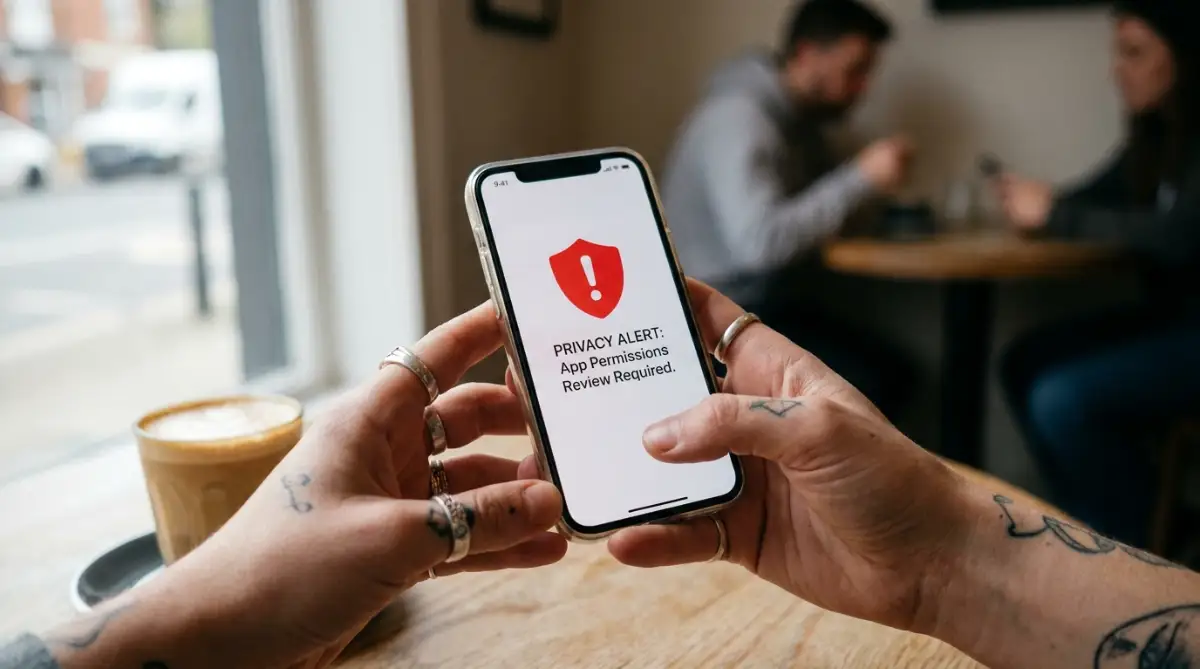
The Invasive App Permission Trap
When you install a simple task manager or calendar app on your smartphone, it will immediately display a pop-up window asking for permission to access your device's hardware.
It might ask for access to your physical contact list, your microphone, your camera, and your precise GPS location. You must ask yourself a very logical question: Why does a simple to-do list app need to know your physical location or access your microphone?
Many free tools bundle these excessive permission requests into their code to build a detailed advertising profile of your lifestyle. They track where you go, what time you wake up, and who you meet, selling this highly lucrative data to marketing networks.
Your Actionable Strategy:
You must perform a strict audit of your mobile app permissions immediately. Open your smartphone's settings menu, navigate to the Privacy and Permissions section, and open the permission manager.
Review the list of apps that have access to your microphone, location, and storage. Turn off any permission that is not absolutely necessary for the app's basic core function.
If your simple note-taking app refuses to function unless you grant it permanent access to your contacts, uninstall it immediately. There are plenty of better, privacy-first alternative tools on the market that respect your boundaries.
The Weakest Link: Third-Party API Integrations
Modern productivity platforms allow you to connect multiple software tools together to build a seamless workflow. You can easily connect your chat app to your task board, and link both to your cloud storage account using simple plugins.
While this makes collaboration highly convenient, it also creates a massive security hazard.
The Connected Bridge Analogy:
Think of your different software tools like five secure castles built close together. If you build a permanent wooden bridge connecting all five castles to make travel easier, you have created a major security flaw.
If a hacker manages to breach the weakest, most neglected castle, they can easily cross the wooden bridges and conquer all five castles without a fight.
Your Actionable Strategy:
You must audit your connected third-party integrations every month. Log into your main team accounts and navigate to the Connected Apps or API Integrations dashboard.
Immediately revoke access for any tool or plugin that your team is no longer actively using. Keep your connected bridges as small and tightly guarded as possible to prevent a single hacked app from bringing down your entire network.
The 2-Minute Integration Audit:
The Danger of Blindly Trusting Default Settings
When you open a new software account, the platform automatically configures your security to the default settings. Lenders of free software want the user experience to be as frictionless as possible so you stay on their app longer.
Because they want everything to be easy, they often turn off essential security features, like Two-Factor Authentication (2FA) and session timeout locks, by default.
Your Actionable Strategy:
Never start using a new digital tool without visiting the Security Settings panel first. Turn on two-factor authentication immediately, preferably using a secure authenticator app rather than simple SMS text messages.
Enable automatic session timeouts so that if you leave your laptop open at a coffee shop, the app will lock itself automatically after ten minutes. Taking five minutes to customize your security settings before you build your workspace will prevent massive data disasters later.
Advanced Secrets to Strengthen Your Software Security
Once you understand the basic differences between zero-knowledge encryption and standard shared servers, we must look much deeper into your security strategy. Your team's collaboration platform is not a place to store data passively; it is a highly active engine that dictates your business survival.
According to security guides published by the Cybersecurity and Infrastructure Security Agency (CISA), maintaining your digital access points is the absolute foundation of keeping a modern company alive [1]. You must learn to use these established technical frameworks to protect your daily operations from sudden data leaks.
Technical research shared by the engineering teams at the National Institute of Standards and Technology (NIST) reveals that simple, regular permission management can prevent up to eighty percent of all unexpected network vulnerabilities [2]. Knowing how to monitor your digital sharing links is highly important before you upload any sensitive files.
Additionally, you must manage your daily screen habits to prevent burning out. Spending hours reading negative news causes overlooked consequences of doomscrolling on your mental focus and daily productivity that ruin your team's real-time performance.
You must also optimize your connected background services to prevent unnecessary processing load. Just as bad charging habits are overlooked habits that quietly destroy your smartphone battery lifespan, running heavy background syncing tasks on cheap, free servers drains your system's resources rapidly.
Let us explore the advanced, pro-level secrets you can use to build an unbreakable wall of protection around your collaboration platform today.
The Secret to Performing a Complete Permissions Audit
Many founders believe that once they assign passwords to their team, their database is perfectly secure. This is a very common, highly dangerous misunderstanding of software management.
Every single person on your team has different roles, and they should only have access to the specific folders they need to complete their daily jobs. If your customer support agent has access to your master legal contracts folder, you have a massive security flaw.
The safe house analogy:
Think of your shared software database exactly like a secure office building. You would never give every single employee a master keycard that opens the executive boardroom and the main server room.
You must restrict access. Perform a complete permissions audit of your workspace today.
Look closely at the list of active users. Remove any "zombie accounts," which are old profiles belonging to former employees or temporary contractors who still have access to your system.
Change your user roles so that ninety percent of your team members are categorized as "Viewers" or "Editors" rather than "Administrators." This simple, free operational shift prevents accidental file deletions and keeps your central database safe from internal errors.
Securing Your Third-Party Integrations
One of the most exciting features of modern productivity apps is the ability to connect multiple tools together. You can easily link your chat app to your task board, and connect both to your email platform using automated plugins.
While this makes communication incredibly convenient, it also creates a massive security hazard. Every single integration you add is a new bridge connecting your secure vault to the outside world.
If a hacker manages to breach the weakest, most neglected app in your network, they can easily cross those bridges and access your most secure files. You must keep your connected bridges as small and tightly guarded as possible.
Your Actionable Strategy:
Log in to your main administration panel and navigate to the Connected Apps or API Tokens dashboard. Review the list of connected tools and immediately delete any plugin that your team is no longer actively using.
If you must connect two platforms, ensure the connection uses a highly secure, limited access token rather than full account integration. This simple precaution prevents a single hacked app from bringing down your entire network.

Silent Software Trapdoors That Will Sabotage Your Security
Before you share another document or log into your team dashboard, watch this highly helpful video that shows you the exact software mistakes that quietly destroy your data privacy. It breaks down the most dangerous security traps in a simple, visual way, so check it out and then read the guide below!
Even highly intelligent people make terrible choices when they are trying to manage their daily work quickly on a tight schedule. The heavy pressure of meeting deadlines often makes us ignore basic digital safety rules.
If you fall into these common traps, your legal shield will completely collapse, leaving your company's private data exposed. Let us look at the silent pitfalls you must avoid to keep your business and your team safe.
The "Public Link" Sharing Disaster
One of the worst mistakes team members make is sharing folders using the default "Anyone with the link can view" setting. They do this because they want to share a file quickly with a client without forcing them to register an account.
This is a massive, highly dangerous mistake. These public links can easily be indexed by search engines, meaning anyone on the internet can find your private files.
Always restrict your sharing settings to "Specific people only," and require a password for any outside file transfer.
My absolute biggest mistake early on was sharing our master team folders using the default "anyone with the link can view" setting because I wanted to save time. I did not realize that these public links were actually being recorded by search engines, making our confidential business files visible to literally anyone on the internet. The very second I changed our settings to password-only access and started running weekly audits on our shared links, our digital workspace became an impenetrable fortress.

DO's and DON'Ts For Software Security:
- DO turn on two-factor authentication (2FA) for every single user on your team.
- DO NOT reuse the same password across multiple software applications.
- DO audit your active user list monthly to remove old, inactive accounts.
- DO NOT share folders using public links that anyone can access.
Working on Unsecured Public Wi-Fi
When you are traveling or working from a local coffee shop, it is highly tempting to connect to their free public Wi-Fi network. This is a massive security hazard.
Hackers can easily set up fake hotspot networks with names like "CoffeeShop_Free_WiFi" to intercept all your digital traffic. This is known as a man-in-the-middle attack.
They can secretly capture your master passwords and session tokens as you log into your productivity apps. Always use a secure VPN or connect to your smartphone's private mobile hotspot when handling company data.
Your Software Protection Checklist for Tomorrow
Managing your company's digital security does not have to be a scary, mysterious, or overwhelming experience. You now hold the exact same strategic knowledge that professional systems administrators use to protect major enterprise platforms.
By taking a few short hours to audit your active permissions, secure your integrations, and establish two-factor authentication, you completely remove the fear of data leaks. You are no longer crossing your fingers and hoping your database stays safe today.
Instead, you are confidently directing your own software environment like a seasoned technical professional. This simple shift in your mental approach gives you incredible power over your entire business future.
Your Software Security Checklist:
- Turn on 2FA: Force every single user on your team to enable two-factor authentication on their accounts tonight.
- Audit Your Users: Review your active team list and immediately delete any old accounts belonging to former contractors.
- Check Your Sharing Links: Scan your cloud storage folders and change any "Public Link" settings back to private access.
- Verify Your Integrations: Review your connected API tokens and remove any third-party plugins you no longer use.
Your business is a massive financial asset that keeps you connected, profitable, and secure every single day. Do not let basic administrative laziness or bad software habits force you into making incredibly expensive data mistakes.
Read your security settings slowly, manage your digital permissions carefully, and take complete, fearless control of your software systems starting right now.
Looking back, surviving that awful security scare actually forced me to stop being a passive user and start managing my software like a pro. You do not need to be a coding genius or an IT expert to keep your business safe from hackers, so please do not let the fear of technical steps stop you from auditing your apps. Lock down your permissions tonight, turn on two-factor authentication, and take complete, fearless control of your digital workspace today!
Common Questions About Securing Your Collaboration Software
What does "Zero-Knowledge Encryption" mean and why is it important for my data?
Zero-knowledge encryption means your sensitive files are encrypted locally on your computer before being sent to the cloud, ensuring only you hold the decryption keys. This protects your data because even if the software company's main servers get hacked, the thieves cannot read your files.
Why is using public sharing links ("Anyone with the link can view") a dangerous mistake?
Sharing folders with public links makes it easy for search engines to index your files, meaning anyone on the internet can potentially find your confidential documents. You should always restrict your sharing permissions to specific people and require secure passwords for external file transfers.
Should I connect multiple third-party apps and plugins to my task manager?
Connecting many third-party apps creates multiple digital bridges to your workspace, increasing your overall risk if one of those integrated tools gets compromised. You should regularly audit your connected API integrations and immediately remove any plugins your team is no longer actively using.
How often should I audit my software team's user permissions?
You should review your active user list at least once a month to remove "zombie accounts" belonging to former employees or temporary contractors. Restricting access ensures that team members only view the specific folders they need to complete their daily jobs.
Is it safe to log into my business productivity apps using public Wi-Fi?
Logging into your work apps on public Wi-Fi without protection is a major security hazard because hackers can easily intercept your internet traffic. Always use a secure private virtual private network (VPN) or connect to your smartphone's mobile hotspot when handling sensitive company data.
Disclaimer: The information provided in this article is for educational and general informational purposes only and does not constitute professional systems administration, database management, or information technology advice. Software architectures, data privacy regulations, and server requirements vary heavily by platform, manufacturer, and service provider. Always consult with a certified systems administrator, data security officer, or technical support professional regarding the exact specifications, limits, and configuration requirements of your personal software systems.