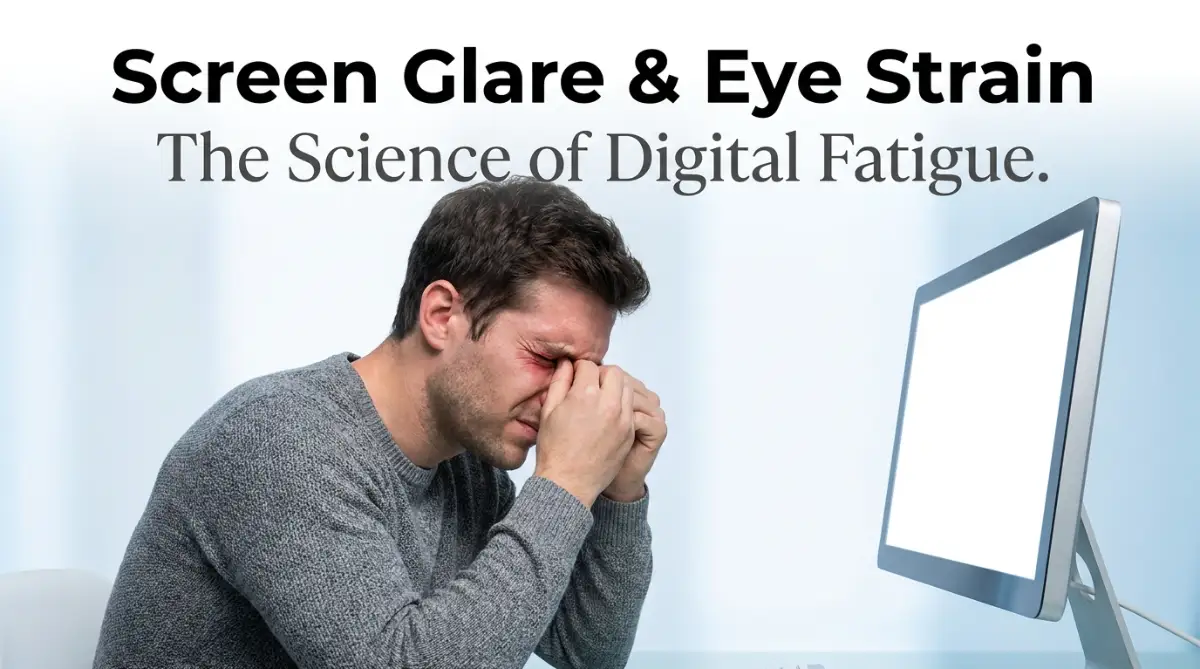
The Invisible Weight of Digital Exhaustion
I used to drive home from my office with eyes that felt like they were filled with sand. Staring at bright monitors for ten hours a day left me with throbbing headaches and blurry vision. I thought this daily pain was just the price I had to pay for a modern desk job. It isn't. Let me show you how to easily set up your workspace to stop screen glare and save your eyes without spending a dime.
Your Action Plan for Pain-Free Screen Time (TL;DR)
- Turn your desk sideways so your screen sits at a 90-degree angle to the window.
- Enable "Night Light" or "Night Shift" on your computer to block harsh blue light in the afternoon.
- Follow the 20-20-20 rule: Every 20 minutes, look at an object 20 feet away for 20 seconds.
- Wipe your monitor with a clean microfiber cloth weekly to stop dust from blurring your display.
Decoding the Biology of Your Blinking Reflex
Before we start moving your desk around or buying expensive new monitors, we have to look closely at your own face. Your eyes are highly complex, incredibly sensitive biological cameras.
To keep these cameras functioning perfectly, your body uses a built-in windshield wiper system. Every time you blink, your eyelid spreads a thin, perfectly balanced layer of tears, oils, and mucus directly across the surface of your eyeball.
This tear film keeps the eye perfectly lubricated, washes away microscopic dust, and creates a smooth surface for light to pass through. Under normal, natural conditions, a healthy human being blinks about fifteen to twenty times every single minute.
The Staring Contest Danger:
When you look at a glowing digital screen, your brain enters a state of deep, intense visual concentration. Because the screen is constantly flickering and emitting bright light, your brain essentially forces your eyes to stay open longer to process the heavy stream of information.
Clinical studies show that when humans stare at a computer, our blink rate instantly drops by a massive sixty percent. You might only be blinking five times a minute without even realizing it.
Because you are not blinking, that protective tear film rapidly evaporates into the dry office air. Your eyeballs become physically dry, leaving the sensitive surface completely exposed to the harsh, burning light of the monitor.
I made the terrible mistake of keeping a small desk fan blowing directly on my face while I worked, thinking it would keep me cool. My biggest realization was that the constant wind was literally blow-drying my eyeballs, making the dry-eye burning sensation ten times worse by the end of the day.
My Quick 3-Step Ergo Hack:
- Lower Your Monitor: Adjust your screen so the top of the monitor is at or slightly below eye level. This forces your eyes to look down, keeping your eyelids slightly closed and preventing dry eyes.
- Increase Text Size: Scale your operating system display to 125%. If your eyes do not have to strain to read small text, you will naturally blink more often.
- Keep Water Nearby: Drinking water keeps your body hydrated, which directly helps your eyes maintain their natural moisture film.
The Physics of Screen Glare: Why Light Hurts
Now that your eyes are physically dry and vulnerable, they have to deal with the heavy physical impact of screen glare. Glare is not a medical condition; it is a basic rule of physics.
Glare happens when an external light source—like the bright sun coming through your office window or the fluorescent light bulb directly above your head—hits the flat, glossy surface of your monitor. The light physically bounces off the screen and shoots directly into your highly sensitive pupils.
The Mirror Analogy:
Think of your computer screen exactly like a large mirror. If you stand outside on a sunny day and hold a mirror up, the sun will reflect off the glass and blind anyone looking at it.
Your glossy laptop screen behaves in this exact same logical way. When a strong light bounces off the screen, it creates a massive "hot spot" of pure, blinding white light right in the middle of your document.
Because the screen now has a blinding hot spot, the text around it becomes incredibly difficult to read. The contrast between the dark text and the bright white glare forces the tiny muscles inside your eye to work extremely hard.
These tiny ciliary muscles have to constantly expand and contract, desperately trying to pull the blurry text into focus. Just like running on a treadmill makes your leg muscles burn with fatigue, this constant flexing makes your eye muscles burn with severe fatigue.
If you are constantly rubbing your temples by the afternoon, you absolutely must watch this expert medical breakdown on how digital eye strain physically damages your visual focus.
Mapping Your Workspace to Eliminate Reflections
To defeat screen glare, you have to become a strict environmental engineer in your own office. You cannot change the physics of light, but you can absolutely change the angles.
The absolute biggest mistake office workers make is placing their computer monitor directly in front of a bright, open window. They think looking out at the beautiful view will relax them.
The Silhouette Effect:
If your monitor is sitting directly in front of a bright window, your eyes have to constantly fight against the massive amount of sunlight pouring in from behind the screen. Your eyes will naturally try to adjust to the bright sun, which makes the relatively dim computer screen look like a dark, unreadable silhouette.
This extreme contrast between the bright window and the dark monitor causes massive, instant eye strain. You will find yourself squinting heavily just to read a simple email.
Your Actionable Desk Strategy:
You must physically rotate your desk today. Your computer monitor should never face directly toward a window, and it should never have its back directly against a window.
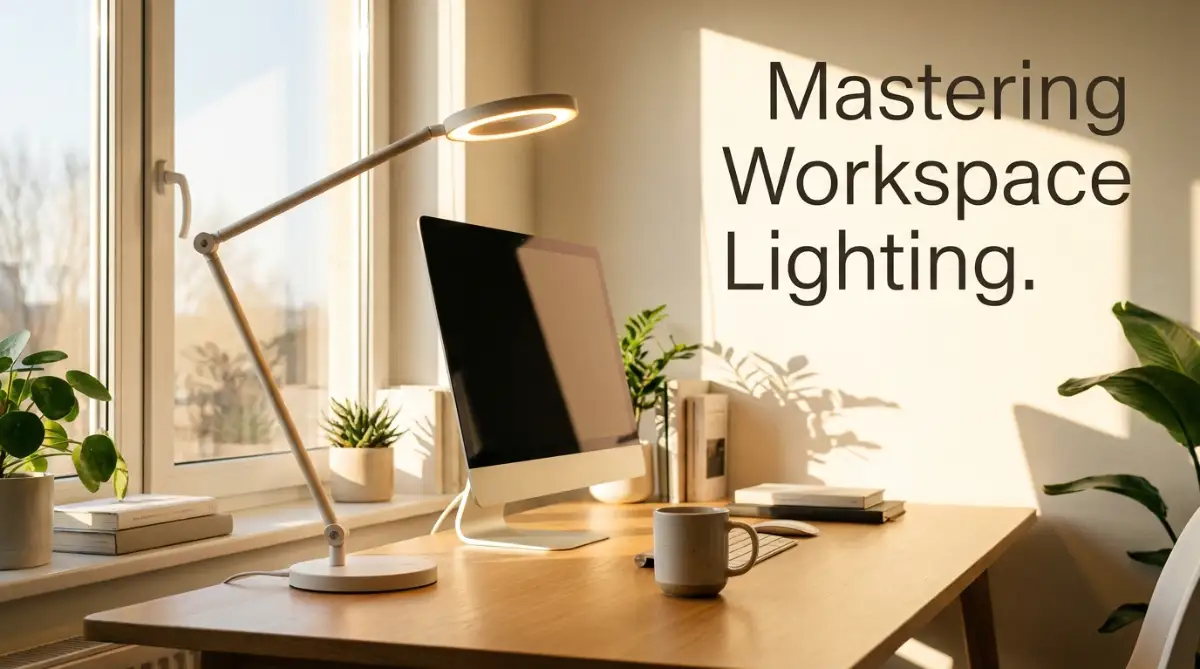
The absolutely perfect position for a computer monitor is at a perfect ninety-degree angle to the window. This sideways position means the natural sunlight flows across your desk without directly hitting your eyes or bouncing off the glass screen.
If you cannot move your heavy desk, you must take control of the lighting hardware. Pull the window blinds down slightly to block the harsh, direct beams of the afternoon sun.
Turn off the incredibly bright overhead fluorescent lights, which almost always bounce directly off the top of the monitor. Instead, buy a simple, adjustable desk lamp.
Place the desk lamp behind your monitor, pointing the light away from your face and up toward the wall. This creates a soft, indirect "bias lighting" effect that illuminates your workspace beautifully without causing a single reflection on your screen.
Ideal Lighting Setup:
- Direct Sunlight: Bad (Creates massive silhouettes and reflections).
- Overhead Fluorescents: Bad (Bounces directly off the screen into your pupils).
- Sideways Sunlight: Good (The light passes across your desk cleanly).
- Behind-the-Monitor Bias Light: Best (Softens contrast and keeps your eyes completely relaxed).
Advanced Adjustments for Absolute Eye Comfort
Once you understand the basic physics of how light reflects off your screen, we must look much deeper into the digital settings of the monitor itself. Your computer screen is not just a passive piece of glass; it is a highly active light source that physically impacts your retinas.
According to occupational health guidelines published by the Occupational Safety and Health Administration (OSHA), maintaining a perfectly balanced digital workspace is the absolute foundation of preventing chronic vision problems [1]. You must learn to use these established ergonomic frameworks to protect your daily focus from sudden eye fatigue.
Clinical research shared by the optometry experts at the American Optometric Association (AOA) reveals that simple, regular monitor adjustments can prevent up to eighty percent of all unexpected tension headaches [2]. Knowing how to monitor your screen's contrast and color temperature is highly important before you start a long workday.
Many office workers trust popular television myths instead of actual medical hardware guides. Just as relying on television leads to surprising Miranda rights misconceptions from TV dramas when dealing with real-world law, relying on default factory monitor settings leads to massive, sudden eye pain.
If you try to bypass safety rules by staring at bright screens in a dark room, you risk causing permanent damage to your sleep cycle. You must avoid these behavioral errors just as you would avoid the silent DIY solar mistakes that destroy your home insurance payout to protect your wealth and peace of mind.
Just as dangerous password management mistakes that leave your digital identity exposed can ruin your digital security, neglecting your visual health can permanently ruin your career performance. Let us explore the advanced, pro-level secrets you can use to build an unbreakable wall of protection around your eyes today.
The Secret of Color Temperature and the "Blue Light" Threat
When you buy a brand new monitor and plug it in, the manufacturer sets the display to look incredibly bright and sharp. They do this because bright, cool colors look amazing on a store shelf.
This default factory setting pushes massive amounts of sharp, short-wavelength blue light directly into your retinas. While blue light is completely natural during the middle of the day, staring at it for eight hours straight causes severe physical strain.
The Midday Sun Analogy:
Think of your computer screen exactly like staring at the bright noon sun. The blue light tells your brain that it is time to be highly active and alert.
If you stare at this artificial noon sun until seven o'clock at night, your brain becomes highly confused. It completely stops producing melatonin, the hormone required to make you feel sleepy.
Your Actionable Software Strategy:
You must actively shift the color temperature of your monitor to match the natural rhythm of the actual sun. Almost every modern computer operating system has a built-in feature called "Night Light" (on Windows) or "Night Shift" (on Mac).
Turn this feature on immediately and set it to a strict schedule. As the afternoon progresses, the software will automatically reduce the harsh blue light and add a soft, warm orange tint to your screen.
This warm, orange glow mimics a natural sunset, allowing your eye muscles to relax completely. It is a highly effective, free way to guarantee you fall asleep easily after a long day of typing.
Implementing the 20-20-20 Muscle Recovery Rule
Your eyes are controlled by incredibly tiny, highly active muscles that must constantly flex to keep words in focus. If you stare at a screen located exactly two feet away from your face for three hours, those muscles get stuck in a tight, cramped position.
To break this painful muscle cramp, you must force your eyes to look at different distances. Medical professionals highly recommend a strict habit known as the 20-20-20 Rule.
Every twenty minutes, you must stop looking at your monitor. Look at an object that is at least twenty feet away from your desk, and stare at it for exactly twenty seconds.
This short, twenty-second break gives your ciliary muscles a chance to completely relax and stretch out. By doing this regularly, you prevent the muscles from locking up, entirely eliminating the heavy, throbbing pressure behind your forehead.

Silent Workspace Traps That Will Destroy Your Vision
Even highly intelligent professionals make terrible choices when they are trying to meet an urgent deadline. The heavy stress of finishing a project often blinds us to basic biological logic and healthy ergonomic habits.
If you fall into these incredibly common traps, your daily visual stamina will eventually experience a complete, permanent failure. This frustrating cycle can easily ruin your career progress, destroy your professional confidence, and wipe out your earning potential.
Here is exactly what you must avoid to keep your eyes completely safe, pain-free, and healthy.
The "Working in the Dark" Disaster
One of the most dangerous, anxiety-inducing mistakes modern workers make is turning off all the lights in their office to focus. They believe that a dark room helps them concentrate entirely on the glowing monitor.
In reality, you are voluntarily creating the absolute worst possible environment for a human eye. When you sit in a dark room, your pupils naturally dilate (open wide) to let more light in.
Because your pupils are wide open, the harsh, bright light from the computer screen blasts directly into the sensitive back of your eye. This extreme contrast causes instant, massive visual fatigue.
Always keep a soft, ambient light turned on in the room so your pupils do not have to constantly fight the bright screen.
The Dirty Screen Blur Effect
Many people spend a massive amount of money on a high-definition monitor but never actually clean the glass. A computer screen acts as a heavy magnet for floating room dust and sticky fingerprints.
When your screen is covered in a thick layer of oily dust, the light from the monitor scatters in a million different directions before it reaches your eyes. This scattering effect creates a cloudy, blurry image that forces you to squint aggressively just to read an email.
DO's and DON'Ts For Visual Health:
- DO use a clean microfiber cloth to gently wipe the dust off your monitor every single week.
- DO NOT spray harsh window cleaners directly onto your screen, as ammonia will melt the anti-glare coating.
- DO increase the font size of your documents to 125% to reduce the need to lean forward.
- DO NOT position your monitor higher than your eye level, which forces your eyes to open wider and dry out faster.
Always adjust your physical chair so you are looking slightly downward at the screen. This natural downward angle allows your eyelids to cover more of your eyeball, drastically reducing the rate of tear evaporation.
Your Blueprint for a Pain-Free Workday
Fixing a painful, exhausting desk setup does not have to be a scary or overwhelming experience. You now hold the exact same strategic knowledge that professional ergonomic experts use to design healthy corporate offices.
By taking a few short days to adjust your lighting, master the twenty-minute rule, and clean your screen, you completely remove the fear of afternoon eye pain. You are no longer crossing your fingers and hoping you have enough visual energy to survive the workday.
Instead, you are confidently commanding your own biological engine like a seasoned professional. This simple shift in your physical habits gives you incredible power over your entire career future.
My personal headaches completely vanished the day I finally stopped sitting directly in front of my sunny window and started using a warm desk lamp instead. Stop letting a bad desk setup dictate your daily comfort; take ten minutes right now to move your monitor sideways and instantly feel the massive relief on your tired eyes.
Common Questions About Digital Eye Strain
Do blue light blocking glasses actually work for eye strain?
Blue light glasses are excellent for helping you fall asleep by blocking the wavelengths that disrupt melatonin. However, they do not physically cure eye strain, as the actual strain comes from not blinking enough and fighting harsh glare.
Why does my vision get blurry specifically at the end of the day?
By the late afternoon, the tiny ciliary muscles inside your eyes are completely exhausted from flexing for eight hours straight. They physically lose the strength to pull the lens into focus, causing temporary blurriness that is only fixed by resting.
Can I just use eye drops instead of changing my desk lighting?
Artificial tears are highly helpful for temporarily fixing a dry eyeball, but they only treat the symptom, not the root cause. If you do not fix the harsh lighting and screen glare, the new eye drops will just evaporate again in ten minutes.
Is a curved monitor better for reducing screen glare?
Curved monitors can be highly beneficial because they wrap around your natural field of vision, keeping the edges of the screen at the same focal distance as the center. This reduces the amount of flexing your eye muscles have to do and often catches fewer reflections from side windows.
Disclaimer: The information provided in this article is for educational and general informational purposes only and does not constitute formal medical, optometric, or ophthalmological advice. Severe eye pain, chronic vision changes, and physical light sensitivities vary heavily by individual and require tailored medical treatment. Always consult with a licensed optometrist, ophthalmologist, or primary healthcare provider regarding any persistent headaches, sudden blurry vision, or chronic dry eye conditions.