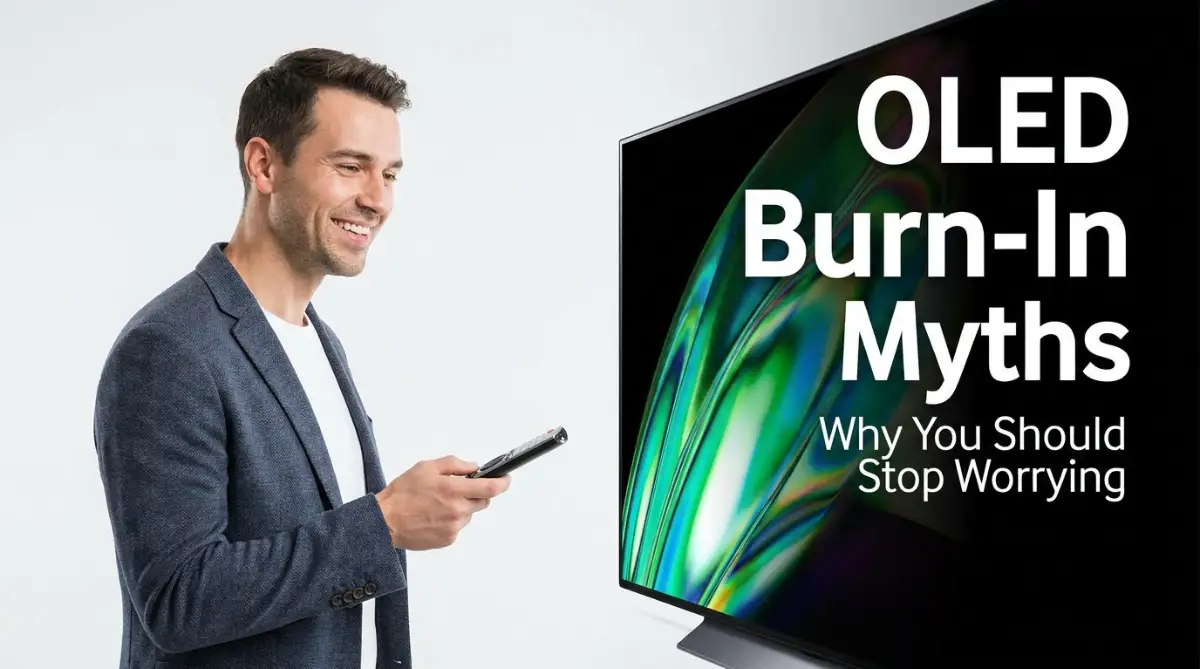
Did you just spend a small fortune on a stunning new OLED or premium TV, only to feel totally panicked about ruining it? It is completely normal. The internet is flooded with horror stories about "burn-in" and permanent ghost images from video games or news logos. But I am going to tell you a secret: most of those fears belong to a completely outdated era of technology. Let me show you how modern screens actually protect themselves, and exactly what simple habits you need to keep your picture flawless for years to come.
📌 Quick Summary: How to Protect Your Premium TV
- Keep it Plugged In: Never unplug your TV from the wall after watching! It needs standby power to run its invisible background pixel-cleaning cycle while you sleep.
- Ditch the Vivid Mode: Max brightness creates extreme heat (the real enemy of pixels). Switch to "Cinema" or "Filmmaker" mode for better colors and a longer lifespan.
- Trust the Software: Turn on features like Logo Dimming and Pixel Shifting—they work automatically to prevent static images from burning in.
- No Harsh Chemicals: Never spray Windex or glass cleaners on your screen. A dry microfiber cloth is all you need to protect the delicate anti-glare coating.
Understanding What Actually Happens Inside the Glass
To truly get over the fear of ruining your expensive new television, we need to break down what this term actually means. Most people use the words "burn-in" to describe any temporary shadow left on a screen.
But in the world of display technology, true burn-in is very specific and entirely permanent. It happens when the microscopic light-emitting diodes inside the panel age at completely different rates.
Imagine you have a group of a million tiny flashlights. If you leave one small cluster of flashlights turned on at maximum brightness for ten thousand hours, their batteries will drain much faster than the rest. When you finally turn all the flashlights down to a dim setting, that heavily used cluster will look permanently darker than the others.
This uneven aging of the pixels is what causes a faint logo or a video game health bar to remain permanently visible, even when you change the channel.
The Ghosting Effect vs. Permanent Damage
Here is where the massive internet confusion starts. People constantly confuse true permanent damage with something called "image retention."
Image retention is basically just a temporary ghost of whatever was just on your screen. If you leave a bright white spreadsheet open on your computer monitor for four hours and then switch to a dark grey background, you might see a faint outline of the spreadsheet for a few minutes.
This temporary ghosting is completely normal behavior for many different types of panels. The pixels just need a few minutes to cool down and reset their electrical charge.
The problem is that angry users see this temporary ghost, snap a quick photo with their phone, and post it online screaming that their television is completely destroyed. They log off before the screen naturally clears itself up ten minutes later.
This creates a massive library of fake warning pictures circulating on social media, terrifying new buyers who do not know the difference between a temporary shadow and permanent uneven pixel degradation.
If you want to see exactly how these pixels age over time in a controlled test environment, watch this brilliant technical breakdown.
How The Engineers Fixed The Problem
Ten years ago, when this specific display technology was brand new, permanent uneven pixel aging was a very real, very expensive problem. Early adopters who watched the exact same news channel for ten hours a day definitely suffered permanent logos on their screens.
But the massive technology companies did not just ignore this flaw. They spent the last decade and millions of dollars developing incredible software and hardware solutions to completely eliminate the risk for normal users.
Modern televisions now have powerful computer processors built right into the main board. These smart processors are constantly watching what you are doing. They actively manage the power being sent to every single microscopic pixel on the panel.
If you understand how these invisible safety systems actually work, you will realize that ruining a modern premium display actually takes a ridiculous amount of intentional effort.
Myth vs. Fact: The "Burn-In" Fear
Myth: Leaving a video game paused while I go to the bathroom will permanently burn the health bar into my TV screen.
Fact: Completely false. Modern premium TVs automatically detect static images and will drastically dim the screen within just two to three minutes to prevent any heat buildup or damage.
The Invisible Pixel Shifting Trick
The very first line of defense is a clever software trick called pixel shifting. You will never actually notice it happening with your naked eye, but it is constantly working in the background while you watch movies.
The television takes the entire image you are watching and slowly shifts it one or two pixels to the left, right, up, or down.
Think about a bright red "Breaking News" banner at the bottom of your screen. By constantly moving that banner just a tiny fraction of a millimeter every few minutes, the television forces different pixels to share the heavy workload of displaying that bright red color.
I used to obsessively change the channel during commercials just to give the pixels a break. I thought I was being a smart owner. But when I finally learned that the television was already shifting the pixels microscopically on its own, I realized I was just stressing myself out for absolutely no reason.
This simple sharing of the workload drastically reduces the chance of any single group of pixels aging faster than their neighbors. The edges of the static logos get softened, and the electrical stress is spread out evenly across a wider area of the panel.
The Automatic Screen Saver Protection
Have you ever paused a movie to go answer the door, gotten distracted by a long conversation, and come back an hour later? In the old days, leaving a bright paused image on the screen was a guaranteed way to cause electrical stress.
Today, that is literally impossible to do by accident. Modern software is incredibly aggressive about protecting the panel from static images.
If the internal processor notices that the picture has not changed for a few minutes, it takes immediate action. Some models will drastically dim the entire screen until it is almost completely black. Other brands will automatically launch a moving fireworks display or a floating photo gallery.
The television is smart enough to know when you have walked away from the couch. It will physically not allow a bright, frozen image to sit there and bake the pixels. You can fall asleep watching a DVD menu on a loop, and the television will simply put itself into a safe, dark sleep mode to protect your investment.
Targeted Logo Dimming Technology
The engineers knew that pixel shifting and screen savers were great, but they did not solve the biggest problem: aggressive network logos and video game interfaces that stay on the screen while you are actively watching.
To combat this, modern displays use advanced artificial intelligence to analyze the live video feed. The processor scans the picture and specifically looks for small, bright items that never move.
When it detects the bright white logo of a sports channel or the static speedometer in a racing game, it isolates that exact area of the screen. The television then quietly reduces the peak brightness of just those specific pixels by about twenty percent.
The rest of the movie or the game remains incredibly bright and punchy, but that dangerous static logo is gently dimmed down to a much safer level.
You get to enjoy the full impact of the picture quality, while the software quietly manages the electrical stress on the most vulnerable parts of the glass. It is a completely brilliant, invisible safety net that protects the hardware without ruining your viewing experience.
The Daily Cleaning Cycle
Even with all these active safety features running, the pixels will still experience slightly different levels of electrical wear over the course of a long day of watching sports or playing games.
This is where the most powerful protection tool comes into play. Every modern premium display has a built-in maintenance routine called a pixel refresher or a compensation cycle.
When you turn off your television with the remote control at the end of the night, it does not actually shut completely down. It goes into a quiet standby mode.
During this standby period, the internal processor runs a quick electrical scan across the entire panel. It checks the voltage and the health of every single microscopic diode. If it finds a cluster of pixels that worked extra hard that day, it sends a tiny electrical current to balance them back out with the rest of the screen.
This daily cleaning cycle literally resets the temporary electrical memory of the panel. It wipes away any temporary ghost images before they ever have a chance to become permanent scars.
All you have to do is turn the television off with the remote and let it run its invisible magic in the background while you sleep. The hardware literally heals itself every single night.
The Heat Sink Hardware Upgrade
While software tricks are amazing, the physical manufacturing of these premium displays has also changed drastically in the last few years.
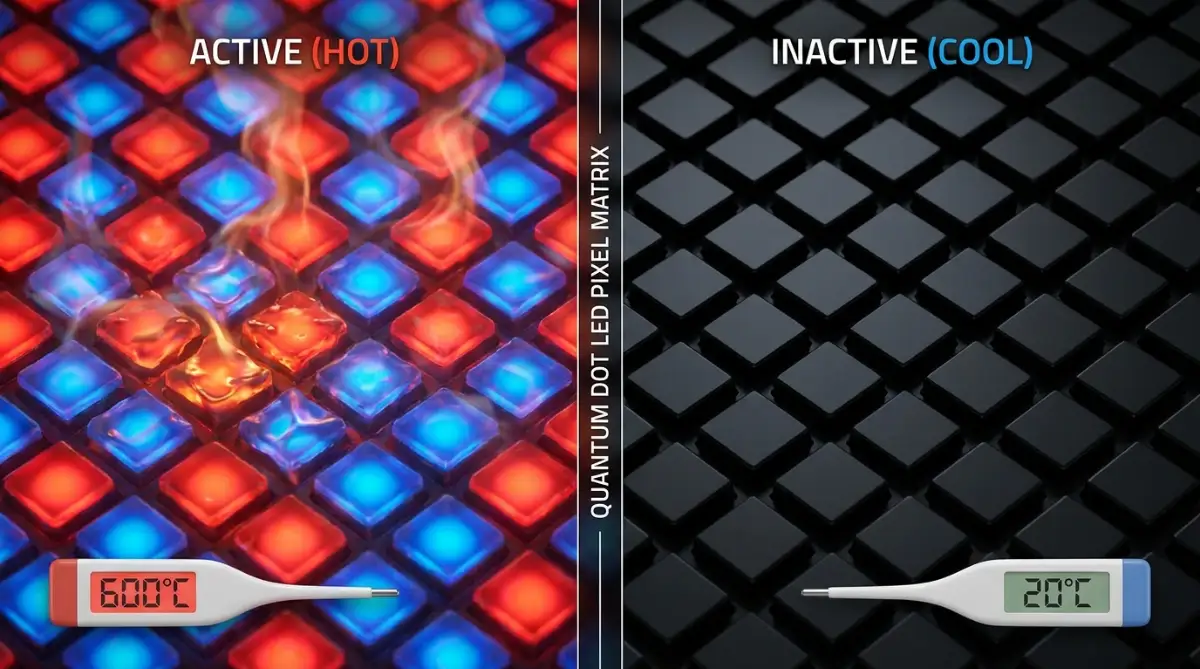
We established earlier that the root cause of permanent pixel aging is running them at maximum brightness for long periods. High brightness requires high electrical current, and high electrical current generates a massive amount of physical heat.
Heat is the absolute ultimate enemy of any electronic component. When the microscopic diodes get too hot, their chemical structure breaks down much faster.
To solve this, the top manufacturers recently started gluing a solid sheet of aluminum directly to the back of the delicate glass panel. This aluminum sheet acts as a massive thermal heat sink.
It quickly pulls the dangerous heat away from the glowing pixels and safely dissipates it into the air behind the television. Because the pixels are now running significantly cooler, they can actually be pushed to much higher brightness levels without taking any permanent damage.
This physical hardware upgrade completely changed the durability game. It made these displays robust enough to handle brightly lit living rooms and endless hours of HDR gaming without breaking a sweat.
Who Should Actually Still Be Worried?
I have spent a lot of time explaining why the average person should completely stop worrying about ruining their display. But I want to be entirely honest and objective here. There is one highly specific group of people who should still avoid this specific technology.
If you are buying a television for a commercial sports bar, an airport waiting lounge, or a busy dental office, you need to buy a different type of screen.
If you plan to turn the television onto a 24-hour rolling news network and literally never change the channel for three straight years, you will eventually cause uneven pixel aging. The internal safety software is incredibly smart, but it cannot overcome deliberate, extreme abuse.
Similarly, if you are a hardcore PC gamer who plays the exact same strategy game with heavy static menus for twelve hours a day, every single day, you are pushing the technology past its intended limits.
For extreme, single-use scenarios, you are much better off buying a traditional, heavily backlit LED display. They might not have the perfect black levels or the infinite contrast, but they are completely immune to permanent image retention regardless of how badly you treat them.
Why The Warranty Usually Does Not Care
One of the biggest reasons people still panic about this issue is the fine print in the manufacturer warranty. If you read the standard one-year warranty booklet that comes in the box, it usually states very clearly that permanent image retention is not covered.
When buyers read that, they instantly assume the company knows the product is defective and is trying to hide from the responsibility.
The reality is quite different. The manufacturers exclude it because true, permanent burn-in on a modern display only happens through extreme, intentional consumer neglect.
It is exactly like buying a brand new car. The dealership gives you a great warranty on the engine and the transmission. But if you drive the car in first gear on the highway for a hundred miles while ignoring the screaming engine temperature gauge, they are not going to give you a free engine.
They expect you to use the product within normal, reasonable boundaries. If you watch movies, play a variety of video games, and occasionally watch the morning news, the television will perform flawlessly for many years.
The warranty exclusion is simply a legal shield to protect the company from commercial businesses trying to get free replacements for abused display monitors. It is not a warning sign that your living room television is a ticking time bomb.
Mastering Display Care: Keeping Your Screen Perfect
Now that you understand the massive difference between temporary image retention and permanent damage, you can finally relax on the couch. But just because the television has a smart brain does not mean you should ignore basic maintenance.
Protecting a premium display is actually incredibly easy. It does not require any special tools or expensive cleaning kits. You just need to follow a few simple rules that align with how the engineers designed the hardware to function.
Let us dive into the best daily habits you can adopt right now to ensure your picture quality stays absolutely flawless for the next five to seven years.
The Power Cord Rule
This is the absolute most important rule of owning a modern premium television. Never, ever pull the plug out of the wall immediately after watching a movie.
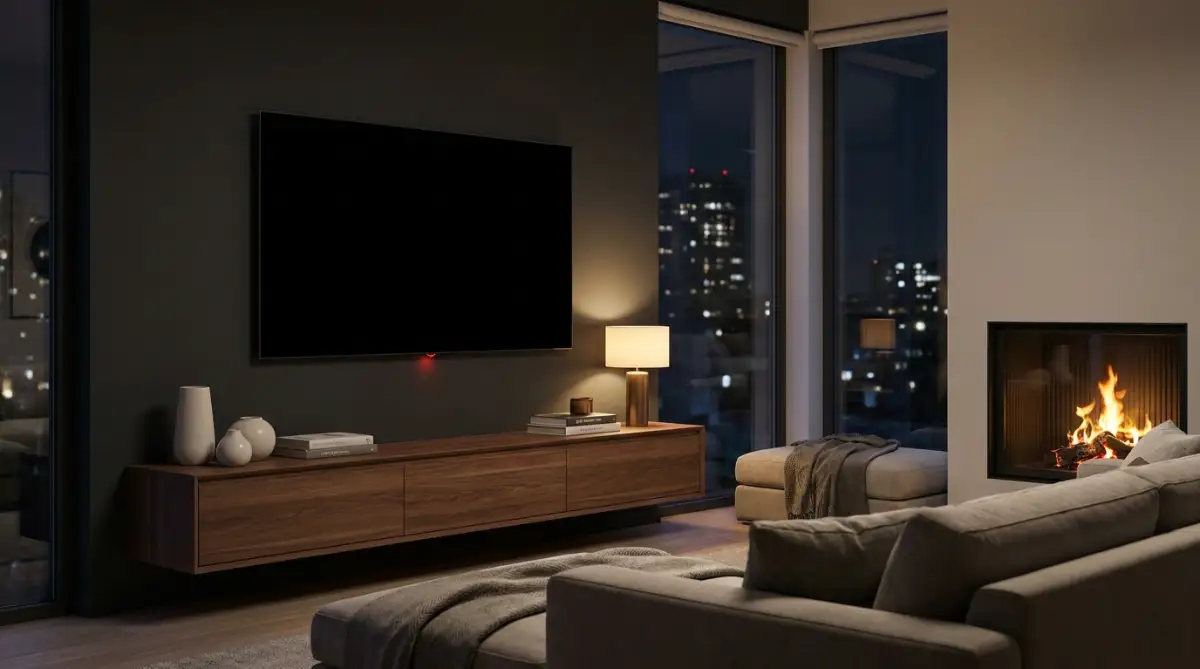
Remember that invisible daily cleaning cycle we talked about earlier? The television needs standby power to run that pixel compensation program in the background. If you completely cut the electricity at a smart plug or a power strip, the processor cannot run its healing cycle.
When you finish watching your favorite show, just use the normal remote control to turn it off. Let the television sit in quiet standby mode overnight. According to display researchers at RTINGS.com, allowing this cycle to run uninterrupted is the single biggest factor in preventing permanent pixel degradation.
If you are going on a month-long vacation and want to unplug your electronics for safety, that is completely fine. But for daily use, leave that power cord securely in the wall socket.
Dialing Back the Sun
We all love bright, punchy colors that pop off the screen. When you first buy a television, the factory settings are usually cranked up to maximum brightness to make the screen look impressive under bright store lights.
Leaving the television on "Vivid" or "Dynamic" mode in a dark living room is a terrible idea. It forces the pixels to run at their absolute maximum heat limit, which speeds up the chemical aging process drastically.
Switch your picture settings to "Cinema" or "Filmmaker" mode. These modes are specifically calibrated to give you the most accurate, realistic colors while significantly lowering the overall panel brightness. Your eyes will adjust to the warmer, slightly dimmer picture in about five minutes, and your hardware will literally last twice as long.
Managing Direct Sunlight
While we are talking about brightness, we need to address the actual sun outside your window. The organic materials inside these specific panels are highly sensitive to ultraviolet light.
If your television is mounted on a wall that receives direct, heavy sunlight for several hours a day, you are quietly roasting the pixels. The UV rays from the sun can actually cause the pixels to age prematurely, even when the television is completely turned off.
You do not need to live in a dark cave, but you should practice common sense. If the afternoon sun hits the glass directly, simply pull the curtains or close the blinds during those specific hours. This tiny habit prevents massive heat buildup inside the chassis.
The Break-In Period Myth
If you read deep into audio-visual forums, you will inevitably find people talking about a "break-in" period. They suggest running colorful slides or snow static on your new television for two hundred hours before you actually watch a movie.
They claim this helps the pixels settle and prevents future damage.
Please, completely ignore this advice. The engineers at the factory already run standard quality checks on the panels before they ship them out.
Running static colors on a loop for a week just wastes electricity and puts unnecessary hours on your brand-new display. Take the television out of the box, plug it in, and immediately start watching whatever you want. Modern software handles the rest automatically.

The Accidental Display Destroyers
Even though these screens are highly resilient, human error is still the biggest threat to any expensive piece of technology. I have seen incredibly smart people accidentally ruin their beautiful home theater setups simply because they did not understand how their daily habits affected the hardware.
Let us walk through the most common, painful mistakes you absolutely need to avoid. Falling into these traps can easily turn your three-thousand-dollar investment into a giant, useless paperweight.
Falling Asleep with the Menus Open
This is the silent killer of modern displays. You decide to watch a quick episode of a show before bed. The episode ends, the streaming app drops back to its bright, static main menu, and you fall fast asleep on the couch.
If you have all your safety features turned on, the screen saver should eventually kick in. But if you accidentally disabled those features while messing around in the settings, that bright menu will sit there baking the pixels for eight straight hours.
To completely avoid this nightmare, use the built-in sleep timer function. If you know you are prone to falling asleep, set the timer to shut the television off automatically after ninety minutes. This guarantees the screen goes dark and starts its healing cycle, no matter how deeply you are sleeping.
If you struggle with leaving screens on all night, it might be tied to dangerous morning routine mistakes that ruin your sleep schedule.
The PC Monitor Trap
Many tech enthusiasts love the idea of using a massive, forty-two-inch premium display as their primary computer monitor. The colors look incredible for editing photos and playing PC games.
While it looks amazing, using a television as a primary computer monitor is an incredibly risky game. The Windows or Mac operating system is filled with bright, static elements that literally never move.
The taskbar at the bottom of your screen, your desktop icons, and the top borders of your web browser window will sit in the exact same spot for ten hours a day while you work. The television's internal software will try to dim them, but it cannot completely overcome that much constant, daily abuse.
If you absolutely must use one for PC work, you have to completely change how you use your computer. You must auto-hide your taskbar, use a pure black desktop background, and constantly resize your windows. It becomes a massive chore that completely ruins the fun of having a big screen.
For heavy daily computer work, buy a traditional IPS or VA panel monitor. They are built specifically for static office tasks and will never suffer from permanent image retention.
Disabling the Safety Features
I know it sounds crazy, but some people actually go into the secret service menus of their television to turn off the pixel shifting and automatic logo dimming features.
They do this because they claim the tiny pixel shift distracts them, or they want the sports scores to be blindingly bright at all times.
Do not ever do this. By turning off the safety features, you are actively removing the seatbelt from your car. You are taking all the brilliant engineering that prevents damage and tossing it out the window.
Leave the logo dimming on "High" and let the pixel shifter do its invisible dance. You will not notice it while watching a movie, and it is the only thing standing between you and a ruined screen.
Using Harsh Cleaning Chemicals
When you spend a lot of money on a display, you naturally want to keep the glass perfectly clean and free of fingerprints. But the way you clean it can actually destroy the panel faster than any video game logo.
Modern television screens are coated with very delicate anti-reflective chemical layers. If you spray standard household glass cleaner containing ammonia or alcohol onto the screen, it will instantly eat right through that expensive coating.
You will be left with ugly, cloudy permanent streaks across the glass that completely ruin the picture quality.
Never use harsh chemicals. The only thing you need is a brand new, dry microfiber cloth. Gently wipe the dust away without applying heavy pressure. If there is a stubborn fingerprint, slightly dampen one corner of the cloth with pure distilled water and gently buff it out.
If you want to speed up your other devices safely, you should learn how to clear app cache on Android instead of spraying chemicals on your expensive screens.
Quick Look: Safe vs. Toxic Screen Cleaning
A Word From The Expert: Enjoy Your Investment
The internet is an incredible place for learning, but it is also a massive echo chamber for fear and anxiety. When you read horror stories about permanent screen damage, you have to remember that you are only hearing the vocal minority.
For every one person who accidentally ruined their screen by leaving a news channel on for two years straight, there are ten thousand happy owners quietly enjoying flawless picture quality in their living rooms.
The engineers have solved the major hardware flaws that plagued the early generations of this technology. The addition of physical heat sinks, aggressive logo dimming, and invisible background cleaning cycles have made these displays incredibly robust.
You no longer have to baby your television. You do not need to stress out every time you see a static health bar in a video game or a bright red news ticker.
Just leave the power cord plugged into the wall, keep the screen out of direct afternoon sunlight, and turn on the built-in sleep timer if you are feeling tired. If you follow those three incredibly simple rules, your premium display will provide you with a stunning, flawless cinematic experience for many years to come.
I finally stopped worrying about the phantom threat of screen damage, and it completely changed how I enjoy my movies and games. It is time for you to drop the anxiety, turn down the lights, and just enjoy the incredible technology you paid for.
Common Questions About Premium Display Care
Do video games actually cause screen damage faster than movies?
Video games only pose a risk if you play the exact same game with bright, static heads-up displays for eight to ten hours every single day. If you play a healthy variety of different games and occasionally watch movies, the built-in pixel refresher will easily handle the temporary electrical stress.
How often should I manually run the pixel refresher?
You should almost never run the major, deep pixel cleaning cycle manually. The television automatically runs a short, invisible cycle every time you turn it off. Forcing the deep, hour-long cycle manually puts unnecessary wear on the diodes and should only be done if you see a severe, stubborn image retention problem.
Does turning down the brightness really help extend the lifespan?
Yes, absolutely. The main cause of pixel degradation is the physical heat generated by pushing maximum electrical current. Lowering your overall brightness reduces the heat output significantly, which keeps the chemical structure of the pixels healthy for a much longer period of time.
Is it safe to leave a movie paused while I answer the phone?
Yes, modern displays are incredibly smart. If you leave a movie paused, the internal processor will detect the static image and automatically launch a moving screen saver or drastically dim the screen within a few minutes to protect the glass from any heat buildup.
Will my manufacturer warranty cover permanent image retention?
Most standard one-year warranties specifically exclude permanent image retention because it is classified as extreme consumer neglect. However, some major retailers offer extended protection plans that you can purchase separately, which do include specific coverage for accidental burn-in.
Disclaimer: The information provided in this article is for educational and informational purposes only and does not constitute official technical support or manufacturer advice. Display technologies and built-in safety features vary significantly between different brands and models. Always read your specific user manual and consult directly with the manufacturer for the most accurate care instructions for your television. We are not responsible for any hardware damage, voided warranties, or financial losses resulting from the interpretation of this general guide.