Watching your expensive camera drone suddenly dart sideways toward a tree or a busy road completely ignores your controls is an absolute nightmare. When my first drone went on an unexpected flyaway, I felt completely helpless watching over a thousand dollars fly away. It turns out that crashes aren't caused by defective hardware—they happen because of a tiny, ignored pre-flight sensor error. Let's look at how to properly calibrate your drone compass and secure your flights today.
When your drone loses its basic sense of direction, it becomes a highly dangerous flying brick. The compass inside your drone is a highly sensitive electronic sensor.
It tells the flight controller exactly which way the nose is pointing in relation to the Earth's magnetic north pole. When this tiny sensor gets confused, the drone's internal computer heavily fights against the GPS signals.
This creates a violent software conflict. The drone thinks it is facing north, but the GPS says it is moving east.
My Quick "Compass Health" Check 🧭
Before spinning your propellers, look at your app screen. If your drone's direction arrow on the map is spinning wildly or pointing backward while you are standing still, do not take off! That is a 100% guarantee your compass is confused and a flyaway is imminent.
To fix this severe confusion, the drone will aggressively fly in wild circles, trying to mathematically correct itself. This dangerous loop is famously known as the "toilet bowl effect."
As a pilot, aggressively pushing the control sticks only makes the situation much worse. You feel entirely powerless as gravity and momentum take over the aircraft.
Experiencing this does not mean you are a bad pilot. It simply means the basic electronic foundation of your flight system was corrupted before you even left the ground. We have to address this hidden electronic issue before the propellers ever start spinning.

Your Fast-Track Drone Safety Guide:
- The Magnet Threat: Never calibrate or take off near concrete sidewalks (which contain steel rebar) or on the hood of your car; always walk into an open grassy field.
- The Drone Dance: When calibrating, rotate your body and the aircraft in slow, steady 360-degree circles (horizontal then vertical) until the status lights turn green.
- Check Space Weather: Monitor the global KP Index before flying—solar storms cause severe magnetic interference that leads to sudden GPS drops and flyaways.
- Trust the Software: Do not calibrate your compass before every single flight; only do it if your app asks for it or you travel more than thirty miles away.
The Logical Blueprint to Safe Pre-Flight Preparation
Calibrating your drone compass is not about wishing for good luck. It certainly does not require an advanced degree in computer science.
A successful calibration relies entirely on clean environmental data and smooth physical movements. The drone uses very specific mathematical algorithms to map out the magnetic field around it.
If you understand the exact rules the computer needs to follow, you can easily organize your setup routine to force a perfect calibration. We are going to look at the three most practical, logical steps you must take right now.
By following this highly scientific approach, you will secure a perfect compass lock and fly your aircraft safely.
Step 1: Find a Magnetically Clean Takeoff Zone
The very first thing you must do happens long before you even open your drone app. You have to physically find an environment that is completely free of magnetic interference.
Your drone uses a tiny, fragile magnetometer to read the Earth's natural magnetic field. This field is incredibly weak, which means the sensor is highly sensitive to any nearby metal objects.
Let us use a very practical analogy. Think of it like trying to listen to a gentle whisper in a crowded, extremely noisy stadium.
If you place a loud speaker right next to your ear, you will never hear the soft whisper. In the drone world, a "loud speaker" is anything made of solid iron or heavy steel.
Many excited beginners make the terrible mistake of setting their drone on the roof of their car for a quick takeoff. A car is essentially a massive two-ton magnet that completely blinds the drone's internal compass.
When you calibrate near a car, the drone memorizes that massive magnetic pull as the "new normal." The second you fly fifty feet away from the car, the drone realizes the magnetic field has suddenly changed.
It instantly panics, loses its orientation, and starts drifting violently toward the trees.
Your Actionable Advice for Today:
My biggest mistake early on was setting up my drone on the hood of my truck because it seemed like a nice, flat table. I realized the hard way that all that hidden heavy metal was totally scrambling my drone's brain before I even launched. Now, I always walk a few extra feet into pure dirt or open grass, and I haven't had a single compass issue since.
You must always walk into the middle of an open grassy field or a natural dirt path. Look very closely at the ground directly beneath your feet.
Concrete sidewalks and asphalt driveways are heavily reinforced with thick steel rebar hidden just under the surface. This hidden steel will absolutely ruin your calibration process every single time.
Take off your smart watch, put your smartphone in your back pocket, and step away from metal chain-link fences. Give your drone a completely clean, natural space to read the Earth's true magnetic signals.

Step 2: Trigger the Software Calibration Mode Correctly
Once you are standing in a clean, natural environment, you need to communicate properly with the drone's internal computer. You have to tell the software that you want to reset its internal sense of direction.
Never try to calibrate a drone when the battery is flashing red or running very low. A low battery can easily cause unexpected voltage drops.
These drops might interrupt the sensitive saving process, leaving you with a corrupted compass file. Always start with a freshly charged flight battery and a fully charged remote controller.
Power on the remote controller first, and then turn on the drone itself.
Let us look at a highly practical scenario. Think of a digital bathroom scale sitting in your home.
Before you step on it to check your weight, the scale must read exactly zero. If you put a heavy five-pound weight on the scale and then turn it on, the machine gets highly confused.
Calibrating your drone is the exact same process of setting the internal sensors back to a perfect zero. Open your specific flight application on your connected smartphone or tablet.
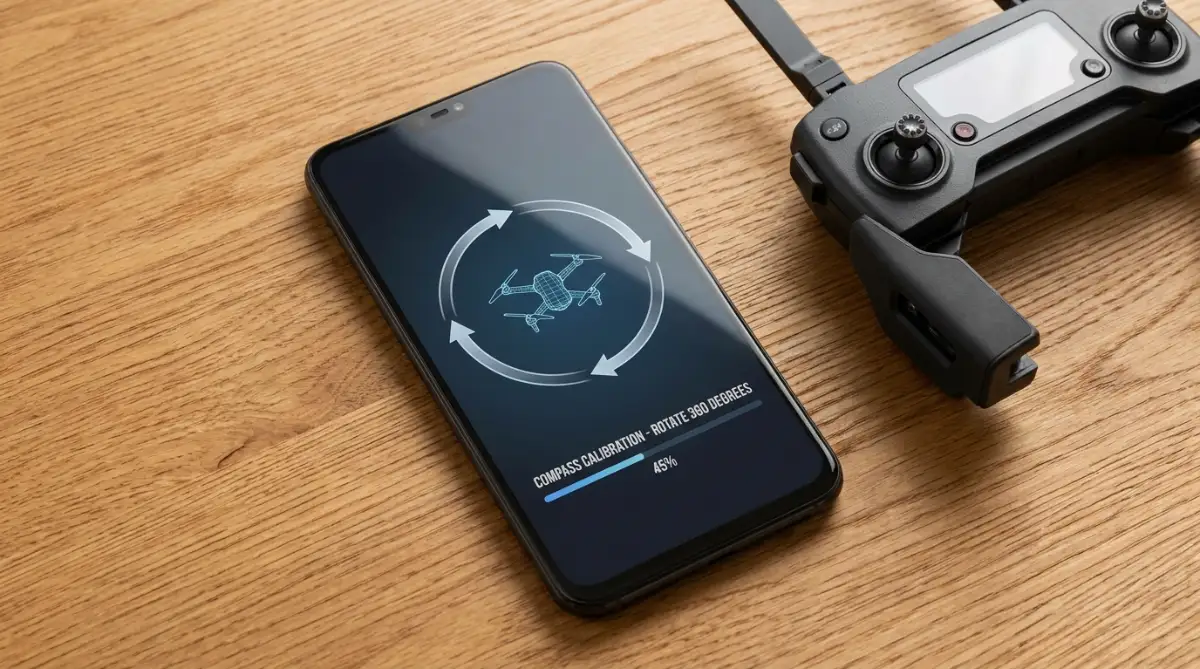
Navigate slowly to the main safety or advanced settings menu, depending on your brand of aircraft. Look for the specific button clearly labeled "Compass Calibration" or "Calibrate Compass."
When you tap this digital button, the lights on the arms of your drone will normally change color. Usually, they will turn solid yellow or flash rapidly, indicating that the drone is ready to learn its new orientation.
Do not rush this software step. Wait patiently for the on-screen prompt to confirm that the calibration mode is fully active.
Step 3: Perform the "Drone Dance" with Perfect Form
Now comes the physical part of the process, which many veteran pilots playfully call the "drone dance." You have to rotate the aircraft in specific directions so the sensors can map out a full 360-degree sphere.
The application on your screen will usually show you an animation of exactly how to hold the drone. You must pick the drone up off the grass and hold it completely level with the ground.
Hold it carefully away from your metal belt buckle or any metal zippers on your jacket. Slowly and smoothly, turn your own body around in a complete circle while holding the drone flat.
If you are still a bit nervous about how to physically spin your drone without messing up the sensors, watch this quick visual guide below. Seeing these smooth movements in real life will make the rest of the advanced safety tips in this article so much easier to understand!
Here is a very common scenario where people fail heavily. Many users just twist the drone quickly using only their wrists.
This jerky, uneven motion confuses the sensitive sensors heavily. Instead, you should walk in a slow, steady circle, keeping the drone perfectly parallel to the ground.
It should take you about three to four full seconds to complete one full horizontal rotation. Once the horizontal rotation is successful, the lights on the drone will change color again, usually to solid green.
Next, the app will ask you to point the nose of the drone straight down toward the grass. Hold the aircraft vertically, and perform the exact same slow, steady spin with your body.
By doing this vertical rotation, you are mapping the final axis of the internal compass sphere. If the lights flash red after you finish, it means the area was magnetically dirty or your movements were too fast.
You simply need to move to a different patch of grass and try the gentle dance one more time. Patience and smooth movements are your best friends during this physical process.
Advanced Pilot Secrets for a Perfect Compass Lock
You already know the physical steps to rotate your drone safely in an open field. But professional aerial photographers do not stop there. We look much deeper into the environment to protect our expensive equipment.
When you send a flying camera hundreds of feet into the air, gravity is completely unforgiving. A single compass error can send your aircraft crashing into a river or a tall building in just seconds.
To prevent this nightmare, you must think like an aviation expert before you ever turn the battery on. By using these advanced preparation secrets, you will force the internal computer to record the most accurate magnetic data possible.
Let us break down exactly how you can ensure absolute safety for every single flight.
Monitor the Global KP Index Before Leaving Home
Most everyday pilots check the weather app on their phone for rain or high winds. However, they completely ignore the invisible weather happening high up in space.
Our sun regularly shoots out massive bursts of energy called solar flares. When these solar storms hit the Earth, they heavily disrupt our planet's natural magnetic field.
This invisible event is measured by something called the KP Index, which ranges on a scale from zero to nine. If you try to calibrate your drone compass during a high solar storm, the sensor will absorb highly corrupted data.
Let us look at a practical analogy to understand this. Imagine trying to tune your car radio to a specific music station while driving through a massive lightning storm.
The heavy static completely ruins the clear audio signal, making it impossible to hear the music. A solar storm creates the exact same static for your drone's sensitive compass.
The NOAA Space Weather Prediction Center constantly tracks these geomagnetic storms to warn aviation experts. If their official tracker shows a KP Index of five or higher, you should keep your drone safely inside the house.
Pro Tip: The Space Weather App ☀️
Never trust just the local rain forecast. I use a free app called "My Lightning Tracker" combined with a space weather tracker to check solar radiation. A high KP Index will scramble your GPS faster than any physical obstacle on the ground.
Flying with high solar interference guarantees GPS drops, sudden drifting, and terrifying flyaway situations. Always check a drone forecast app on your smartphone to ensure the magnetic weather is calm before you head to the park.
Store Your Equipment Away From Hidden Magnets
The way you treat your drone when you are not flying is just as important as your pre-flight checks. Many people come home from a fun weekend of flying and place their drone on the television stand.
They do not realize that the large stereo speakers sitting right next to the television contain massive, heavy magnets. If your drone sits next to a powerful magnet for two weeks, the internal compass will slowly become magnetized itself.
When a compass becomes magnetized by a foreign object, it permanently loses its ability to find true north. You will constantly get compass error warnings on your screen, and no amount of spinning in a field will fix it.
Your action plan for today: You must evaluate your storage environment immediately. Keep your drone case far away from large audio speakers, microwave ovens, and heavy electrical breaker boxes.
Just like fixing common nighttime skincare mistakes that cause unexpected breakouts requires changing your evening habits, protecting your drone requires changing its resting environment. Store your aircraft in a cool, dry closet away from heavy home appliances to keep the sensors perfectly clean.
Know Exactly When to Skip the Calibration
There is a very popular myth on the internet that you must calibrate your compass before every single flight. This advice is completely outdated and highly dangerous for modern drones.
If you calibrate your drone in a perfect field on Monday, the internal computer saves that exact magnetic profile. If you return to that exact same park on Wednesday, your drone already knows the magnetic layout of the area.
If you force a new calibration every single time you fly, you actually increase the risk of making a mistake. You might accidentally calibrate over a hidden piece of metal, replacing your perfectly good save file with corrupted data.
Here is the golden rule of modern drone flying. If the official flight application on your screen does not actively ask you to calibrate the compass, do not do it.
The only time you should manually force a new setup is if you travel more than thirty miles from your last flying location. By trusting the internal software, you reduce human error and keep your previous, clean calibration perfectly intact.

Five Dangerous Calibration Mistakes That Cause Crashes
Even highly intelligent people make terrible choices when they are overly excited to fly their new toy. The heavy thrill of getting up into the sky often blinds pilots to basic safety rules.
If you fall into these common pre-flight traps, your aircraft will likely become a dangerous, uncontrollable hazard. This frustrating cycle can easily ruin your weekend and destroy your bank account.
Here is exactly what you must avoid to keep your expensive camera drone safely under your control.
1. Trying to Calibrate Inside Your House
When a new drone arrives in the mail, people are too excited to wait for good weather. They turn the drone on in their living room and attempt the calibration dance right on the carpet.
This is an absolute disaster waiting to happen. The floor beneath your feet is packed with steel nails, while the walls are filled with thick electrical wiring.
The drone will memorize the heavy magnetic interference of your living room as its baseline normal. When you eventually take it outside to a clean park, the drone will instantly panic because the magnetic field changed completely. Always wait until you are completely outdoors in a wide-open space to perform this setup.
2. Wearing Magnetic Accessories on Your Body
You can find the most perfect, natural grassy field in the entire world. However, it will not matter if you are personally wearing items that destroy the sensor readings.
Smartwatches, heavy metal belt buckles, and modern smartphones all emit strong magnetic fields. Some phone cases even have massive magnets built into the back of them to attach to car mounts.
When you hold the drone tightly against your chest to do the rotation dance, those personal accessories heavily corrupt the compass. Before you spin the aircraft, take off your smartwatch, empty your pockets, and put your keys on the ground ten feet away.
3. Rushing the Physical Rotations
We mentioned this briefly before, but it is the most common physical error pilots make. They spin the drone around as fast as possible so they can get into the air quickly.
The compass sensor inside the drone reads data very slowly to ensure maximum accuracy. Think of a highly practical analogy.
Imagine trying to pour a large bucket of water into a tiny plastic funnel. If you dump the water in aggressively, it spills everywhere and makes a huge mess.
If you pour the water slowly and steadily, it flows perfectly through the tiny hole. You must move your body very slowly when rotating the aircraft so the tiny sensor can properly absorb the environmental data.
4. Taking Off Near Underground Utilities
You might find a beautiful, green soccer field that looks completely safe for flying. But what you cannot see is the massive steel water main buried three feet under the grass.
Cities are packed with hidden underground infrastructure, including heavy power lines and reinforced concrete sewers. When you place your drone directly over a buried utility line, the compass goes completely crazy.
Aviation authorities like the Federal Aviation Administration (FAA) strongly recommend completely surveying your takeoff zone for safety hazards. If your drone application repeatedly shows a compass error on a nice patch of grass, pick the drone up and walk fifty feet away to try again.
5. Ignoring Firmware Updates Before Calibration
Drone manufacturers frequently release software updates to fix known bugs in the flight control systems. Many pilots ignore these updates because they take ten minutes to download and install.
If you perform a perfect compass setup on Monday, but run a massive software update on Tuesday, you have a problem. Major firmware updates often wipe the internal memory of the drone completely clean.
If you fly on Wednesday without re-calibrating, your drone will have absolutely zero magnetic data to rely on. Always perform a fresh, careful compass routine immediately after installing any major software updates on your aircraft.
Your Blueprint for Stress-Free and Safe Flying
Navigating the technical side of drone flying does not have to be a scary or overwhelming experience. You now hold the exact same technical knowledge that professional cinematographers use on Hollywood movie sets.
By taking a few extra minutes to understand your environment, you completely remove the heavy fear of a sudden flyaway. You are no longer guessing if your drone will respond correctly to your remote controller.
Instead, you are confidently presenting a perfectly clean magnetic environment for the sensors to lock onto. This simple shift in your pre-flight routine gives you incredible power over your aircraft and your personal confidence.
When you know your equipment is perfectly set up, your hands stop shaking. You can finally focus on framing beautiful cinematic shots of the sunset instead of worrying about crashing.
Protecting your expensive technology prevents sudden financial losses. When your gear is safe, you maintain your financial security, meaning you will never have to blindly search for easy signature loans without any collateral to replace broken equipment.
Remember that your drone is essentially a flying computer that relies heavily on the data you provide it. Like any highly advanced tool, it just needs a clean starting point and a pilot who deeply understands the rules. Take a deep breath and start practicing these exact steps before your very next flight. Check the space weather on your phone, empty your pockets of metal, and find a truly open field.
You have the total ability to handle this amazing technology smoothly and intelligently. Protect your investment, trust the software prompts, and take complete control of the skies starting right now.
I promise that taking just a few extra minutes to prep your drone will completely change how you feel about flying. Once I locked down this simple routine, my hands stopped shaking, and I finally started enjoying my hobby again. You are fully capable of doing this, so grab your gear, step out into a clear field, and go capture some amazing photos today!
Common Questions About Preventing Drone Flyaways
Why does my drone suddenly fly sideways or spin in circles right after takeoff?
This scary issue usually happens because your drone's internal compass got confused by hidden magnetic interference during takeoff. Setting your aircraft down on a car hood, concrete with steel rebar, or near metal objects corrupts the compass and triggers the dreaded "toilet bowl effect."
Do I need to calibrate my drone compass before every single flight?
No, you do not need to calibrate your compass before every flight if your aircraft is operating normally and you are flying in the same general area. Forcing unnecessary calibrations can actually introduce errors, so you should only recalibrate if your flight app asks for it or you travel far away.
How can I stop solar storms from messing up my drone's GPS?
You can easily protect your flight by checking a dedicated space weather app to monitor the KP Index before heading out. If the KP Index is five or higher, a geomagnetic storm is active, and you should keep your drone grounded to avoid sudden GPS drops and flyaways.
Is it safe to calibrate my drone compass while wearing a smartwatch or holding my phone?
No, wearing a smartwatch, having a smartphone with a magnetic case, or carrying keys in your pocket will ruin your compass calibration. You must empty your pockets and remove metal accessories to give your drone a clean magnetic environment.
What should I do if my drone app keeps showing a compass error in a wide-open park?
If you are standing on a nice patch of grass and still getting errors, you are likely standing over buried underground utilities like a heavy water main or power line. Simply pick up your drone, walk fifty feet away to a completely different spot, and try your pre-flight setup again.
Disclaimer:
The information provided in this article is for educational and general informational purposes only, based on personal experience and standard aviation best practices. Every drone model is uniquely built, and flight software updates can change operating procedures. Always read your specific manufacturer’s official user manual and follow their exact guidelines for compass calibration and pre-flight safety.
Additionally, it is your personal responsibility to follow all local aviation laws and airspace regulations (such as those enforced by the FAA) regarding safe takeoff zones and flight behavior. The author and publisher of this website are not certified flight instructors and assume no liability or responsibility for any equipment damage, sudden flyaways, financial losses, personal injuries, or legal issues that may occur while applying the tips provided in this guide. Always fly safely, respect your environment, and operate your aircraft entirely at your own risk.