The Hidden Sickness Ruining Your Virtual Reality Experience
Did you just unbox a brand new virtual reality headset, load up a game, and instantly end up flat on your living room floor with a spinning head? It is incredibly disappointing when an expensive new gadget makes you physically sick. I know exactly how that sudden nausea feels, but the good news is that your body is completely normal. Let me show you how to trick your brain and set up your play area so you can enjoy virtual worlds without the dizziness.
When you desperately search online for a quick cure, you usually find terrible advice that actually makes your nausea much worse over time. Finding honest, scientific information about this physical reaction is surprisingly difficult.
Here is exactly why so many people fail to fix their digital dizziness and end up making themselves feel much worse:

- The "push through the pain" myth: Many experienced gamers tell beginners to simply keep playing until they get used to the spinning. This terrible advice actually trains your brain to associate the device with extreme sickness.
- Relying entirely on heavy medication: People often swallow strong motion sickness pills before playing their games. These chemicals leave them feeling heavily drowsy and completely ruin the fun of the experience.
- Ignoring hardware lens settings: Most players do not realize their specific lenses are completely out of focus for their unique eye shape. This causes massive, hidden eye strain that leads directly to headaches.
- Playing the absolute wrong games first: Beginners often jump straight into intense flying simulators or high-speed racing games instead of starting with gentle, stationary experiences.
This sudden physical sickness does not just ruin a fun weekend gaming session. It creates a heavy emotional barrier that completely destroys your confidence in modern technology.
Here is a professional look at how this silent physical struggle slowly destroys your peace of mind and gaming enjoyment:
- Deep financial regret: You look at the highly expensive plastic device sitting quietly on your desk. You feel a heavy sense of guilt for wasting your hard-earned money on something that makes you sick.
- Forced social isolation: When your friends invite you to play multiplayer virtual reality games, you have to make up fake excuses. You avoid playing with them because you are terrified of throwing up.
- Fear of the equipment: Your brain develops a highly sensitive, subconscious fear response over time. Just smelling the warm plastic of the device makes your stomach feel slightly upset before you even turn it on.
- Lost excitement and joy: A modern hobby that was supposed to bring you massive joy and stress relief now brings you pure physical torture and deep disappointment.
Feeling sick in a digital environment does not mean you are weak or bad at playing video games. It simply means your biological body is working exactly how it is supposed to work.
Your body is experiencing something called "sensory conflict." Your eyes are looking at the bright screens and telling your brain, "We are running very fast down a hallway."
However, your inner ear balancing system is sending a completely different message. Your inner ear tells your brain, "We are sitting completely still in a chair in the living room."
When the brain receives these two completely opposite messages at the exact same time, it panics. It assumes you must have eaten a poisonous plant that is causing severe hallucinations.
Because the brain thinks you are poisoned, it tries to make you throw up to clear the toxins from your stomach. This is an incredibly brilliant biological defense mechanism.
Did You Know? The Poison Reflex
When your eyes tell your brain you are running, but your inner ears say you are sitting still, your brain panics. It assumes you must have eaten a poisonous berry that is causing severe hallucinations. To save your life, it triggers the vomiting reflex to flush out the imaginary toxins!
Instead of fighting your natural biology, you need to trick it. I am going to show you exactly how to safely bypass this sensory conflict. By adjusting your room and your software, you will regain complete control over your stomach and enjoy your games today.
📌 Quick Summary: How to Beat VR Sickness
- Fix Your IPD: Measure your exact pupil distance and adjust the physical lens slider so your eyes do not cross.
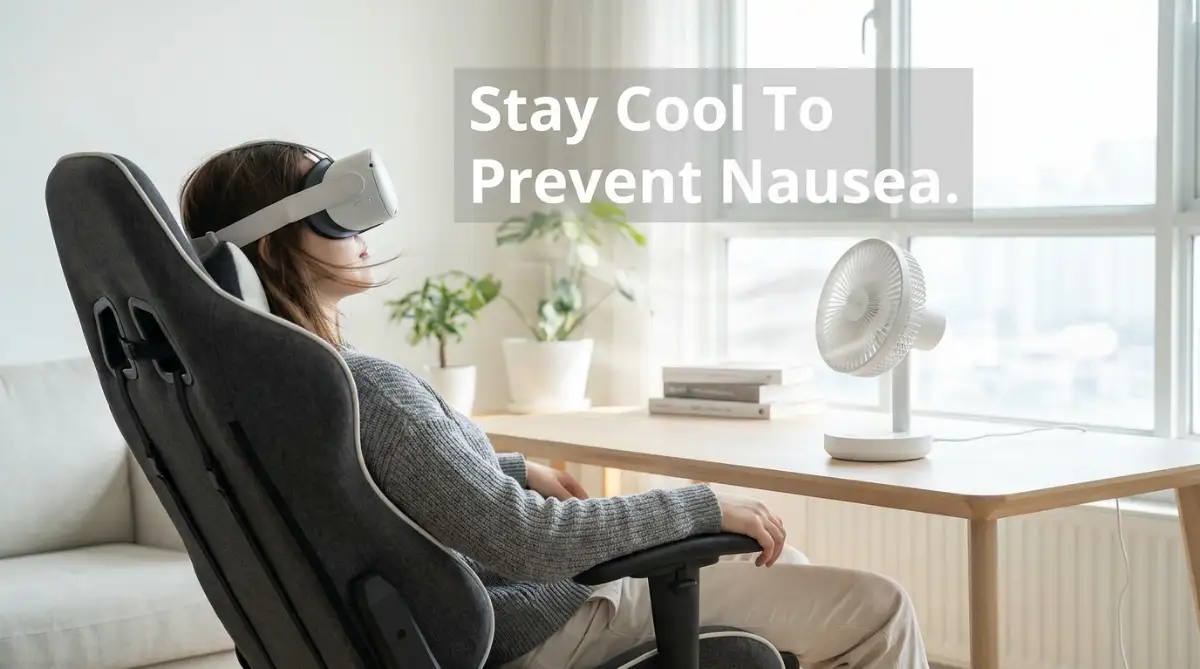
- Use a Cooling Fan: Point a desk fan at your chest. The cool breeze stops nervous sweating and tells your brain which way is "forward" in the real world.
- Always Teleport: Switch your in-game movement to "Teleportation" and "Snap Turning" to eliminate the dizzying sliding camera movement.
- Do Not Push Through: Stop playing the exact second you feel a hot flash on your neck. Forcing yourself will only train your brain to fear the headset.
Your Scientific Blueprint to Stopping Virtual Nausea
Beating digital dizziness does not rely on wishing for a strong stomach. It certainly does not require you to suffer through hours of painful gameplay.
A comfortable experience relies entirely on correctly matching your physical environment with your digital environment. If you understand the exact biological rules your brain follows, you can easily organize your setup to force a comfortable experience.
We are going to look at the three most practical, highly logical steps you must take right now. By following this scientific approach, you will secure a perfect physical balance and play safely for hours.
Step 1: Calibrate Your Hardware For Perfect Visual Harmony
The very first thing you must do happens long before you ever load a game. You have to physically adjust the glass lenses inside the device to match your exact human face.
Every single human being has a different distance between the center of their two eyes. This specific measurement is called your Interpupillary Distance (IPD).
If the digital screens inside the device do not line up perfectly with your IPD, your eyes have to physically cross to see the picture. You might not notice your eyes crossing, but your brain definitely feels the heavy strain.
Let me give you a very practical analogy. Imagine borrowing a pair of strong prescription reading glasses from a friend.
If you wear their glasses and try to walk around your house, your vision will be slightly blurry. Within five minutes, you will develop a massive headache and feel highly nauseous because your eyes are fighting the wrong lenses.
This exact same biological strain happens when your IPD slider is set incorrectly on your device. Most modern devices have a small physical wheel or slider on the bottom of the plastic casing.
Your Actionable Advice for Today:
You must measure your exact IPD before you play again. Stand in front of a bathroom mirror holding a simple millimeter ruler.
Close your right eye and line up the zero mark with the center of your left pupil. Then, close your left eye, open your right eye, and read the number that lines up with your right pupil.
That specific number is your exact IPD measurement. Put your device on your head and slowly move the physical slider until the internal number perfectly matches your mirror measurement.
Next, you must fix the tension of your head strap. Many beginners pull the straps as tight as humanly possible, hoping to keep the device from moving. A strap that is too tight physically cuts off the natural blood circulation to your forehead and scalp. This lack of blood flow causes an instant, throbbing pressure headache.
Loosen the top strap completely, place the device comfortably against your cheekbones, and only tighten the back strap until it feels secure but incredibly gentle. My biggest mistake early on was trying to be tough and forcing myself to keep playing even when the room started to spin. I quickly realized that pushing through the nausea only trained my brain to fear the headset, making me feel sick just by smelling the warm plastic. Once I learned to take off the headset at the very first sign of body heat and turned on a simple cooling desk fan, my play sessions doubled without a single stomach drop.The plastic should rest on your face exactly like a comfortable baseball cap, not a tight winter helmet.
Step 2: Hack Your Environment to Trick Your Brain
Once your visual hardware is perfectly calibrated, we need to focus on the physical room you are standing in. You have to give your confused brain a physical anchor to the real world.
When you cover your eyes and ears with technology, your brain completely loses its sense of physical direction. It does not know which way is forward, backward, left, or right.
This complete lack of physical orientation makes the sensory conflict much worse. To fix this, you need to use a brilliant environmental trick involving a simple household item.
You need to use a standard cooling desk fan. Place a tall oscillating fan or a small desk fan about four feet away from your play area.
Point the fan so it blows a constant, gentle stream of cool air directly onto your chest and face. This incredibly simple trick solves two massive biological problems at the exact same time.
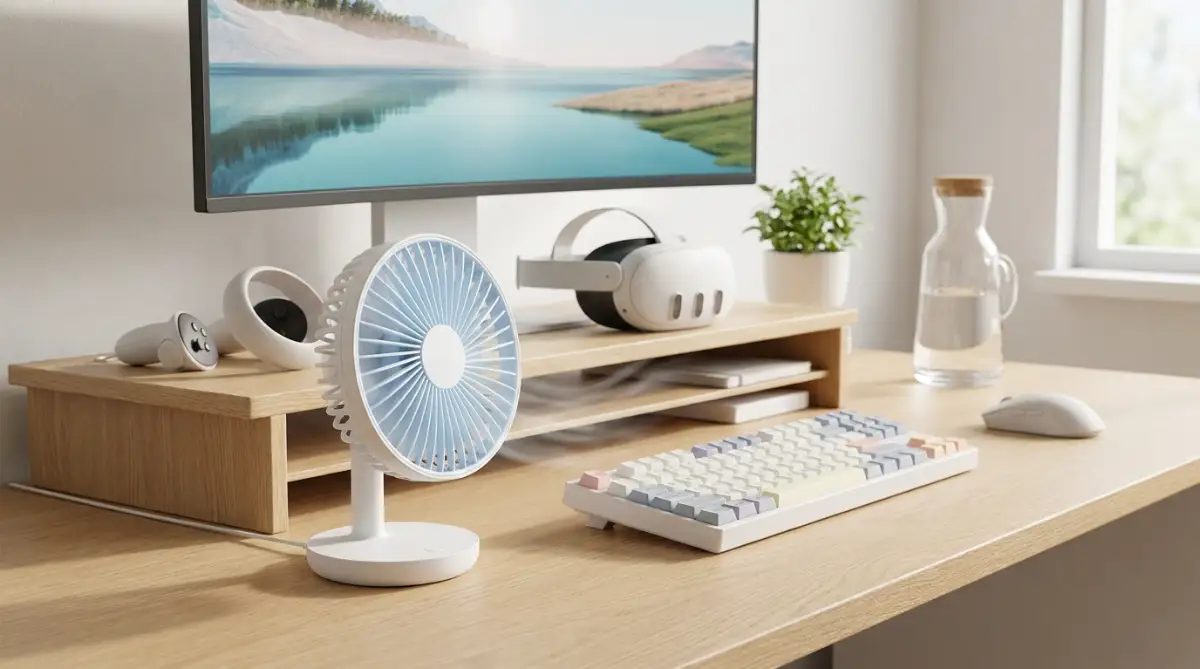
First, the cool air constantly lowers your physical body temperature. When you start feeling motion sickness, your body naturally begins to sweat and overheat as a panic response.
The fan instantly evaporates that nervous sweat, keeping your core body temperature perfectly comfortable and completely stopping the nausea cycle.
Second, the directional wind acts as a permanent, invisible compass for your brain. Even though your eyes are covered, your skin can easily feel exactly where the wind is coming from.
Let us look at a real-life scenario to understand this. If you know the fan is sitting against the north wall of your bedroom, your brain subconsciously remembers that information.
Every time the wind hits your face, your brain says, "Okay, we are facing north in the real world." This constant physical reminder deeply grounds your nervous system and prevents the terrifying feeling of floating aimlessly in space.
Your Actionable Advice for Today:
Set up your cooling fan before your next gaming session. Additionally, you must place a small, textured physical rug directly in the center of your play space.
Take off your shoes and play in your socks or bare feet. While your eyes are busy exploring digital worlds, your feet will constantly feel the edge of the physical rug.
This creates a highly effective grounding anchor. If you step off the rug onto the hard wooden floor, you instantly know you have moved too far from the center.
Combining the directional wind on your face with the textured rug under your feet creates a bulletproof safety net for your brain. Your body will feel completely secure in the real world, allowing your mind to safely enjoy the digital world without panicking.
Step 3: Master the In-Game Comfort Settings
You have fixed your lenses and organized your physical room. Now, you must take complete control of the digital software you are actually running.
Almost every modern application includes a highly detailed options menu specifically designed to prevent nausea. However, most beginners completely ignore the settings menu and jump straight into the action.
The absolute biggest cause of instant sickness is a digital movement setting called "Smooth Locomotion." Smooth locomotion means you push the thumbstick forward, and your digital character slides smoothly across the floor.
Think of this highly practical analogy. Imagine standing perfectly still with your feet glued to the floor, but the entire world around you is suddenly placed on a fast-moving conveyor belt.
Your eyes see the walls rushing past you, but your legs are not moving at all. This creates the ultimate sensory conflict, and it will make a beginner severely sick in less than sixty seconds.
To bypass this horrible feeling, you must change your movement setting to "Teleportation."
Teleportation changes the mechanics entirely. Instead of sliding across the floor, you push the thumbstick to aim a glowing laser pointer at the ground.
When you release the button, your screen blinks black for a microsecond, and you instantly appear in the new location. Because there is no smooth sliding motion, your brain completely accepts the sudden change of scenery without feeling dizzy.
Your Actionable Advice for Today:
Open the main settings menu in every single game you play. Force the movement style to Teleportation immediately.
Next, you must find a setting called "Snap Turning." Never use smooth turning with the right thumbstick. Smooth turning spins the camera in a highly unnatural circle, acting exactly like an amusement park teacup ride.
Snap turning fixes this by instantly rotating your camera in sharp 45-degree chunks. You press the stick, and you instantly face a new direction. This completely eliminates the dizzying blur of the background spinning around you.
Finally, look for a visual comfort setting often called "Vignettes" or "Blinders." When you turn this specific setting on, the software automatically places dark black shadows around the extreme edges of your vision whenever you move.
By narrowing your field of view during heavy movement, the software prevents your peripheral vision from getting overwhelmed. Once you stop moving, the dark shadows fade away, letting you see the beautiful world clearly again.
By aggressively using Teleportation, Snap Turning, and Blinders, you remove every single trigger that causes the brain to panic. You create a highly controlled, incredibly safe digital environment that your stomach will easily tolerate.
Quick Look: The VR Comfort Setting Matrix
Master Techniques for Building Your Virtual Tolerance
Now that you understand the basic hardware adjustments, we need to master your internal biology. Your physical body needs a highly specific training routine to accept digital environments safely.
Medical experts at the Cleveland Clinic explain that motion sickness happens when your brain receives conflicting sensory messages. Your eyes see heavy movement on the screen, but your inner ear feels absolutely zero physical motion in the room.
You also need highly effective physical remedies to calm your stomach before you put the device on your head. Researchers at Healthline have documented that natural ginger is highly successful at blocking nausea signals from reaching the brain.
Step 4: The Strategic Exposure Therapy Protocol
The absolute biggest secret among veteran players is a concept known as building your "VR legs." This refers to the biological process where your brain finally accepts digital movement as a normal, safe activity.
You cannot buy VR legs; you have to slowly earn them through very short, highly controlled gaming sessions. Think of this process exactly like learning how to lift heavy weights at a local gym.
You would never walk into a gym on your first day and try to lift three hundred pounds. If you do that, you will instantly tear a muscle and end up in the hospital.
Instead, you start by lifting very light ten-pound weights for just five minutes a day. Over several weeks, your muscles naturally adapt, repair themselves, and grow much stronger.
Your Actionable Advice for Today:
You must treat your brain like a new muscle. During your first week, you should only play for ten to fifteen minutes at a time.
The exact second you feel a sudden hot flash on the back of your neck, you must take the headset off immediately. Do not wait for the actual stomach nausea to hit you.
That sudden wave of body heat is your brain's early warning alarm system activating. Stop playing, drink a cold glass of water, and do not try to play again until the next day. By keeping your sessions incredibly short, your brain learns that the digital world is perfectly safe.
Step 5: The Dietary Defense Strategy
What you put into your stomach before a gaming session heavily dictates how you will feel inside the headset. Playing on a completely empty stomach is a terrible idea because stomach acid will slosh around freely.
However, playing right after eating a massive, greasy pizza is equally dangerous. Your body needs to divert heavy blood flow to your stomach to digest that heavy meal.
When your blood is busy digesting heavy cheese and bread, your brain receives less oxygen, making dizziness happen much faster. You need to find a perfect, comfortable middle ground for your digestive system.
Let us look at a highly practical scenario. Imagine you are about to go on a bumpy boat ride across the ocean.
You would likely eat a light, dry snack like toast or crackers to absorb any loose stomach acid. You should treat your intense gaming sessions exactly like a turbulent boat ride.
Your Actionable Advice for Today:
Eat a very light snack about thirty minutes before you put your headset on. More importantly, you should consume a strong dose of natural ginger.
You can drink a hot cup of ginger tea, chew on a piece of crystallized ginger candy, or swallow a natural ginger capsule. Healing an upset system requires a gentle, natural approach before the problem starts.
Just like using natural home remedies to fix extremely dry and flaky skin heals your face safely without harsh chemicals, using natural ginger protects your stomach safely without making you feel sleepy. Keep a small bag of ginger candies right next to your gaming computer for easy access.
Step 6: Utilize Acupressure Comfort Bands
If a cooling fan and ginger tea are not entirely fixing your problem, you can use a brilliant physical accessory. Many veteran players highly recommend wearing simple acupressure wristbands while they play.
These soft elastic bands were originally designed for pregnant women experiencing heavy morning sickness or sailors dealing with ocean waves. They feature a small, hard plastic bead sewn directly into the fabric.
When you wear the band correctly on your wrist, the plastic bead presses firmly against the P6 acupressure point. This specific nerve pathway runs directly from your arm up to the nausea center of your brain.
Applying constant physical pressure to this exact nerve actively blocks the nausea signals from firing. It acts exactly like pressing the mute button on an annoying, loud alarm clock. You can buy a cheap pair of these anti-nausea bands at almost any local pharmacy. Put them tightly on both wrists about ten minutes before you start playing your games.
Between the cooling desk fan, the natural ginger, and the pressure bands, you are building an impenetrable fortress against physical illness.
Before you jump into the common gaming habits that are secretly making you sick, watch this highly helpful video that visually breaks down how to protect your stomach from sudden digital dizziness. It explains the exact tricks you need to stay comfortable in any virtual world, so check it out and then read the habits below!

Five Dangerous Gaming Habits Ruining Your Experience
Even highly intelligent people make terrible choices when they get overly excited about a new piece of technology. The massive thrill of stepping into a digital world often blinds players to basic biological safety rules.
If you fall into these incredibly common traps, you will trigger violent nausea in less than five minutes. This frustrating cycle can easily force you to abandon your expensive equipment entirely.
Here is exactly what you must avoid to keep your stomach perfectly calm and your gaming sessions highly enjoyable.
1. The "Iron Stomach" Boot Camp Myth
The most dangerous mistake beginners make is trying to aggressively push through the pain. They start feeling sick, but they refuse to quit because they want to finish the level.
They wrongly believe that forcing themselves to throw up will somehow make them immune to the sickness faster. Biologically, this does the exact opposite of what you want.
If you eat bad seafood and get violently sick, your brain creates a permanent aversion to the smell of fish. If you force yourself to play until you are sick, your brain will permanently associate the smell of the plastic headset with vomiting. You will instantly feel dizzy the moment you look at the device sitting on your desk.
2. Playing Games With Low Frame Rates
Your brain expects the digital world to move flawlessly, exactly like the real world does. In video games, this smoothness is measured by Frames Per Second (FPS).
If your computer or console is struggling to run the game, the video will physically stutter and freeze for micro-seconds. This rapid visual stuttering causes massive, instant eye strain.
Think of this practical analogy. Imagine watching a fast-action movie that constantly pauses and skips forward every three seconds.
Your brain has to work extremely hard to fill in the missing pieces of the visual puzzle. If a digital game stutters or drops below seventy-two frames per second, take the headset off immediately and lower your graphic settings.
3. Starting With Intense Flying Simulators
When people first buy a headset, they immediately download high-speed roller coasters or intense airplane fighting games. These games throw your digital body upside down while your physical body sits perfectly still in a chair.
This creates the maximum possible sensory conflict for a human brain to handle. Beginners should only play "stationary" games for the first month.
Stationary games keep your digital feet planted firmly on the floor while you hit targets or solve puzzles with your hands. Developing bad habits early on will easily ruin your entire digital experience.
For example, making common nighttime skincare mistakes that cause unexpected breakouts will destroy your morning glow entirely. Similarly, picking the wrong high-speed beginner game will destroy your entire gaming weekend.
4. Looking Down at the Virtual Floor
When you physically walk or run in the real world, you naturally look straight ahead toward the horizon. This gives your brain a stable visual anchor to balance your entire body.
In digital games, beginners often stare straight down at their virtual feet while moving the thumbstick. Watching the digital floor slide rapidly under your eyes immediately triggers intense vertigo.
If you are moving forward in a game, always keep your chin up and stare at a distant object like a mountain or a building. Keeping your eyes locked on the distant digital horizon drastically reduces the feeling of artificial movement.
5. Drinking Heavy Caffeine Before Playing
Many gamers love to drink massive energy drinks or huge cups of coffee before a long gaming session. While caffeine gives you great mental focus, it is a heavy diuretic that quickly dehydrates your body.
Your inner ear balancing system relies heavily on a specific volume of internal fluid to maintain your physical equilibrium. When you become dehydrated, the fluid levels in your inner ear drop significantly.
This low fluid level makes your internal balancing system highly sensitive and prone to severe dizziness. Always skip the energy drinks and drink a large glass of plain, cold water before putting on your equipment.
Your New Path to Digital Comfort
Navigating the strange physical sensations of virtual reality does not have to be a scary or painful experience. You now hold the exact same biological knowledge that professional game developers use to test their software safely.
By taking a few short days to adjust your visual settings and train your brain, you completely remove the heavy fear of getting sick. You are no longer dreading the thought of putting the equipment on your head.
Instead, you are confidently stepping into beautiful new worlds as a highly prepared, comfortable player. This simple shift in your physical preparation gives you incredible power over your entire gaming experience.
You are fully capable of enjoying long, immersive sessions without feeling sweaty, dizzy, or panicked. Remember that this technology is simply a new tool that your old biology needs time to understand.
Like a brand new pair of stiff leather shoes, it just takes a gentle break-in period before it feels completely natural. Take a deep breath and start with the very first step today.
Set up your cooling desk fan, measure your correct eye distance, and brew a hot cup of ginger tea. You have the total ability to handle digital motion smoothly and intelligently from the comfort of your living room.
Protect your inner ear, respect your body's early warning signs, and take complete control of your digital adventures starting right now.
Looking back, learning to manage my virtual motion sickness completely saved my love for gaming. You do not have to let a spinning room lock you out of the amazing future of technology, so please do not give up on your headset just yet. Set up your cooling fan tonight, take it slow, and get ready to step into your favorite virtual worlds with total confidence!
Common Questions About Overcoming Virtual Reality Motion Sickness
Why do I feel so sick and nauseous when playing virtual reality games?
This uncomfortable feeling happens because your eyes see heavy motion on the digital screen while your inner ear feels completely still in your living room. When your brain receives these two totally opposite messages at the same time, it panics and triggers nausea as a natural defense mechanism.
Can I eventually train my brain to stop getting dizzy in VR?
Yes, you can build up your virtual tolerance over time by taking things very slowly and keeping your daily gaming sessions short. Stopping the exact second you feel a warm flash on your neck trains your brain to realize the digital world is safe.
Why is teleportation better than smooth locomotion for beginners?
Teleportation eliminates the unnatural sliding sensation across the floor that usually triggers instant motion sickness in new players. By blinking instantly to a new spot, your brain can easily accept the change of scenery without your stomach spinning.
How does a cooling desk fan help prevent motion sickness?
Blowing a gentle stream of cool air directly onto your face keeps your core body temperature from rising and stops nervous sweating. Furthermore, the directional wind acts as a physical anchor, reminding your brain which way is forward in the real world.
What should I eat or drink before putting on a virtual reality headset?
You should always avoid playing on an entirely empty stomach or right after eating a heavy, greasy meal that causes sluggish digestion. Drinking a glass of cold water and consuming natural ginger products beforehand is a great way to keep your stomach calm.
Financial & Health Disclaimer: The information provided in this article is for educational and general informational purposes only and does not constitute formal medical, health, or technological advice. Individual physical sensitivities, visual conditions, and inner ear balancing mechanisms vary significantly from person to person. Always consult with a licensed physician or healthcare professional regarding chronic motion sickness, severe nausea, or any persistent physical discomfort experienced while using virtual reality equipment.